텍스트 → 이미지제품 사진스타일 가이드
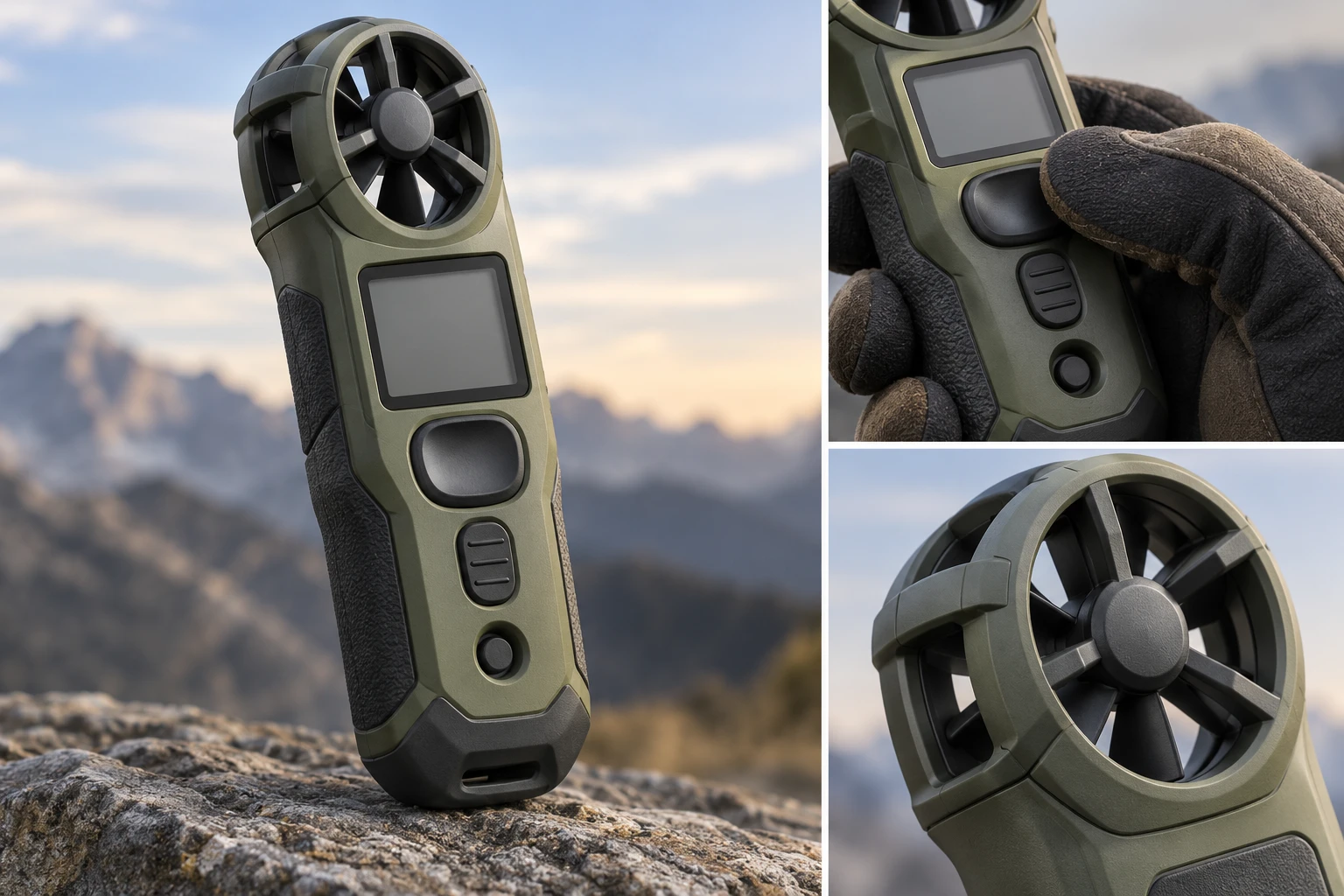
휴대용 풍속계 · 촉각 조작 계층
손가락이 닿는 순서에 따라 조작부의 형태와 질감을 구분하는 제품 설계.
이 이미지로 조합하기휴대용 풍속계 · 촉각 조작 계층
- 형태·선
- 넓은 오목면·좁은 골형·매입형 조작부를 형태와 깊이로 구분하고 타당한 성형 이음선을 둡니다.
- 색·명암
- 눈부심 없이 조작부의 촉각적 깊이를 드러내는 부드러운 중성 스튜디오 빛과 그림자를 사용합니다.
- 질감·재질
- 무광 방수 외피와 보호된 센서 표면을 절제된 사실적 재질 세부로 구분합니다.
- 구도
- 큰 기기 하나와 일관된 작은 세부 둘을 배치하고 그립 순서와 공기 흐름 통로를 읽히게 합니다.
우선순위
고유한 형태 구성과 표현 매체를 먼저 지키고 공간 위계의 가독성과 섬세한 표면 표현을 순서대로 확보합니다.
피할 표현과 결과 확인
추가 피사체·일관되지 않은 반복 형상·가려진 핵심 세부·과밀한 겹침·불필요한 글자와 워터마크를 배제합니다.
완성 이미지의 형태 구성·색과 조명·재질·구도를 각 규칙과 대조하고 요청된 피사체 수와 장면 조건을 유지했는지 확인합니다.
이 예시의 실제 생성 프롬프트
SUBJECT
Create a product-design reference for an original pocket wind meter used outdoors with gloves. Show one large three-quarter hero view and two small detail views of the same device: a thumb approaching the main control and a close view of the sensor guard. Make the primary capture button broad and concave, the secondary mode control narrow with raised ribs, and the recessed reset control difficult to press accidentally. Arrange these controls in the order a hand naturally encounters them while gripping the matte, weatherproof body. Expose the protected airflow path through the sensor guard without making it fragile. Use clean industrial design rendering with believable molded seams, restrained material differences, and soft shadows that reveal depth. Leave the screen blank so form and touch cues lead. No labels, readable lettering, third-party logos, or watermarks.

COMPOSITION
Large three-quarter wind-meter view plus small gloved-thumb approach and sensor-guard details. Keep broad concave primary button, narrow ribbed mode control, recessed reset and blank screen consistent.

STYLE GUIDE
1. Shape & line
Distinguish broad concave, narrow ribbed and recessed controls through shape and depth, with plausible molded seams.

2. Color & light
Use soft neutral studio light and shadows that reveal tactile control depth without glare.

3. Texture & material
Differentiate matte weatherproof body and protected sensor surfaces through restrained realistic material detail.

4. Composition
Maintain one dominant device and two consistent smaller details, with readable grip order and airflow path.

PRIORITY
Preserve the requested identity, count, action, composition and output settings. Apply the style rules within those constraints; a style reference must not replace the subject or layout. Within the style: Preserve the distinctive construction and medium first, readable spatial hierarchy second, subtle surface details third.

AVOID
Avoid extra subjects, inconsistent repeated geometry, hidden key details, crowded overlaps, unwanted text and watermarks.

OUTPUT
One finished landscape image, aspect ratio 3:2. No lettering, captions, dimensions, unrelated logos, watermark, border or interface.

SELF-CHECK
Check each style rule against the finished image: visible shape construction, color and light, material treatment, and composition. Preserve the exact subject count and scene requirements.
모델명은 이미지 출처 정보 기준입니다. 같은 프롬프트를 사용해도 결과는 달라질 수 있습니다.