텍스트 → 이미지화풍스타일 가이드
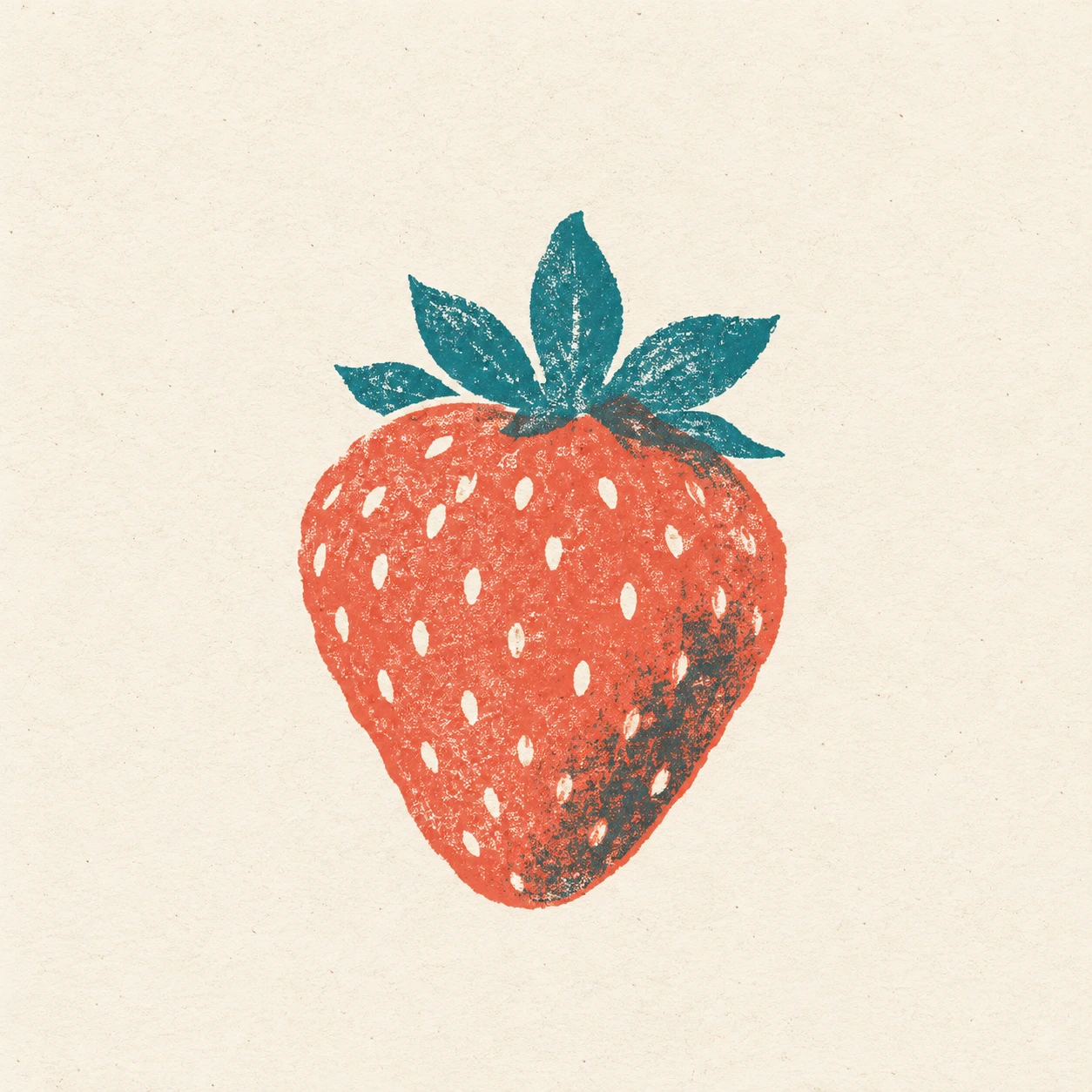
딸기 한 알 · 리소그래프 색판 어긋남
산호색 열매와 청록색 잎의 색판을 살짝 어긋나게 찍어, 종이 여백과 겹친 잉크 가장자리로 리소그래프 특유의 인쇄감을 보여줍니다.
딸기 한 알 · 리소그래프 색판 어긋남
- 형태·선
- 열매는 가장자리가 부드럽게 불규칙한 둥근 삼각형 실루엣으로 만들고, 꼭지는 넓고 뾰족한 잎 몇 장으로 구성하세요. 산호색 열매 안에는 씨앗 모양의 짧은 종이색 빈틈을 여유 있게 배치하고, 딸기 전체를 두르는 연속 외곽선은 피하세요.
- 색·명암
- 따뜻한 아이보리색 종이 위에 산호색과 청록색 잉크를 평평하게 사용하세요. 열매의 화면 오른쪽 아래 가장자리 안쪽에 성긴 청록색 그림자 면을 놓고, 산호색과 겹친 부분은 더 어둡고 차분한 색으로 보이게 하세요. 흰색 하이라이트를 칠하는 대신 드러난 종이가 가장 밝은 부분을 맡게 하세요.
- 질감·재질
- 두 잉크 면에 미세하고 불규칙한 다공성 입자를 넣고, 작은 종이색 점이 드문드문 드러나게 하세요. 청록색 색판 전체를 산호색 색판보다 화면 오른쪽으로 살짝 이동해, 잎과 열매의 접합부 왼쪽에는 가는 종이색 틈이, 오른쪽에는 어두운 겹침이 보이게 하세요. 꼭지가 붙어 있는 것으로 읽힐 만큼만 어긋나게 하세요.
- 구도
- 씨앗 모양의 빈틈, 잉크 입자, 어긋난 접합부가 함께 보일 만큼 딸기를 크게 배치하세요. 주변 종이는 비워 두고, 열매는 기울이지 않은 채 꼭지 잎을 비대칭으로 펼치며, 가장 진한 색 겹침은 꼭지 주변과 열매의 오른쪽 아래 가장자리에 모으세요.
우선순위
딸기의 명확한 형태와 붙어 있는 꼭지에서 보이는 색판 어긋남을 우선하세요.
피할 표현과 결과 확인
광택 있는 묘사, 매끈한 디지털 그라데이션, 잎이 떨어져 보일 정도의 어긋남은 피하세요.
청록색 색판의 이동으로 접합부 왼쪽에 종이색 틈이, 오른쪽에 어두운 겹침이 생겼는지 확인하세요.
이 예시의 실제 생성 프롬프트
SUBJECT
Show exactly one ripe strawberry with a squat, tapered body and a small crown of pointed leaves attached at the top. Use a coral ink layer for the fruit and a teal ink layer for the leaves and sparse shadow accents.

COMPOSITION
Present the complete strawberry upright in a simple frontal view, centered slightly below the middle of a warm ivory square sheet. Keep generous blank margins and make the junction between leaves and fruit easy to inspect.

STYLE GUIDE
1. Shape & line
Build the fruit from one rounded triangular silhouette with gently uneven edges, and shape the crown into a few broad pointed leaves. Reserve short seed-shaped paper gaps inside the coral body; keep their spacing loose and avoid a continuous outline around the strawberry.

2. Color & light
Use flat coral and teal inks on warm ivory paper. Place a sparse teal shadow patch inside the fruit's image-right lower edge, where its overlap with coral becomes a darker muted color; let exposed paper supply the brightest marks instead of painted white highlights.

3. Texture & material
Give both ink layers fine, irregular porous grain with occasional small paper flecks. Shift the entire teal layer slightly toward image-right relative to the coral layer, so the leaf–fruit junction shows a thin exposed-paper sliver on its left and a darker overlap on its right; keep the offset small enough that the crown still reads as attached.

4. Composition
Keep the strawberry large enough for its seed gaps, porous ink, and offset junction to remain visible together. Leave the surrounding paper open, distribute the crown asymmetrically without tilting the fruit, and concentrate the strongest color overlap near the crown and lower-right fruit edge.

PRIORITY
Preserve the requested identity, count, action, composition and output settings. Apply the style rules within those constraints; a style reference must not replace the subject or layout. Within the style: Prioritize a readable strawberry and visibly offset ink layers at the attached crown.

AVOID
Avoid glossy rendering, smooth digital gradients, and offsets that detach the leaves.

OUTPUT
Create one square image resembling a scanned two-ink risograph print on uncoated paper, with no text, lettering, border, or watermark.

SELF-CHECK
Check that the teal shift creates a paper sliver on the junction's left and a darker overlap on its right.
모델명은 이미지 출처 정보 기준입니다. 같은 프롬프트를 사용해도 결과는 달라질 수 있습니다.