Text to imageIllustrationStyle guide
One Pair of Scissors · Pivot-Centered Construction
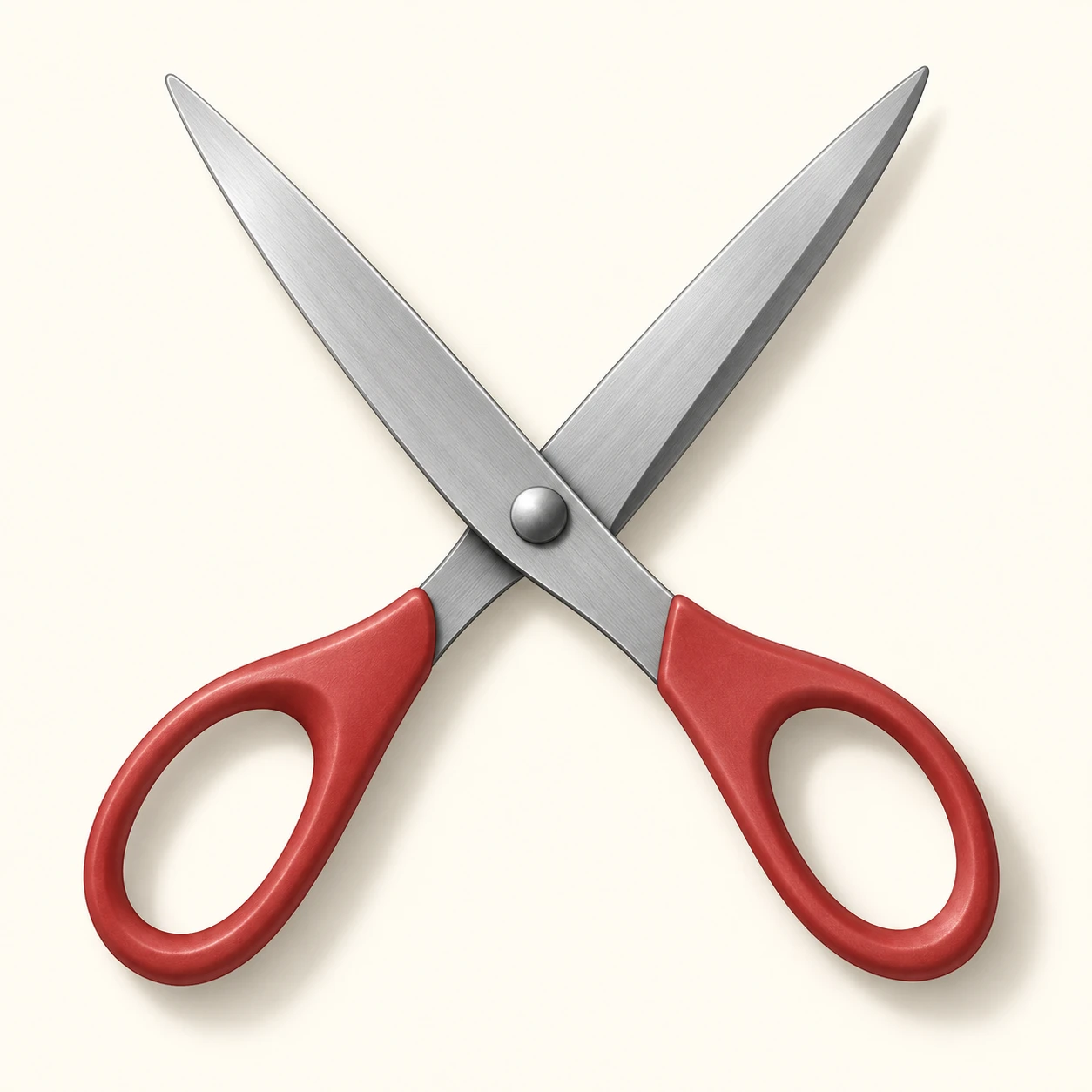
An illustration that connects two blades and their handles through one pivot, making the structure and overlap of open scissors readable.
One Pair of Scissors · Pivot-Centered Construction
- Shape & line
- Construct two continuous members around the same pivot: connect the upper-left blade to the lower-right handle and the upper-right blade to the lower-left handle. Use crisp outer contours, and interrupt the lower member's contour where the upper member visibly overlaps it beside the pivot.
- Color & light
- Light the scissors from the image's upper left. Keep the broad steel faces pale cool gray, give their lower-right bevels a darker gray strip, and shade the lower-right edges of the red handles. Add a small soft cast shadow displaced toward the image's lower right.
- Texture & material
- Describe steel with a few restrained lengthwise tonal streaks that follow each blade, keeping the cutting edges clean. Render the handles as smooth matte plastic with broad, quiet highlights, and distinguish the circular pivot with a compact highlight and a dark underside crescent.
- Composition
- Keep a clear V-shaped background gap between the blades and leave both handle holes fully readable. Center the crossing at the pivot, balance the two diagonal members within the square, and preserve enough space around all four ends to inspect their connections.
Priority
Prioritize continuous blade-to-handle connections through one shared pivot.
What to avoid & what to check
Avoid disconnected handles, doubled pivots, and contours that remain visible through overlapping metal.
Check that each blade connects to the diagonally opposite handle and that the overlap reads clearly at the pivot.
Exact prompt for this example
SUBJECT
Draw exactly one open pair of scissors with two steel blades, two muted red handle loops, and one shared circular pivot. Each blade continues through the pivot into the handle on the opposite side of the opening.

COMPOSITION
Use an almost overhead view on a plain warm ivory background. Place the pivot near the image center, the two blade tips toward the upper left and upper right, and the corresponding handles toward the lower right and lower left. Show the entire object with generous margins.

STYLE GUIDE
1. Shape & line
Construct two continuous members around the same pivot: connect the upper-left blade to the lower-right handle and the upper-right blade to the lower-left handle. Use crisp outer contours, and interrupt the lower member's contour where the upper member visibly overlaps it beside the pivot.

2. Color & light
Light the scissors from the image's upper left. Keep the broad steel faces pale cool gray, give their lower-right bevels a darker gray strip, and shade the lower-right edges of the red handles. Add a small soft cast shadow displaced toward the image's lower right.

3. Texture & material
Describe steel with a few restrained lengthwise tonal streaks that follow each blade, keeping the cutting edges clean. Render the handles as smooth matte plastic with broad, quiet highlights, and distinguish the circular pivot with a compact highlight and a dark underside crescent.

4. Composition
Keep a clear V-shaped background gap between the blades and leave both handle holes fully readable. Center the crossing at the pivot, balance the two diagonal members within the square, and preserve enough space around all four ends to inspect their connections.

PRIORITY
Preserve the requested identity, count, action, composition and output settings. Apply the style rules within those constraints; a style reference must not replace the subject or layout. Within the style: Prioritize continuous blade-to-handle connections through one shared pivot.

AVOID
Avoid disconnected handles, doubled pivots, and contours that remain visible through overlapping metal.

OUTPUT
One square illustration, with no text, labels, dimensions, or watermark.

SELF-CHECK
Check that each blade connects to the diagonally opposite handle and that the overlap reads clearly at the pivot.
Model information comes from image provenance. The same prompt may produce a different result.