Text to imageCafe & brandStyle guide
Local Button Shop · Responsive Logo Simplification
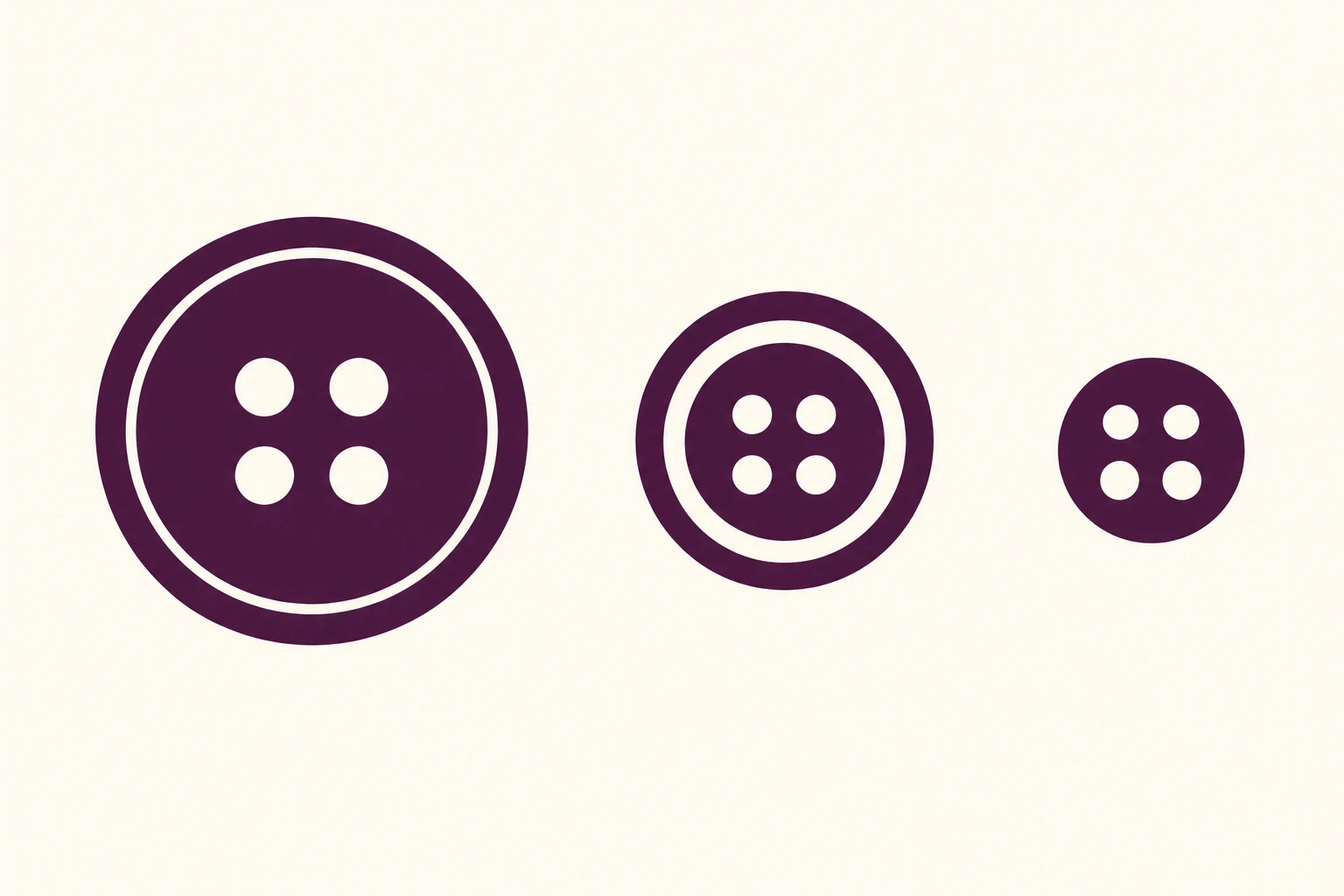
A four-hole button logo shown at three sizes demonstrates how removing rim detail preserves identity and readability at small scale.
Local Button Shop · Responsive Logo Simplification
- Shape & line
- Build each button from a solid circular silhouette and four round cutout holes. In the large version, add a fine concentric cutout ring near the perimeter; make that ring broader in the medium version and remove it in the small version. Enlarge the small version's holes proportionally so all four remain visibly separate.
- Color & light
- Use the same deep aubergine fill for all three symbols and let the ivory background show through every hole and rim cutout. Keep the contrast strong and the color uniform, without lighting gradients or shaded edges.
- Texture & material
- Render the identity as clean, flat vector artwork with smooth circular edges and solid ink-like fills. Keep the background equally smooth so surface grain does not obscure the smallest holes or imitate extra logo detail.
- Composition
- Arrange the variants from large at image-left to medium at image-center to distinctly small at image-right. Keep their centers aligned and their surrounding gaps generous; show each at its actual presentation size without magnified insets, allowing the reduction of rim detail to be compared directly.
Priority
Preserve the circular silhouette and four-hole identity while making the smallest mark clearly readable.
What to avoid & what to check
Avoid merely shrinking an identical detailed drawing until its ring and holes merge.
Confirm that all three marks read as the same button and that the smallest retains four distinct holes without a rim ring.
Exact prompt for this example
SUBJECT
Create a visual identity reference for a fictional local button shop using three size variants of the same circular four-hole button symbol. Each variant retains four background-colored holes in a square arrangement; these are adaptations of one logo, not three different designs.

COMPOSITION
Use a straight-on, horizontal reference sheet on a warm ivory background. Place the large symbol at image-left, the medium symbol at image-center, and the small symbol at image-right, with all three centers on one horizontal axis. Leave generous clear space so the smallest symbol can be judged at its displayed size.

STYLE GUIDE
1. Shape & line
Build each button from a solid circular silhouette and four round cutout holes. In the large version, add a fine concentric cutout ring near the perimeter; make that ring broader in the medium version and remove it in the small version. Enlarge the small version's holes proportionally so all four remain visibly separate.

2. Color & light
Use the same deep aubergine fill for all three symbols and let the ivory background show through every hole and rim cutout. Keep the contrast strong and the color uniform, without lighting gradients or shaded edges.

3. Texture & material
Render the identity as clean, flat vector artwork with smooth circular edges and solid ink-like fills. Keep the background equally smooth so surface grain does not obscure the smallest holes or imitate extra logo detail.

4. Composition
Arrange the variants from large at image-left to medium at image-center to distinctly small at image-right. Keep their centers aligned and their surrounding gaps generous; show each at its actual presentation size without magnified insets, allowing the reduction of rim detail to be compared directly.

PRIORITY
Preserve the requested identity, count, action, composition and output settings. Apply the style rules within those constraints; a style reference must not replace the subject or layout. Within the style: Preserve the circular silhouette and four-hole identity while making the smallest mark clearly readable.

AVOID
Avoid merely shrinking an identical detailed drawing until its ring and holes merge.

OUTPUT
Produce one landscape image in a 3:2 aspect ratio. Include only the three logo variants, with no lettering, captions, measurements, watermarks, or mockup objects.

SELF-CHECK
Confirm that all three marks read as the same button and that the smallest retains four distinct holes without a rim ring.
Model information comes from image provenance. The same prompt may produce a different result.