Text to imageLandscapeStyle guide
Basalt Bluff · Columnar Joint Rhythm
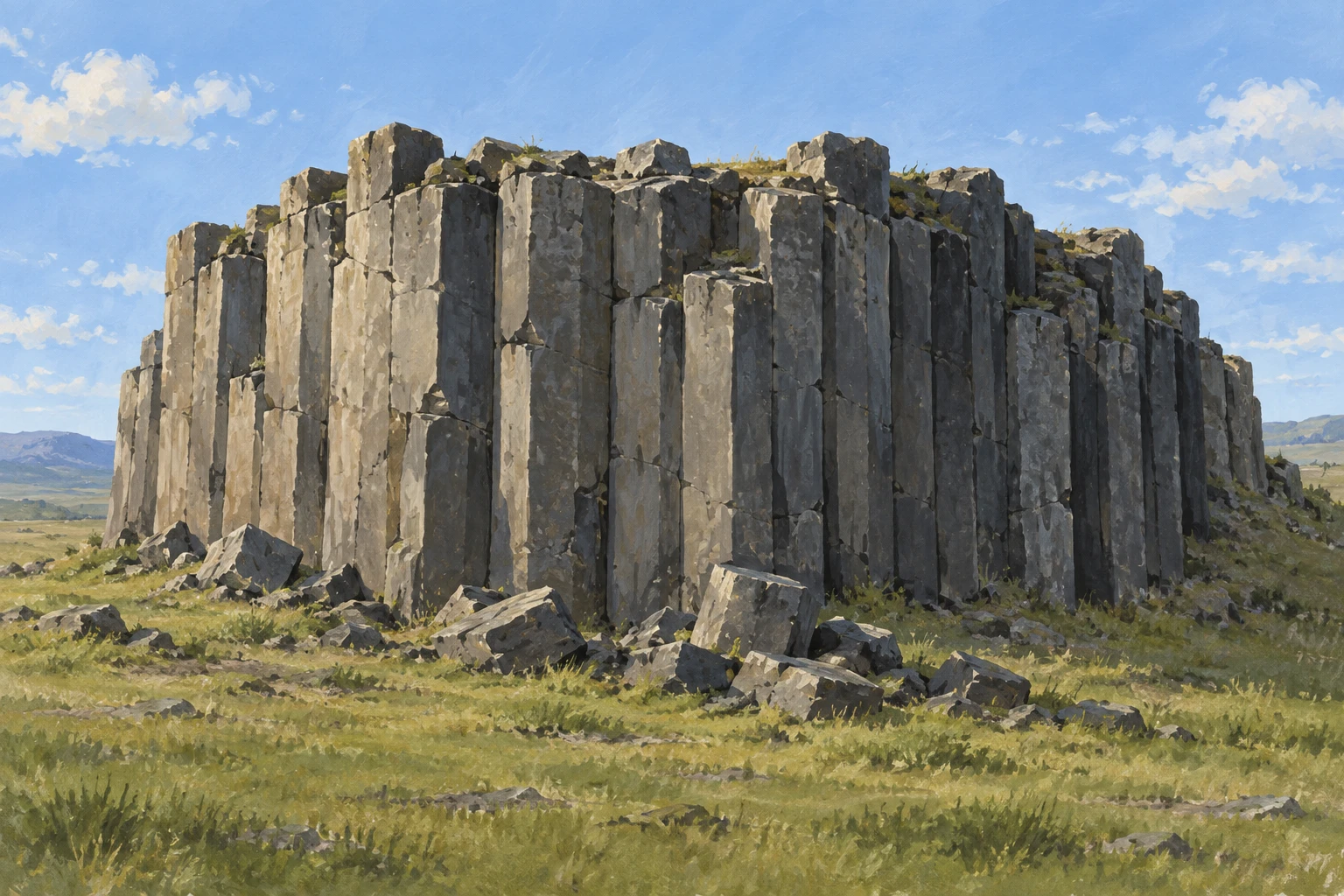
A gouache landscape that reveals a small basalt bluff through irregular polygonal columns and connected vertical fractures.
Basalt Bluff · Columnar Joint Rhythm
- Shape & line
- Build the bluff from adjoining polygonal shafts of varied widths and heights. Carry dark vertical seams down the front face, interrupting some at chipped ledges; expose a few angular top facets at the rim so the seams describe solid columns rather than stripes.
- Color & light
- Bring warm daylight from the upper left of the image. Give left-facing facets muted warm gray light, turn right-facing facets cool charcoal, and keep fracture recesses darkest; use a pale blue sky and subdued olive grass to separate the rock silhouette.
- Texture & material
- Paint the stone with matte, opaque gouache patches and sparse dry-brush scuffs that stop at facet edges. Add occasional chipped corners and short transverse cracks, concentrating rough marks near broken tops and fallen blocks while leaving broad shaft faces comparatively quiet.
- Composition
- Keep the bluff large enough for its column rhythm to read at a glance. Let the upper rim step unevenly against the sky, cluster the fallen blocks directly below the exposed face, and preserve clear grassy space on both sides so the rock formation remains the focal point.
Priority
Make the connected fractures and visible top facets establish a believable mass of adjoining stone columns.
What to avoid & what to check
Avoid identical pillars, cylindrical shafts, and uniformly spaced decorative stripes.
Check that seams divide solid angular columns and that facet lighting consistently follows the upper-left light.
Exact prompt for this example
SUBJECT
One small exposed basalt bluff rising from a grassy plain. Its rock face consists of adjoining upright stone columns, with several broken column tops visible along the upper rim and a few fallen angular blocks at its foot.

COMPOSITION
Use a horizontal three-quarter view, slightly above the bluff's foot, so the broad front face and a narrower right-facing return are both readable. Place the bluff across the middle of the frame, with a low strip of grass below and open sky above.

STYLE GUIDE
1. Shape & line
Build the bluff from adjoining polygonal shafts of varied widths and heights. Carry dark vertical seams down the front face, interrupting some at chipped ledges; expose a few angular top facets at the rim so the seams describe solid columns rather than stripes.

2. Color & light
Bring warm daylight from the upper left of the image. Give left-facing facets muted warm gray light, turn right-facing facets cool charcoal, and keep fracture recesses darkest; use a pale blue sky and subdued olive grass to separate the rock silhouette.

3. Texture & material
Paint the stone with matte, opaque gouache patches and sparse dry-brush scuffs that stop at facet edges. Add occasional chipped corners and short transverse cracks, concentrating rough marks near broken tops and fallen blocks while leaving broad shaft faces comparatively quiet.

4. Composition
Keep the bluff large enough for its column rhythm to read at a glance. Let the upper rim step unevenly against the sky, cluster the fallen blocks directly below the exposed face, and preserve clear grassy space on both sides so the rock formation remains the focal point.

PRIORITY
Preserve the requested identity, count, action, composition and output settings. Apply the style rules within those constraints; a style reference must not replace the subject or layout. Within the style: Make the connected fractures and visible top facets establish a believable mass of adjoining stone columns.

AVOID
Avoid identical pillars, cylindrical shafts, and uniformly spaced decorative stripes.

OUTPUT
Create one landscape image in a 3:2 aspect ratio, painted in opaque gouache, with no lettering, labels, border, or watermark.

SELF-CHECK
Check that seams divide solid angular columns and that facet lighting consistently follows the upper-left light.
Model information comes from image provenance. The same prompt may produce a different result.