Text to imageLandscapeStyle guide
Two Hills · Sky-Shaped Saddle
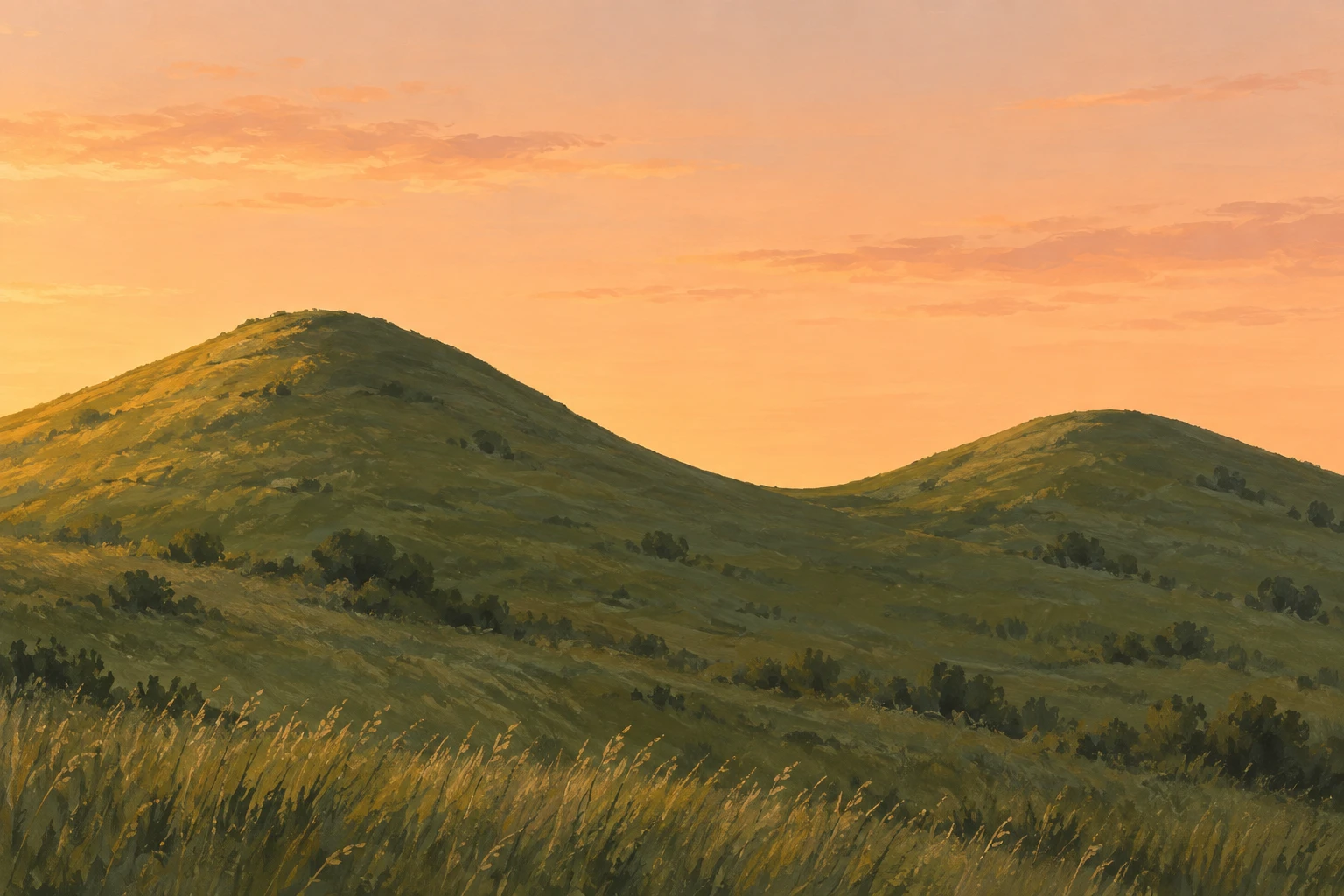
A simple landscape that makes the low saddle between two hills readable through the shape of the open sky.
Two Hills · Sky-Shaped Saddle
- Shape & line
- Draw the hill skyline as one continuous contour: descend gently from the taller image-left summit into a broad, shallow saddle, then rise toward the lower image-right summit. Make the sky above this dip form a readable downward tongue of negative space, with rounded transitions rather than a sharp V.
- Color & light
- Paint the sky pale apricot and the joined hills a darker muted olive, keeping enough value separation to read the saddle immediately. Light the slopes from image-left with a restrained warm wash, while preserving the darker skyline against the sky throughout the central dip.
- Texture & material
- Build the hills with broad opaque gouache strokes and a few dry-brush grass marks in the lower foreground. Reduce those marks toward the saddle and keep the skyline clean, so surface texture supports the land without breaking the sky-shaped opening.
- Composition
- Leave a generous clear sky margin above both summits and keep the central dip unobstructed. Balance the taller left hill with a wider right-hand slope, letting the eye follow the skyline down into the saddle and back upward without additional focal objects.
Priority
Prioritize the clear sky shape that reveals the saddle between the two summits.
What to avoid & what to check
Avoid a sharp ravine, separate floating hills, or vegetation that obscures the saddle contour.
Check that two summits share one continuous low saddle and remain readable at thumbnail size.
Exact prompt for this example
SUBJECT
Exactly two rounded grassy hilltops connected by one low saddle, seen against a clear evening sky. The image-left summit is taller than the image-right summit; their facing slopes descend toward the same central saddle.

COMPOSITION
Use a wide, eye-level view with both summits fully inside the frame. Place the saddle slightly right of center and below the image midpoint. Let the connected hillside fill the lower portion while uninterrupted sky clearly exposes its upper contour.

STYLE GUIDE
1. Shape & line
Draw the hill skyline as one continuous contour: descend gently from the taller image-left summit into a broad, shallow saddle, then rise toward the lower image-right summit. Make the sky above this dip form a readable downward tongue of negative space, with rounded transitions rather than a sharp V.

2. Color & light
Paint the sky pale apricot and the joined hills a darker muted olive, keeping enough value separation to read the saddle immediately. Light the slopes from image-left with a restrained warm wash, while preserving the darker skyline against the sky throughout the central dip.

3. Texture & material
Build the hills with broad opaque gouache strokes and a few dry-brush grass marks in the lower foreground. Reduce those marks toward the saddle and keep the skyline clean, so surface texture supports the land without breaking the sky-shaped opening.

4. Composition
Leave a generous clear sky margin above both summits and keep the central dip unobstructed. Balance the taller left hill with a wider right-hand slope, letting the eye follow the skyline down into the saddle and back upward without additional focal objects.

PRIORITY
Preserve the requested identity, count, action, composition and output settings. Apply the style rules within those constraints; a style reference must not replace the subject or layout. Within the style: Prioritize the clear sky shape that reveals the saddle between the two summits.

AVOID
Avoid a sharp ravine, separate floating hills, or vegetation that obscures the saddle contour.

OUTPUT
Create one landscape image in a 3:2 aspect ratio, rendered in matte opaque gouache, with no text, labels, border, or watermark.

SELF-CHECK
Check that two summits share one continuous low saddle and remain readable at thumbnail size.
Model information comes from image provenance. The same prompt may produce a different result.