Text to imageArt stylesStyle guide
A Tiny Raincloud Above the Bench
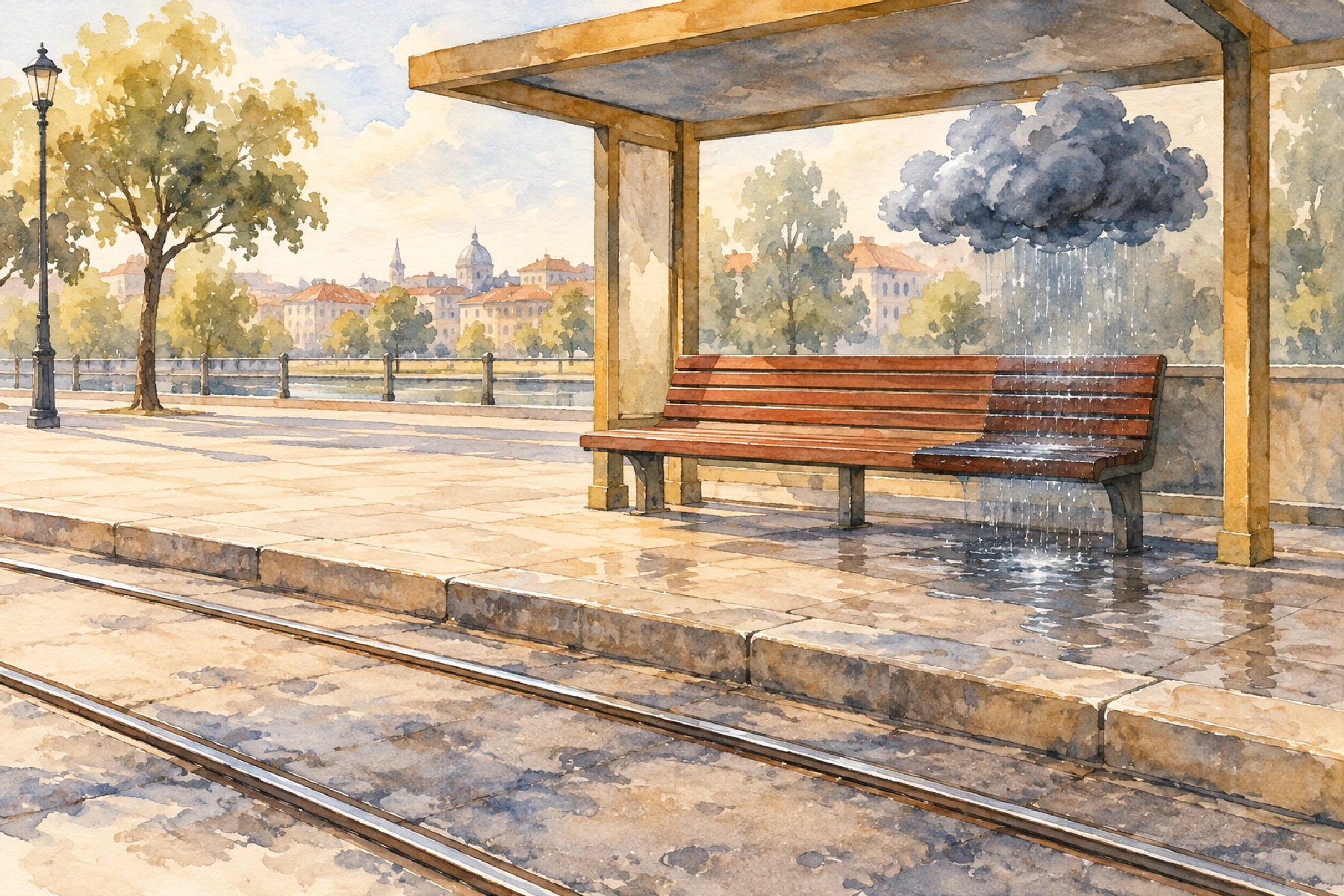
A tiny raincloud showers just one end of a bench at an empty tram stop. Blooming watercolor and broken edges give this pocket of impossible weather a tangible presence.
Remix this referenceA Tiny Raincloud Above the Bench
- Form language
- Reduce forms to unequal, interlocking wash masses; retain enough structural landmarks for immediate recognition.
- Contour
- Let contours alternate between crisp brush edges, feathered bleeds and lost passages; use sparse tapered line accents.
- Mark-making
- Use broad wet strokes interrupted by skipping dry-brush marks and a few downward flicks; allow natural irregularity.
- Surface rendering
- Build transparent washes with visible blooms, pooled rims and reserved paper; let tonal transitions spread unevenly.
Priority
Expressive watercolor blooms and broken edges must remain visibly active in the finished image.
What to avoid & what to check
Exact prompt for this example
MODULE OWNERSHIP
subject: Subject count, type, stable proportions and landmarks, resting face geometry, hair shape, physical materials, garment construction and permanent marks. No emotion, movement, color assignment or rendering recipe.
expression: Facial soft-tissue displacement and pupil direction, muscle coordination, regional intensity, asymmetry and onset/peak/release. No head/body pose, stable appearance, skin color or rendering.
gesture: Head/neck/body/limb orientation, joint movement, support, contact and pose-caused occlusion using existing anatomy. No eye/pupil movement, emotion, identity, props inventory or camera.
props: Prop count, type, construction, physical material and scale relative to the subject. Holding/contact belongs to gesture, position to composition, color to palette.
scene: Environment elements, terrain, backdrop/floor presence and structural detail. No canvas positions, camera, lighting, assigned colors or render texture.
camera: Projection, focal-length impression, camera elevation/yaw/roll, viewing distance and crop. No actor pose, world placement, lighting or canvas aspect ratio.
composition: Normalized 0-100% canvas positions, scale in frame, depth/overlap, focal hierarchy and margins. No joint pose, camera projection, rendering, subject/prop inventory or emotion.
palette: Color anchors, hue/saturation/value ranges, colors assigned to parts and approximate color coverage. No illumination direction, shading algorithm, physical material or layout.
lighting: Light-source direction/softness/intensity, ambient illumination, physical shadow direction/length and highlight position. Absence of directional illumination is allowed. No shading technique, palette or material changes.
style: Reusable form abstraction, contour weight/taper/edge quality, medium and mark scale/density/direction, surface rendering and tonal transition technique. No fixed subject proportions, anatomy, identity, expression, pose, palette, light-source direction, camera or layout.
output: Image count, aspect ratio, size, file/alpha requirements and global lettering/logo/watermark restrictions. No background scenery, crop, style, identity or pose.

SUBJECT
inventory: One miniature raincloud; no people or animals.
geometry: The cloud has a low, scalloped crown and a loose underside; its width is comparable to one bench seat.
resting-face: No face or facial landmarks.
appearance: A bank of condensed water droplets without a solid shell, clothing or permanent markings.

PRIORITY


AVOID


CHECK


PROPS
inventory: No separate props.
construction: No prop construction applies.

PRIORITY


AVOID


CHECK


SCENE
inventory: An open-sided tram shelter, a fixed slatted bench, curb, paving and tram rails; no passing vehicles.
structure: A brief shower wets one bench end and the paving beneath it; the rest of the stop remains dry.

PRIORITY


AVOID


CHECK


CAMERA
projection: Natural perspective with a gently wide focal-length impression.
viewpoint: Look obliquely across the shelter from standing eye height, with a level horizon.
crop: Show the complete cloud and bench in an environmental view; let the outer rails continue beyond the frame.

PRIORITY


AVOID


CHECK


COMPOSITION
placement: Set the cloud above the right bench end, off center; leave a spacious stretch of empty pavement to the left.
depth: Foreground rails pass across the shelter approach; the bench sits behind them and the street recedes beyond.
spacing: Make the cloud the first read and the wet bench end the second; keep open space around the cloud's silhouette.

PRIORITY


AVOID


CHECK


PALETTE
colors: Slate blue, muted terracotta, pale ochre and warm ivory, with restrained saturation.
assignment: Use slate blue for cloud and wet patches, terracotta for bench slats, ochre for shelter supports and ivory for open surroundings.
balance: Let pale warm colors occupy most of the image, interrupted by a compact, deeper blue passage.

PRIORITY


AVOID


CHECK


LIGHTING
sources: Broad, soft daylight enters from the upper left, with generous ambient light beneath the shelter.
shadows: Shelter shadows extend softly toward the lower right; the cloud casts a small, diffuse shadow onto the bench.
highlights: Keep modest highlights on upper-left-facing bench edges and the wet paving.

PRIORITY


AVOID


CHECK


STYLE GUIDE
form-language: Reduce forms to unequal, interlocking wash masses; retain enough structural landmarks for immediate recognition.
contour: Let contours alternate between crisp brush edges, feathered bleeds and lost passages; use sparse tapered line accents.
mark-making: Use broad wet strokes interrupted by skipping dry-brush marks and a few downward flicks; allow natural irregularity.
surface-rendering: Build transparent washes with visible blooms, pooled rims and reserved paper; let tonal transitions spread unevenly.

PRIORITY
Expressive watercolor blooms and broken edges must remain visibly active in the finished image.

AVOID


CHECK


OUTPUT
format: One finished image, landscape 3:2, 1800 × 1200 pixels, opaque PNG.
restrictions: No lettering, logos or watermarks.

PRIORITY


AVOID


CHECK
Model information comes from image provenance. The same prompt may produce a different result.