Text to imageArt stylesStyle guide
One Mushroom · Felt Appliqué
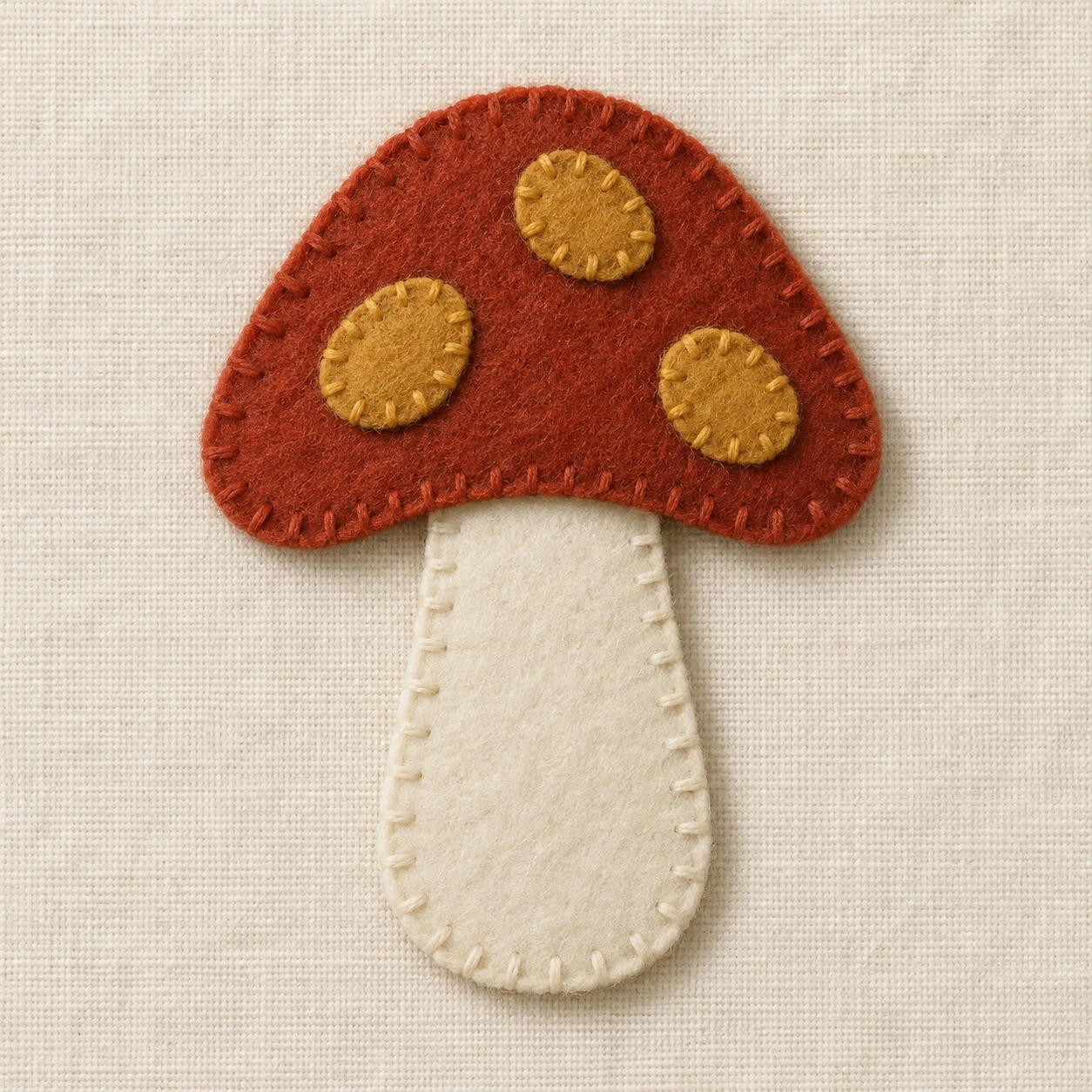
Layered felt shapes and blanket-stitched edges define a mushroom and reveal its construction.
One Mushroom · Felt Appliqué
- Shape & line
- Build the mushroom from separate cut felt silhouettes: give the cap a broad domed top and gently curved lower edge, tuck the stem's upper end beneath that edge, and place three irregular rounded spots entirely inside the cap. Keep contours simple and slightly handmade rather than drawing outlines.
- Color & light
- Use flat rust red, ivory, and ochre felt against cream backing. Let soft light from the image upper left create narrow shadows on the backing just below and to the right of raised felt edges, with a small overlap shadow where the cap covers the stem; keep each piece's main color even.
- Texture & material
- Show matte felt with softly fuzzy cut edges and a fine, irregular fiber surface. Sew exposed edges with visible blanket stitches whose thread follows the perimeter and sends short bars inward; interrupt the stem's stitching where it disappears beneath the cap, and give the backing a subtle woven texture.
- Composition
- Keep the textile surface parallel to the image plane and let the mushroom occupy roughly the central half of the frame. Preserve open cream fabric on all sides, and make the cap-to-stem overlap readable through its edge and shadow rather than through perspective depth.
Priority
Prioritize readable felt layers and continuous blanket stitching along exposed edges.
What to avoid & what to check
Avoid glossy plastic surfaces, painted contour lines, and plush toy volume.
Check that the cap visibly overlaps the stem and that stitches stop at the concealed stem edge.
Exact prompt for this example
SUBJECT
One mushroom made as a flat felt appliqué on a cream fabric backing, with one rust-red cap overlapping the top of one ivory stem and three small ochre felt spots attached to the cap.

COMPOSITION
Use a straight-on overhead view of the rectangular fabric backing. Center the upright mushroom, with its cap toward the image top and its stem toward the image bottom, leaving generous clear fabric around its silhouette.

STYLE GUIDE
1. Shape & line
Build the mushroom from separate cut felt silhouettes: give the cap a broad domed top and gently curved lower edge, tuck the stem's upper end beneath that edge, and place three irregular rounded spots entirely inside the cap. Keep contours simple and slightly handmade rather than drawing outlines.

2. Color & light
Use flat rust red, ivory, and ochre felt against cream backing. Let soft light from the image upper left create narrow shadows on the backing just below and to the right of raised felt edges, with a small overlap shadow where the cap covers the stem; keep each piece's main color even.

3. Texture & material
Show matte felt with softly fuzzy cut edges and a fine, irregular fiber surface. Sew exposed edges with visible blanket stitches whose thread follows the perimeter and sends short bars inward; interrupt the stem's stitching where it disappears beneath the cap, and give the backing a subtle woven texture.

4. Composition
Keep the textile surface parallel to the image plane and let the mushroom occupy roughly the central half of the frame. Preserve open cream fabric on all sides, and make the cap-to-stem overlap readable through its edge and shadow rather than through perspective depth.

PRIORITY
Preserve the requested identity, count, action, composition and output settings. Apply the style rules within those constraints; a style reference must not replace the subject or layout. Within the style: Prioritize readable felt layers and continuous blanket stitching along exposed edges.

AVOID
Avoid glossy plastic surfaces, painted contour lines, and plush toy volume.

OUTPUT
Create one square image showing a tactile textile illustration, with no lettering, captions, logos, or watermark.

SELF-CHECK
Check that the cap visibly overlaps the stem and that stitches stop at the concealed stem edge.
Model information comes from image provenance. The same prompt may produce a different result.