Text to imageArt stylesStyle guide
One Walnut · Lithographic Crayon Grain
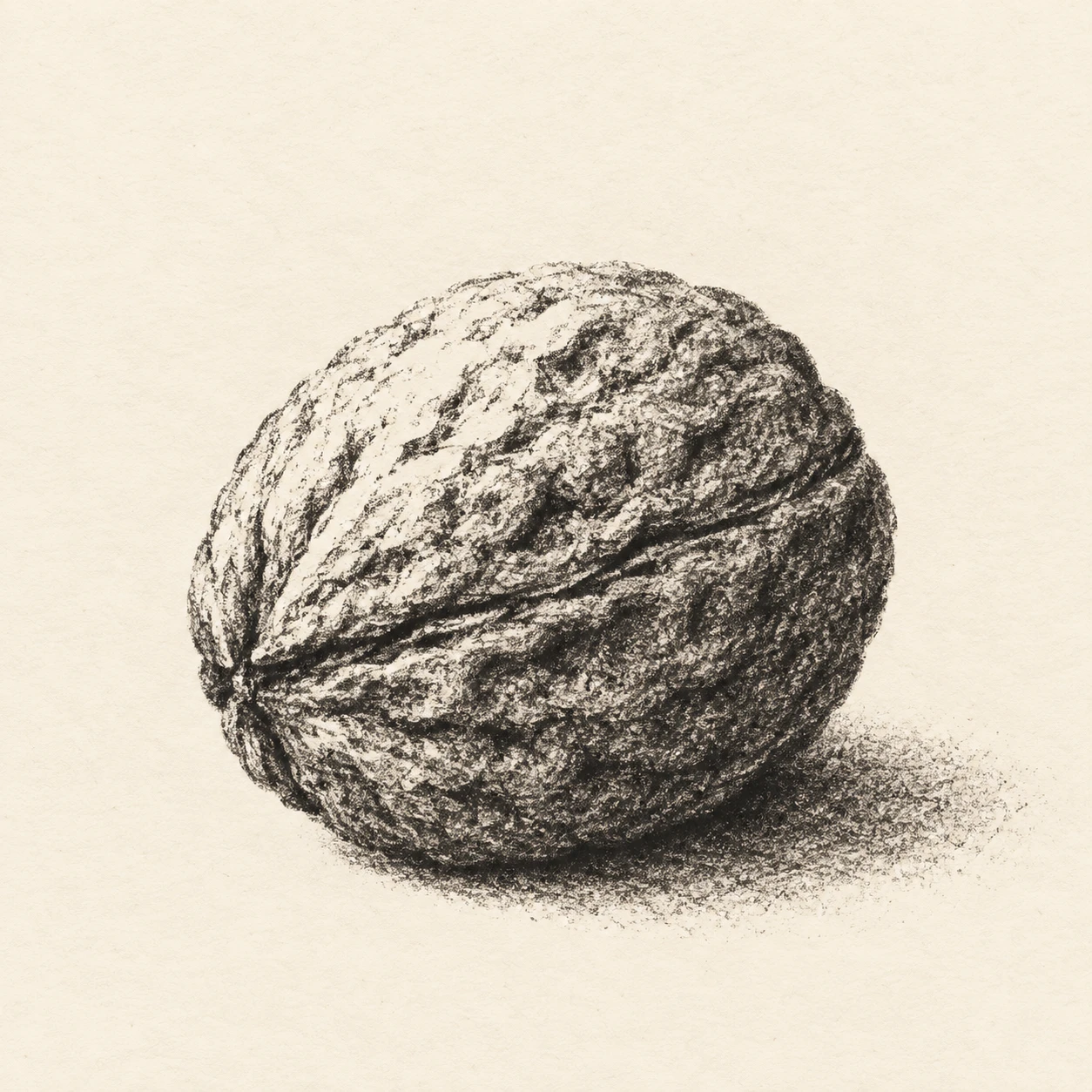
A monochrome lithographic style that models a walnut shell through changing densities of coarse crayon grain.
One Walnut · Lithographic Crayon Grain
- Shape & line
- Construct the shell as one rounded oval with shallow, irregular ridges. Draw its outer edge with a grainy black crayon stroke that breaks slightly over illuminated ridges, and describe the joining seam with a darker interrupted line that follows the shell's curve.
- Color & light
- Use only black ink and warm ivory paper. Place the light at image upper left, leaving the upper-left ridges mostly paper-white; build denser black tone toward the lower-right shell and extend a short, grainy cast shadow from its contact point toward image lower right.
- Texture & material
- Make the lithographic crayon texture visible as uneven clusters of black flecks separated by small paper gaps. Use light, broken deposits on raised areas and overlapping, heavier deposits in grooves, preserving granular edges even in dark passages instead of smoothing them into continuous gray.
- Composition
- Keep the walnut large enough for its grain and ridges to read clearly while retaining open paper on every side. Concentrate the sharpest seam marks and richest grain on the front-facing shell, simplify the far upper-right ridges, and let the cast shadow soften into sparse flecks at its outer end.
Priority
Prioritize readable shell volume built from visibly granular crayon tones.
What to avoid & what to check
Avoid smooth digital gradients, evenly spaced stippling, and texture that obscures the walnut's ridges.
Check that one intact walnut reads clearly and that sparse-to-dense grain explains its lit ridges and shaded grooves.
Exact prompt for this example
SUBJECT
One intact, unshelled walnut resting on a plain surface, with its oval shell, irregular branching ridges, and central joining seam clearly recognizable.

COMPOSITION
Show the entire walnut in a close three-quarter view, slightly below the image center. Run its long axis diagonally from image lower left to upper right, with the joining seam visible across the front. Leave generous blank paper around it.

STYLE GUIDE
1. Shape & line
Construct the shell as one rounded oval with shallow, irregular ridges. Draw its outer edge with a grainy black crayon stroke that breaks slightly over illuminated ridges, and describe the joining seam with a darker interrupted line that follows the shell's curve.

2. Color & light
Use only black ink and warm ivory paper. Place the light at image upper left, leaving the upper-left ridges mostly paper-white; build denser black tone toward the lower-right shell and extend a short, grainy cast shadow from its contact point toward image lower right.

3. Texture & material
Make the lithographic crayon texture visible as uneven clusters of black flecks separated by small paper gaps. Use light, broken deposits on raised areas and overlapping, heavier deposits in grooves, preserving granular edges even in dark passages instead of smoothing them into continuous gray.

4. Composition
Keep the walnut large enough for its grain and ridges to read clearly while retaining open paper on every side. Concentrate the sharpest seam marks and richest grain on the front-facing shell, simplify the far upper-right ridges, and let the cast shadow soften into sparse flecks at its outer end.

PRIORITY
Preserve the requested identity, count, action, composition and output settings. Apply the style rules within those constraints; a style reference must not replace the subject or layout. Within the style: Prioritize readable shell volume built from visibly granular crayon tones.

AVOID
Avoid smooth digital gradients, evenly spaced stippling, and texture that obscures the walnut's ridges.

OUTPUT
Create one square image of a monochrome lithographic print on warm ivory paper, without text, lettering, borders, or watermarks.

SELF-CHECK
Check that one intact walnut reads clearly and that sparse-to-dense grain explains its lit ridges and shaded grooves.
Model information comes from image provenance. The same prompt may produce a different result.