Text to imageCharacterStyle guide
Leaping Jelly Friend · Directional Stretch
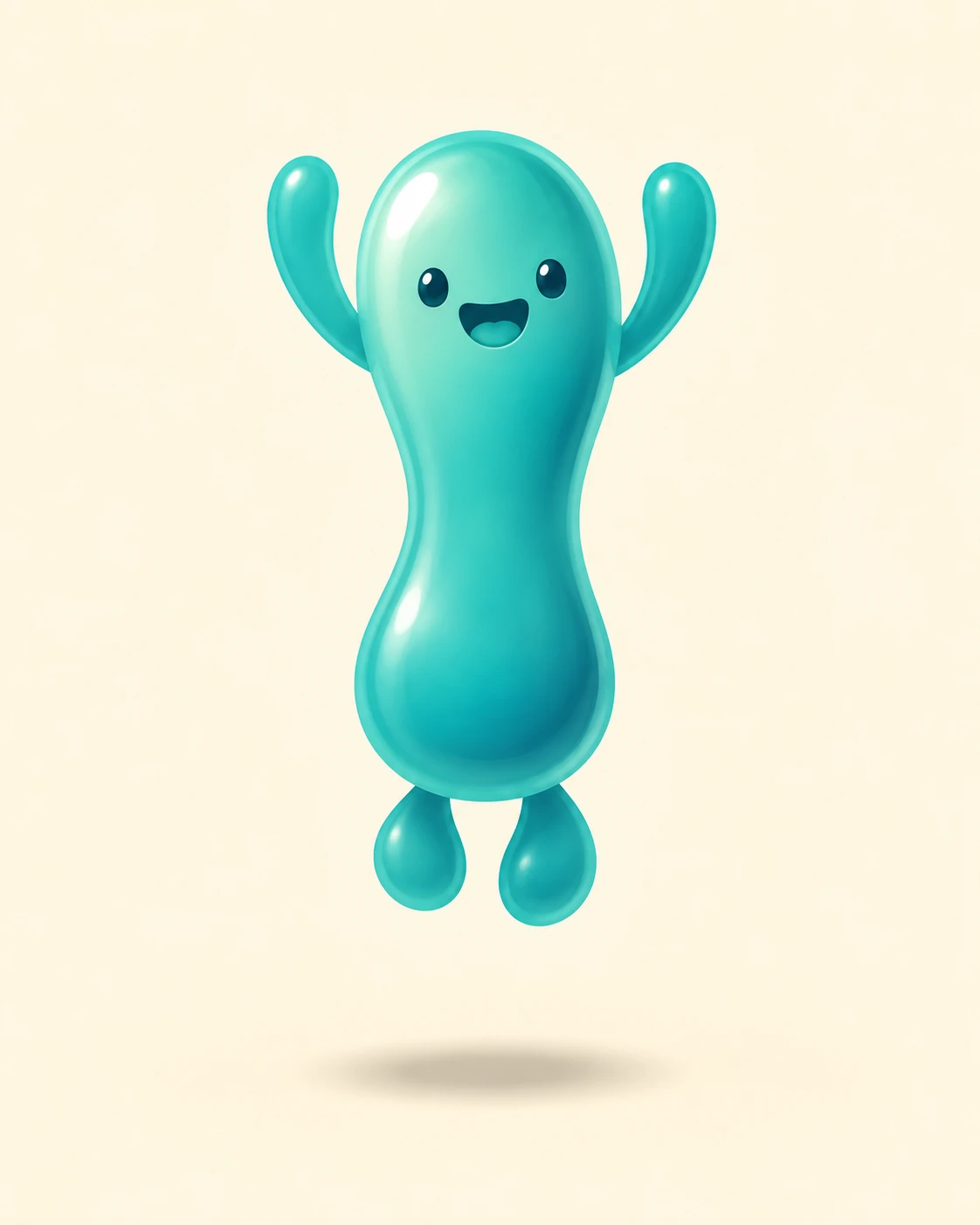
Pair a taller body with a narrower waist to make a jelly character’s upward leap readable in one still image.
Leaping Jelly Friend · Directional Stretch
- Shape & line
- Draw the body as a tall, continuous rounded shape with a visibly narrowed middle and fuller ends, so the upward stretch still feels substantial. Carry the same vertical pull into the raised arms and downward-trailing feet; keep the face compact and readable inside the stretched body.
- Color & light
- Use a teal body against a warm cream background. Place a broad pale highlight on the image-left upper body and a deeper teal shade along the image-right lower edge, following the elongated curves so the lighting reinforces the stretched volume.
- Texture & material
- Render the jelly with smooth translucent color and softly blended internal shading. Add one rounded glossy highlight near the image-left shoulder, while keeping the outer silhouette crisp enough to reveal the narrow waist and stretched extremities.
- Composition
- Align the head, narrowed middle and gap between the feet along one vertical path. Separate each raised arm from the head with a clear background gap, and place a small soft oval shadow on the ground directly beneath the airborne character to make the jump height visible.
Priority
Make the upward stretch and airborne gap readable before adding surface polish.
What to avoid & what to check
Avoid a uniformly thin body, detached limbs or motion streaks that replace the stretched silhouette.
Check that the narrowed middle, fuller ends and separated ground shadow clearly communicate an upward leap.
Exact prompt for this example
SUBJECT
One original teal jelly character with two small eyes, a smiling mouth, two short arms and two rounded feet, caught rising straight upward after a jump. Its body stretches vertically, its arms lift beside its head, and both feet trail beneath its body above the ground.

COMPOSITION
Show the entire character in a straight-on view, centered slightly above the middle of a portrait frame. Leave clear space above the raised arms and a visible gap between the trailing feet and a small ground shadow directly below.

STYLE GUIDE
1. Shape & line
Draw the body as a tall, continuous rounded shape with a visibly narrowed middle and fuller ends, so the upward stretch still feels substantial. Carry the same vertical pull into the raised arms and downward-trailing feet; keep the face compact and readable inside the stretched body.

2. Color & light
Use a teal body against a warm cream background. Place a broad pale highlight on the image-left upper body and a deeper teal shade along the image-right lower edge, following the elongated curves so the lighting reinforces the stretched volume.

3. Texture & material
Render the jelly with smooth translucent color and softly blended internal shading. Add one rounded glossy highlight near the image-left shoulder, while keeping the outer silhouette crisp enough to reveal the narrow waist and stretched extremities.

4. Composition
Align the head, narrowed middle and gap between the feet along one vertical path. Separate each raised arm from the head with a clear background gap, and place a small soft oval shadow on the ground directly beneath the airborne character to make the jump height visible.

PRIORITY
Preserve the requested identity, count, action, composition and output settings. Apply the style rules within those constraints; a style reference must not replace the subject or layout. Within the style: Make the upward stretch and airborne gap readable before adding surface polish.

AVOID
Avoid a uniformly thin body, detached limbs or motion streaks that replace the stretched silhouette.

OUTPUT
Create one finished character illustration in a 4:5 portrait aspect ratio, with no lettering, captions, logos or watermark.

SELF-CHECK
Check that the narrowed middle, fuller ends and separated ground shadow clearly communicate an upward leap.
Model information comes from image provenance. The same prompt may produce a different result.