Text to imageArt stylesStyle guide
One Plum · Soft-Pastel Side Strokes
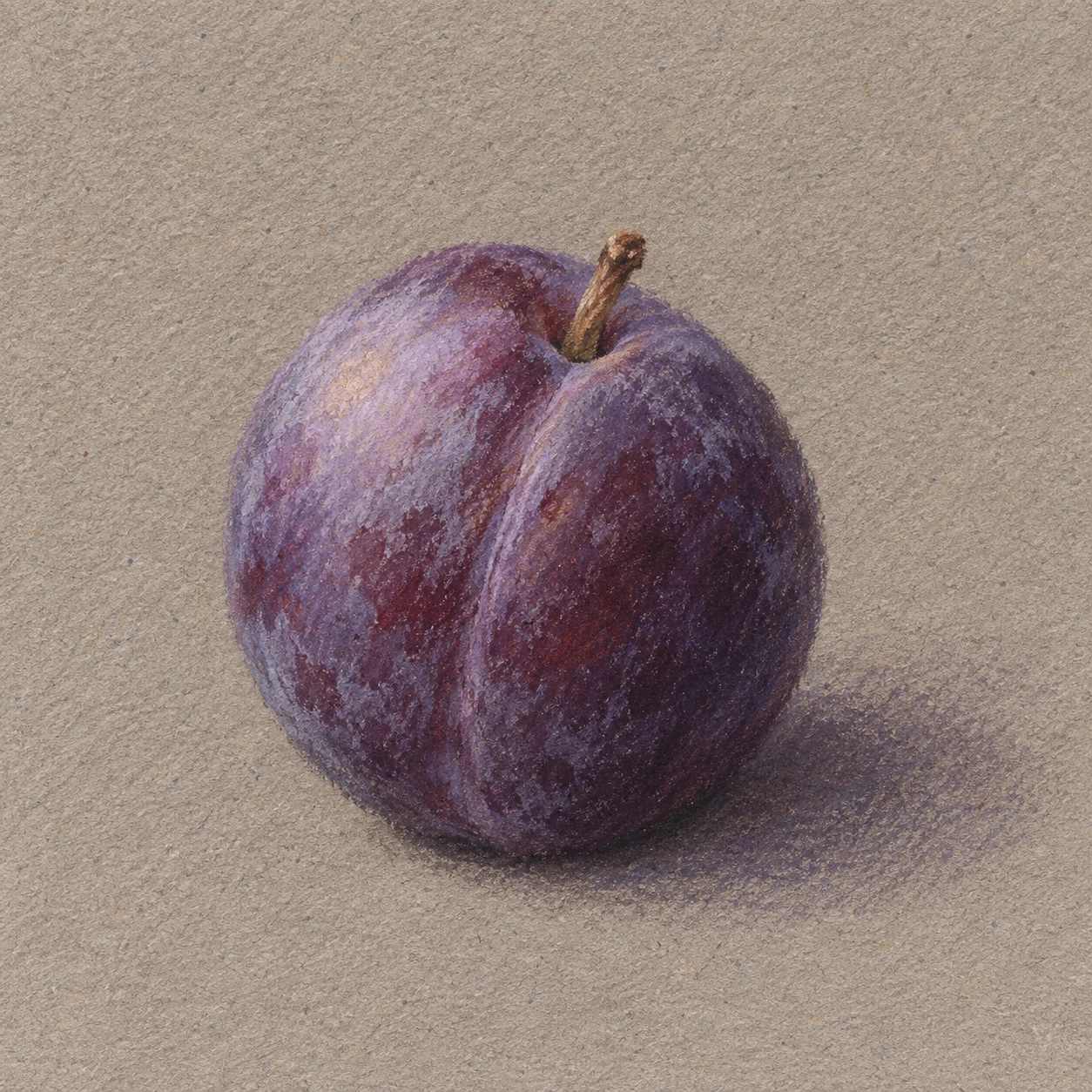
Broad strokes made with the side of soft pastel build a plum’s rounded volume and powdery bloom while leaving paper grain visible.
One Plum · Soft-Pastel Side Strokes
- Shape & line
- Build the slightly asymmetric oval with broad, curved pastel strokes rather than a continuous outline. Indicate the shallow crease with a soft violet stroke down the front, and use the pastel edge only for the short stem and a few firm contour accents.
- Color & light
- Place the light at image-upper-left: layer muted lavender over the upper-left curve, keep the lower-right body deep plum violet, and place a subdued violet-gray shadow on the paper toward image-right. Keep the brightest area broad and matte, with no sharp white glint.
- Texture & material
- Drag the side of a soft-pastel stick lightly across textured paper so broad color patches break into irregular grain, exposing warm gray flecks. Add a thin, broken pale-lavender layer for the fruit’s bloom; retain visible stroke edges and limit rubbing so the surface stays chalky.
- Composition
- Keep the background as exposed paper and concentrate overlapping strokes inside the fruit. Join the darkest contact mark to the plum’s lower edge, then soften the cast shadow as it travels toward image-right; leave clear paper beyond the shadow so the single fruit remains easy to read.
Priority
Prioritize broad broken pastel strokes and a matte, powdery fruit surface.
What to avoid & what to check
Avoid polished gradients, glossy highlights, and uniformly outlined edges.
Check that one plum reads clearly, paper grain remains visible, and the shadow connects to its base.
Exact prompt for this example
SUBJECT
Show exactly one ripe purple plum with a short brown stem and a shallow vertical crease, resting directly on a plain sheet of warm gray drawing paper. Preserve its recognizable rounded shape and delicate powdery bloom.

COMPOSITION
Use a square, close still-life framing viewed slightly from above. Place the entire plum just below the center, occupying roughly half the image width, with generous visible paper around it. Show its contact with the paper and a short cast shadow extending toward image-right.

STYLE GUIDE
1. Shape & line
Build the slightly asymmetric oval with broad, curved pastel strokes rather than a continuous outline. Indicate the shallow crease with a soft violet stroke down the front, and use the pastel edge only for the short stem and a few firm contour accents.

2. Color & light
Place the light at image-upper-left: layer muted lavender over the upper-left curve, keep the lower-right body deep plum violet, and place a subdued violet-gray shadow on the paper toward image-right. Keep the brightest area broad and matte, with no sharp white glint.

3. Texture & material
Drag the side of a soft-pastel stick lightly across textured paper so broad color patches break into irregular grain, exposing warm gray flecks. Add a thin, broken pale-lavender layer for the fruit’s bloom; retain visible stroke edges and limit rubbing so the surface stays chalky.

4. Composition
Keep the background as exposed paper and concentrate overlapping strokes inside the fruit. Join the darkest contact mark to the plum’s lower edge, then soften the cast shadow as it travels toward image-right; leave clear paper beyond the shadow so the single fruit remains easy to read.

PRIORITY
Preserve the requested identity, count, action, composition and output settings. Apply the style rules within those constraints; a style reference must not replace the subject or layout. Within the style: Prioritize broad broken pastel strokes and a matte, powdery fruit surface.

AVOID
Avoid polished gradients, glossy highlights, and uniformly outlined edges.

OUTPUT
Create one square image of a soft-pastel drawing, with no lettering, captions, signatures, or watermarks.

SELF-CHECK
Check that one plum reads clearly, paper grain remains visible, and the shadow connects to its base.
Model information comes from image provenance. The same prompt may produce a different result.