Text to imageCharacterStyle guide
Moth Friend · Mirrored Wing Motifs
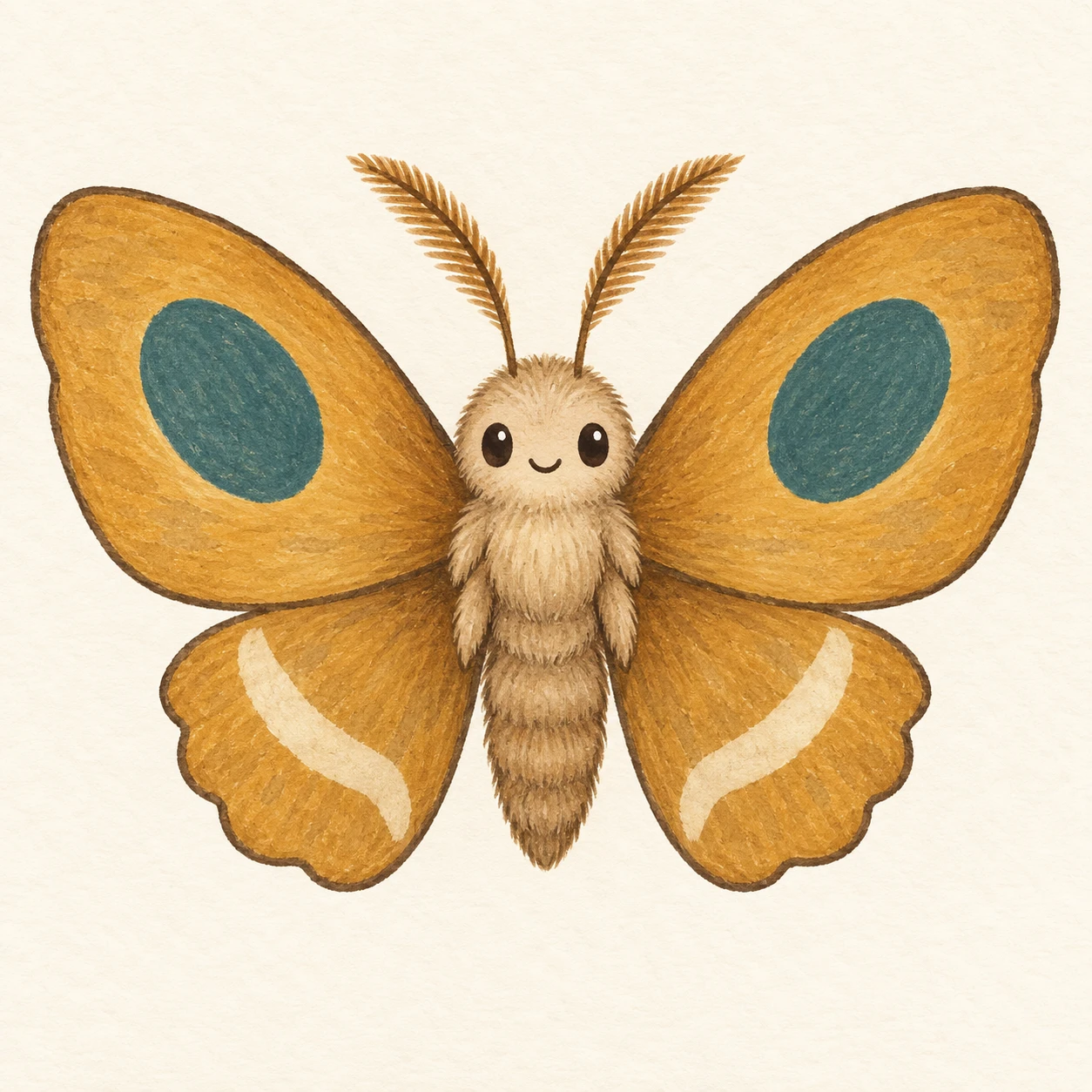
A friendly moth demonstrates bilateral design by matching distinct motifs at corresponding positions on its spread wings.
Moth Friend · Mirrored Wing Motifs
- Shape & line
- Draw rounded upper wings and shorter scalloped lower wings with a clean dark contour. Mirror their silhouettes across the body, then place one large oval on each upper wing and one curved stripe on each lower wing at corresponding distances from the centerline; reverse each motif's slant on the opposite side.
- Color & light
- Fill the wings with muted ochre, the oval motifs with dusty teal and the curved stripes with cream. Repeat the same colors on each paired wing, and use soft frontal illumination with a slightly darker body edge to preserve volume without obscuring the pattern correspondence.
- Texture & material
- Render the character as opaque gouache on lightly grained paper. Let a restrained dry-brush grain show within the broad wing fills, keep the motif boundaries crisp, and add a few short soft strokes along the body to suggest fuzz.
- Composition
- Keep the body on the image's vertical centerline and give the image-left and image-right wings equal visual space. Leave clear background gaps between the upper and lower wing tips, and keep the face small enough that the mirrored wing motifs remain the dominant feature.
Priority
Make the mirrored placement and reversed slant of the paired motifs immediately readable.
What to avoid & what to check
Avoid angled wings or uneven motif placement that makes the paired design difficult to compare.
Check that each oval and stripe has a clearly matching counterpart across the body's centerline.
Exact prompt for this example
SUBJECT
One original friendly moth character viewed directly from the front, with a small upright body, two antennae, two upper wings and two smaller lower wings spread outward. Give it two simple eyes and a small smile. Corresponding wings carry mirrored motifs across the body's vertical centerline.

COMPOSITION
Center the complete character in a square frame against a plain warm ivory background. Keep both wing tips and antennae visible with generous margins. Present both wings in the image plane so their paired shapes and markings are easy to compare.

STYLE GUIDE
1. Shape & line
Draw rounded upper wings and shorter scalloped lower wings with a clean dark contour. Mirror their silhouettes across the body, then place one large oval on each upper wing and one curved stripe on each lower wing at corresponding distances from the centerline; reverse each motif's slant on the opposite side.

2. Color & light
Fill the wings with muted ochre, the oval motifs with dusty teal and the curved stripes with cream. Repeat the same colors on each paired wing, and use soft frontal illumination with a slightly darker body edge to preserve volume without obscuring the pattern correspondence.

3. Texture & material
Render the character as opaque gouache on lightly grained paper. Let a restrained dry-brush grain show within the broad wing fills, keep the motif boundaries crisp, and add a few short soft strokes along the body to suggest fuzz.

4. Composition
Keep the body on the image's vertical centerline and give the image-left and image-right wings equal visual space. Leave clear background gaps between the upper and lower wing tips, and keep the face small enough that the mirrored wing motifs remain the dominant feature.

PRIORITY
Preserve the requested identity, count, action, composition and output settings. Apply the style rules within those constraints; a style reference must not replace the subject or layout. Within the style: Make the mirrored placement and reversed slant of the paired motifs immediately readable.

AVOID
Avoid angled wings or uneven motif placement that makes the paired design difficult to compare.

OUTPUT
One square character illustration, with no text, labels, border or watermark.

SELF-CHECK
Check that each oval and stripe has a clearly matching counterpart across the body's centerline.
Model information comes from image provenance. The same prompt may produce a different result.