Text to imageIllustrationStyle guide
One Cucumber · Form-Wrapping Cross-Contours
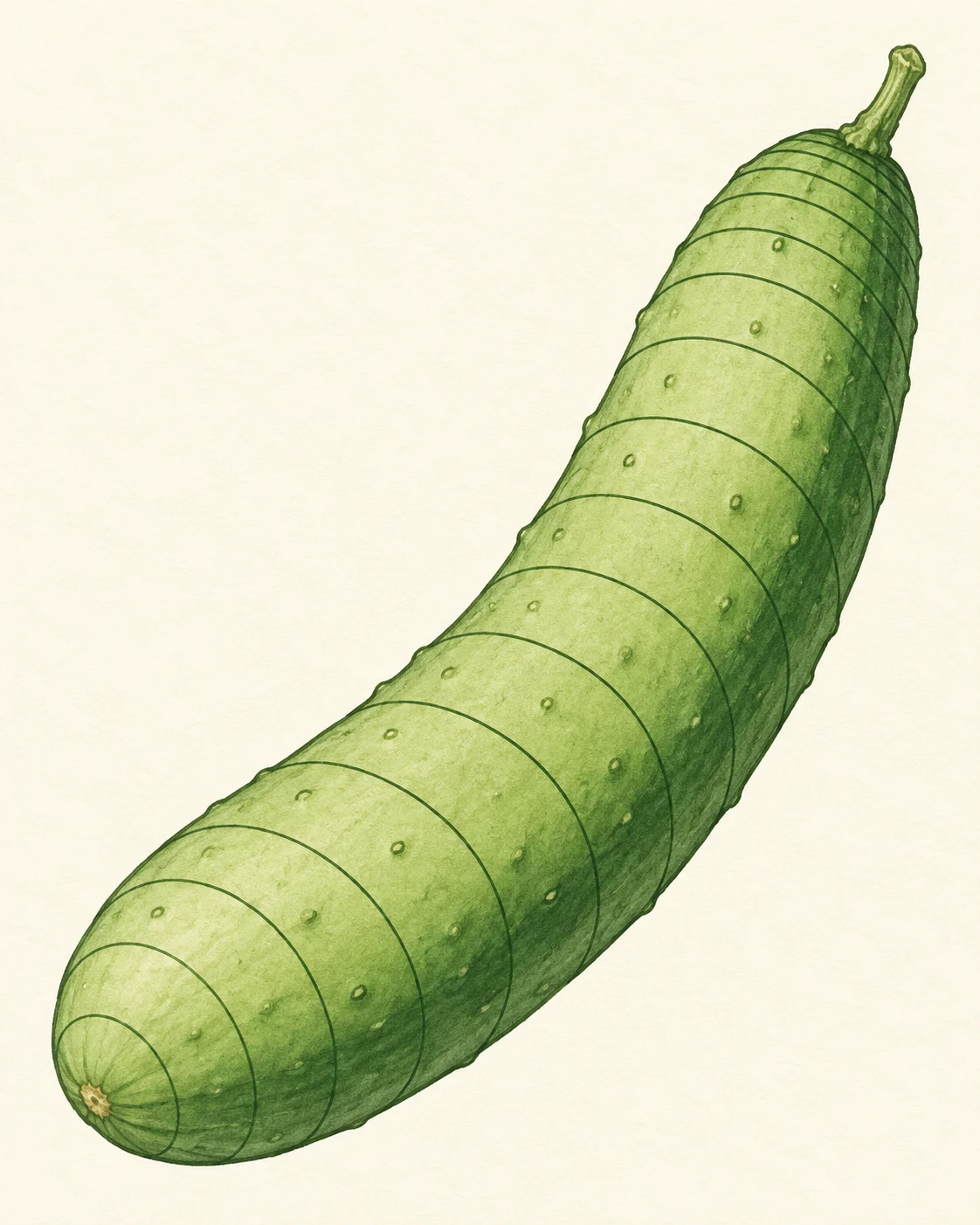
A line-led illustration that uses curved cross-contours around one bent cucumber to reveal rounded volume and changes in direction.
One Cucumber · Form-Wrapping Cross-Contours
- Shape & line
- Draw a clean outer silhouette and a sequence of thin transverse cross-contours across the visible body. Make each contour bow around the rounded front and turn more steeply near the side edges; rotate successive contours with the cucumber's bend so they remain transverse to its local length.
- Color & light
- Use a restrained pale green body fill and darker green lines on a warm ivory background. Add one broad, slightly darker green strip along the image-right flank, keeping the front lighter and all cross-contours readable without glossy highlights.
- Texture & material
- Give the fill a subtle matte paper grain and add a few small, irregular skin bumps between the cross-contours. Keep the contour strokes smooth and continuous so surface texture stays secondary to the wrapping geometry.
- Composition
- Keep the cucumber large enough for individual cross-contours to read. Space the lines openly through the broad middle, then bring them visibly closer near the upper-right tip as that section recedes; leave clear background around both ends.
Priority
Make the cross-contours explain the cucumber's rounded volume and bend before adding surface detail.
What to avoid & what to check
Avoid straight ladder-like stripes, flat decorative bands, and dense shading that obscures the contours.
Check that the contours wrap the front, turn at the edges, and change direction with the bend.
Exact prompt for this example
SUBJECT
Draw exactly one gently curved cucumber with a short stem attached to its upper end. Its continuous body bends toward image-right, with no cut surfaces.

COMPOSITION
Use a portrait frame and show the entire cucumber diagonally from lower-left to upper-right, centered with generous pale background space. Choose a slightly elevated three-quarter view that clearly exposes the broad front surface and the narrower right flank.

STYLE GUIDE
1. Shape & line
Draw a clean outer silhouette and a sequence of thin transverse cross-contours across the visible body. Make each contour bow around the rounded front and turn more steeply near the side edges; rotate successive contours with the cucumber's bend so they remain transverse to its local length.

2. Color & light
Use a restrained pale green body fill and darker green lines on a warm ivory background. Add one broad, slightly darker green strip along the image-right flank, keeping the front lighter and all cross-contours readable without glossy highlights.

3. Texture & material
Give the fill a subtle matte paper grain and add a few small, irregular skin bumps between the cross-contours. Keep the contour strokes smooth and continuous so surface texture stays secondary to the wrapping geometry.

4. Composition
Keep the cucumber large enough for individual cross-contours to read. Space the lines openly through the broad middle, then bring them visibly closer near the upper-right tip as that section recedes; leave clear background around both ends.

PRIORITY
Preserve the requested identity, count, action, composition and output settings. Apply the style rules within those constraints; a style reference must not replace the subject or layout. Within the style: Make the cross-contours explain the cucumber's rounded volume and bend before adding surface detail.

AVOID
Avoid straight ladder-like stripes, flat decorative bands, and dense shading that obscures the contours.

OUTPUT
Produce one finished illustration in a 4:5 aspect ratio, with no lettering, labels, numbers, or watermark.

SELF-CHECK
Check that the contours wrap the front, turn at the edges, and change direction with the bend.
Model information comes from image provenance. The same prompt may produce a different result.