Text to imageProductStyle guide
Frosted Acrylic Bookend · Transmitted-Image Diffusion
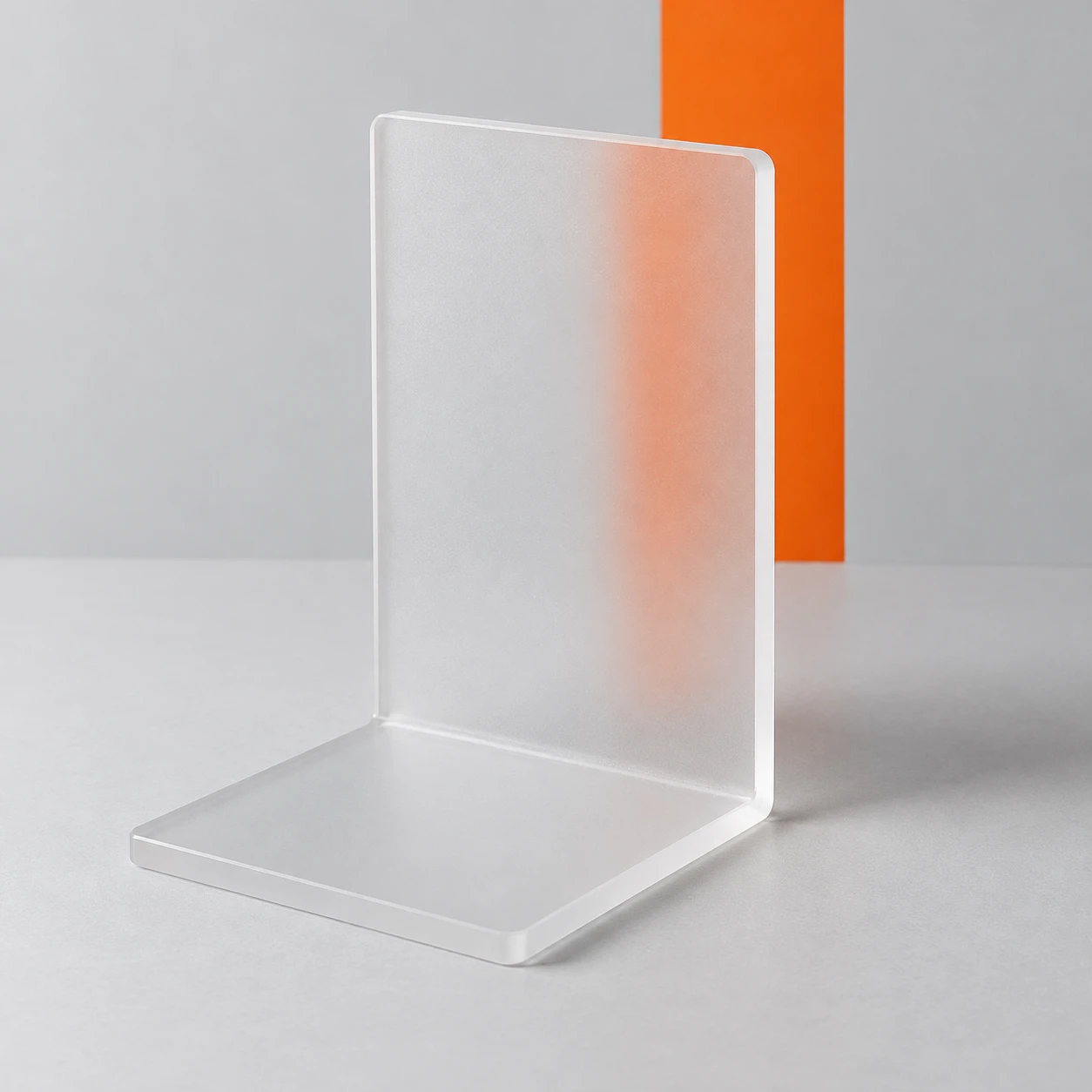
An orange stripe behind a bookend becomes blurred through its frosted panel, making the acrylic finish readable.
Frosted Acrylic Bookend · Transmitted-Image Diffusion
- Shape & line
- Construct the bookend from two broad rectangular planes joined at a clear right angle, with gently softened corners. Show the upright panel’s narrow image-right thickness edge and the foot’s front edge so the object reads as a solid L-shaped piece.
- Color & light
- Light the object with a broad soft source from image-left, creating a pale highlight on the left-facing edges and a soft tabletop shadow toward image-right. Keep the orange stripe crisp and saturated outside the panel, but paler with softened boundaries where seen through it.
- Texture & material
- Render the acrylic as evenly frosted, with a fine matte surface and broad restrained highlights. Let the transmitted stripe spread into a soft orange band while preserving its vertical direction; retain a recognizable orange center rather than turning the panel opaque or milky white.
- Composition
- Place the stripe so its image-left boundary is seen through the upright panel and its image-right boundary is exposed beside the panel. Keep both boundaries in the same focal range, making the difference between surface diffusion and camera blur immediately visible.
Priority
Prioritize the visible transition from a crisp orange stripe to its softened transmitted image.
What to avoid & what to check
Avoid blurring the entire image or making the acrylic fully opaque.
Check that the exposed stripe is sharp while its transmitted boundary is visibly softened.
Exact prompt for this example
SUBJECT
One unmarked L-shaped frosted acrylic bookend, with an upright rectangular panel joined to a flat foot extending toward the viewer. A single vertical orange stripe on the backdrop sits behind the upright panel; part of the stripe remains visible beyond the panel’s image-right edge.

COMPOSITION
Use a slightly elevated three-quarter product view that reveals the upright panel, its thickness, and the forward-projecting foot. Center the bookend with generous margins on a pale gray tabletop against a matching backdrop. Keep the orange stripe visible both through the panel and directly beside its image-right edge.

STYLE GUIDE
1. Shape & line
Construct the bookend from two broad rectangular planes joined at a clear right angle, with gently softened corners. Show the upright panel’s narrow image-right thickness edge and the foot’s front edge so the object reads as a solid L-shaped piece.

2. Color & light
Light the object with a broad soft source from image-left, creating a pale highlight on the left-facing edges and a soft tabletop shadow toward image-right. Keep the orange stripe crisp and saturated outside the panel, but paler with softened boundaries where seen through it.

3. Texture & material
Render the acrylic as evenly frosted, with a fine matte surface and broad restrained highlights. Let the transmitted stripe spread into a soft orange band while preserving its vertical direction; retain a recognizable orange center rather than turning the panel opaque or milky white.

4. Composition
Place the stripe so its image-left boundary is seen through the upright panel and its image-right boundary is exposed beside the panel. Keep both boundaries in the same focal range, making the difference between surface diffusion and camera blur immediately visible.

PRIORITY
Preserve the requested identity, count, action, composition and output settings. Apply the style rules within those constraints; a style reference must not replace the subject or layout. Within the style: Prioritize the visible transition from a crisp orange stripe to its softened transmitted image.

AVOID
Avoid blurring the entire image or making the acrylic fully opaque.

OUTPUT
Produce one square product-reference image with no lettering, logos, captions, or watermark.

SELF-CHECK
Check that the exposed stripe is sharp while its transmitted boundary is visibly softened.
Model information comes from image provenance. The same prompt may produce a different result.