Text to imageLandscapeStyle guide
Small Stepped Waterfall · Long-Exposure Flow
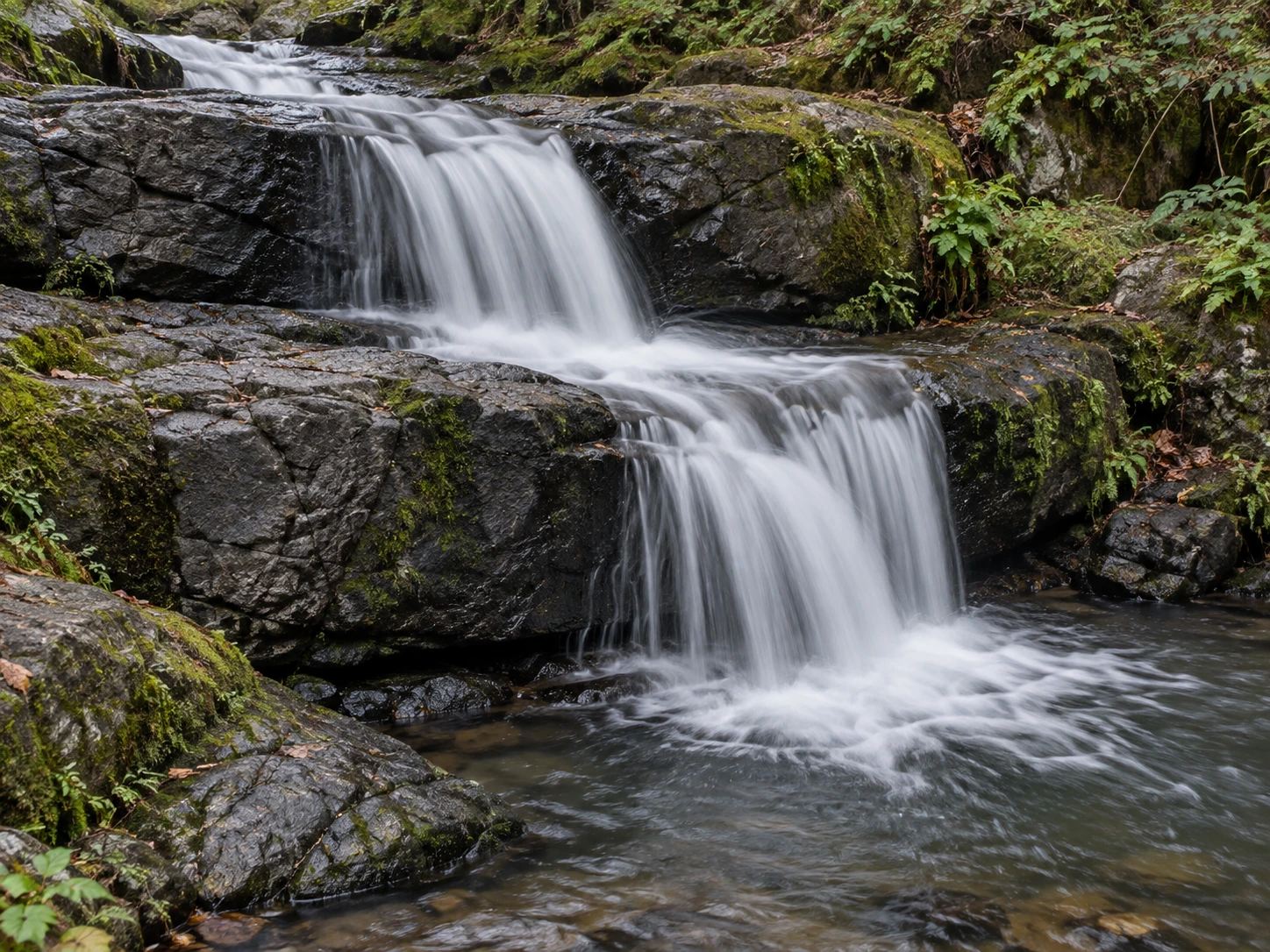
A small waterfall descending two rock ledges demonstrates long-exposure motion through soft, continuous water trails against sharply resolved rocks.
Small Stepped Waterfall · Long-Exposure Flow
- Shape & line
- Keep the rock ledges sharply outlined, while stretching moving water into continuous soft ribbons that travel from image upper left over the central ledges toward lower right. Bend each ribbon over the visible lip and downward so the flow follows the stepped rock shape.
- Color & light
- Use diffuse overcast light, charcoal-gray rocks, muted green banks, and pale silver water. Preserve gentle gray variation inside the bright water ribbons, with the darkest values in the recesses beneath the ledges, so the cascade remains luminous without becoming a flat white cutout.
- Texture & material
- Resolve broad rock cracks and small moss patches clearly, but smooth the falling water into fine overlapping trails without frozen droplets. Where each fall meets the next shelf or the lower-right pool, spread the trails into a soft foamy fan that visibly touches the receiving surface.
- Composition
- Arrange the two drops as a descending diagonal through the middle of the frame, separating them with a visible dark shelf. Leave a narrow strip of stationary bank along each side and enough pool below the final drop to show its landing; keep foliage subdued so the sharp-rock and blurred-water contrast leads the image.
Priority
Prioritize continuous blurred water against clearly stationary rock ledges.
What to avoid & what to check
Avoid blurring the whole scene or turning the cascade into opaque white slabs.
Check that the water visibly crosses both sharp ledges and spreads where it lands.
Exact prompt for this example
SUBJECT
One small woodland waterfall flowing over two dark rock ledges into one shallow pool; the same connected stream descends both ledges.

COMPOSITION
Use a slightly elevated three-quarter view, with the upper inlet at image upper left, the two ledges across the center, and the receiving pool at lower right. Keep the complete cascade readable within a close landscape framing.

STYLE GUIDE
1. Shape & line
Keep the rock ledges sharply outlined, while stretching moving water into continuous soft ribbons that travel from image upper left over the central ledges toward lower right. Bend each ribbon over the visible lip and downward so the flow follows the stepped rock shape.

2. Color & light
Use diffuse overcast light, charcoal-gray rocks, muted green banks, and pale silver water. Preserve gentle gray variation inside the bright water ribbons, with the darkest values in the recesses beneath the ledges, so the cascade remains luminous without becoming a flat white cutout.

3. Texture & material
Resolve broad rock cracks and small moss patches clearly, but smooth the falling water into fine overlapping trails without frozen droplets. Where each fall meets the next shelf or the lower-right pool, spread the trails into a soft foamy fan that visibly touches the receiving surface.

4. Composition
Arrange the two drops as a descending diagonal through the middle of the frame, separating them with a visible dark shelf. Leave a narrow strip of stationary bank along each side and enough pool below the final drop to show its landing; keep foliage subdued so the sharp-rock and blurred-water contrast leads the image.

PRIORITY
Preserve the requested identity, count, action, composition and output settings. Apply the style rules within those constraints; a style reference must not replace the subject or layout. Within the style: Prioritize continuous blurred water against clearly stationary rock ledges.

AVOID
Avoid blurring the whole scene or turning the cascade into opaque white slabs.

OUTPUT
Create one photographic landscape reference image in a 4:3 aspect ratio, without text, labels, borders, or watermarks.

SELF-CHECK
Check that the water visibly crosses both sharp ledges and spreads where it lands.
Model information comes from image provenance. The same prompt may produce a different result.