Text to imageIllustrationStyle guide
One Round Lidded Tin · Exploded-View Alignment
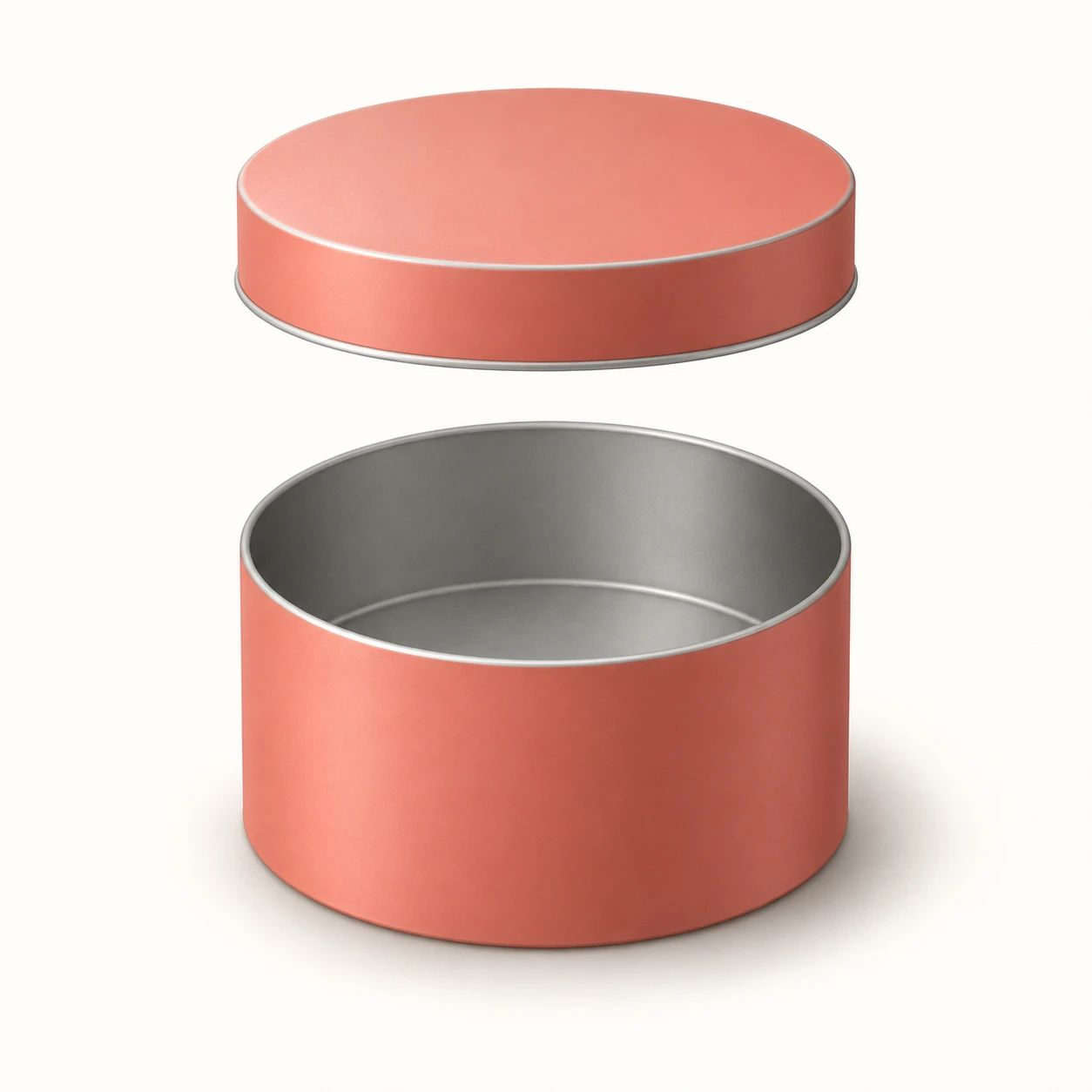
An illustration that lifts a lid directly above its tin, using aligned, matching shapes to make the assembly relationship visible.
One Round Lidded Tin · Exploded-View Alignment
- Shape & line
- Draw the body and lid with clean, even outlines and matching circular footprints in perspective. Give their ellipses the same orientation, align their centers on one image-vertical axis, and show a short downward lip on the lid so its fit over the body is understandable.
- Color & light
- Use muted coral for both outer surfaces and pale gray for the exposed interior. Place the light at image-upper-left, making the upper-left surfaces lighter and the image-right walls darker; deepen the interior beneath the rim without filling the opening with solid black.
- Texture & material
- Render the painted metal with smooth matte fills and broad, restrained tonal transitions. Use a narrow pale edge along exposed rims to suggest thin metal, and keep reflections subdued so the opening, lid lip, and separate silhouettes remain easy to distinguish.
- Composition
- Keep the lid close enough to read as the body's matching part, while leaving an uninterrupted background gap between their outlines. Balance the margins around the complete vertical assembly and place a soft grounding shadow beneath the body, leaving the separation gap visually clear.
Priority
Prioritize matching part geometry and clear vertical separation.
What to avoid & what to check
Avoid a tilted lid or mismatched diameters that obscure how the parts assemble.
Check that the lid could lower straight down onto the opening and that both parts remain separately readable.
Exact prompt for this example
SUBJECT
Show one plain round tin as exactly two separated parts: an open cylindrical body below and its matching shallow circular lid above. The lid is lifted vertically without tilting, with its center directly over the center of the body's opening.

COMPOSITION
Use an elevated three-quarter view that reveals the body's open interior and the lid's top. Center the assembly on a plain warm-white background, with the lid toward image-top and the body toward image-bottom. Leave a clear band of background between the two parts.

STYLE GUIDE
1. Shape & line
Draw the body and lid with clean, even outlines and matching circular footprints in perspective. Give their ellipses the same orientation, align their centers on one image-vertical axis, and show a short downward lip on the lid so its fit over the body is understandable.

2. Color & light
Use muted coral for both outer surfaces and pale gray for the exposed interior. Place the light at image-upper-left, making the upper-left surfaces lighter and the image-right walls darker; deepen the interior beneath the rim without filling the opening with solid black.

3. Texture & material
Render the painted metal with smooth matte fills and broad, restrained tonal transitions. Use a narrow pale edge along exposed rims to suggest thin metal, and keep reflections subdued so the opening, lid lip, and separate silhouettes remain easy to distinguish.

4. Composition
Keep the lid close enough to read as the body's matching part, while leaving an uninterrupted background gap between their outlines. Balance the margins around the complete vertical assembly and place a soft grounding shadow beneath the body, leaving the separation gap visually clear.

PRIORITY
Preserve the requested identity, count, action, composition and output settings. Apply the style rules within those constraints; a style reference must not replace the subject or layout. Within the style: Prioritize matching part geometry and clear vertical separation.

AVOID
Avoid a tilted lid or mismatched diameters that obscure how the parts assemble.

OUTPUT
Create one square illustration with no text, labels, arrows, dimension marks, or watermark.

SELF-CHECK
Check that the lid could lower straight down onto the opening and that both parts remain separately readable.
Model information comes from image provenance. The same prompt may produce a different result.