Text to imageLandscapeStyle guide
Small Grassy Hill · Cloud Shadow
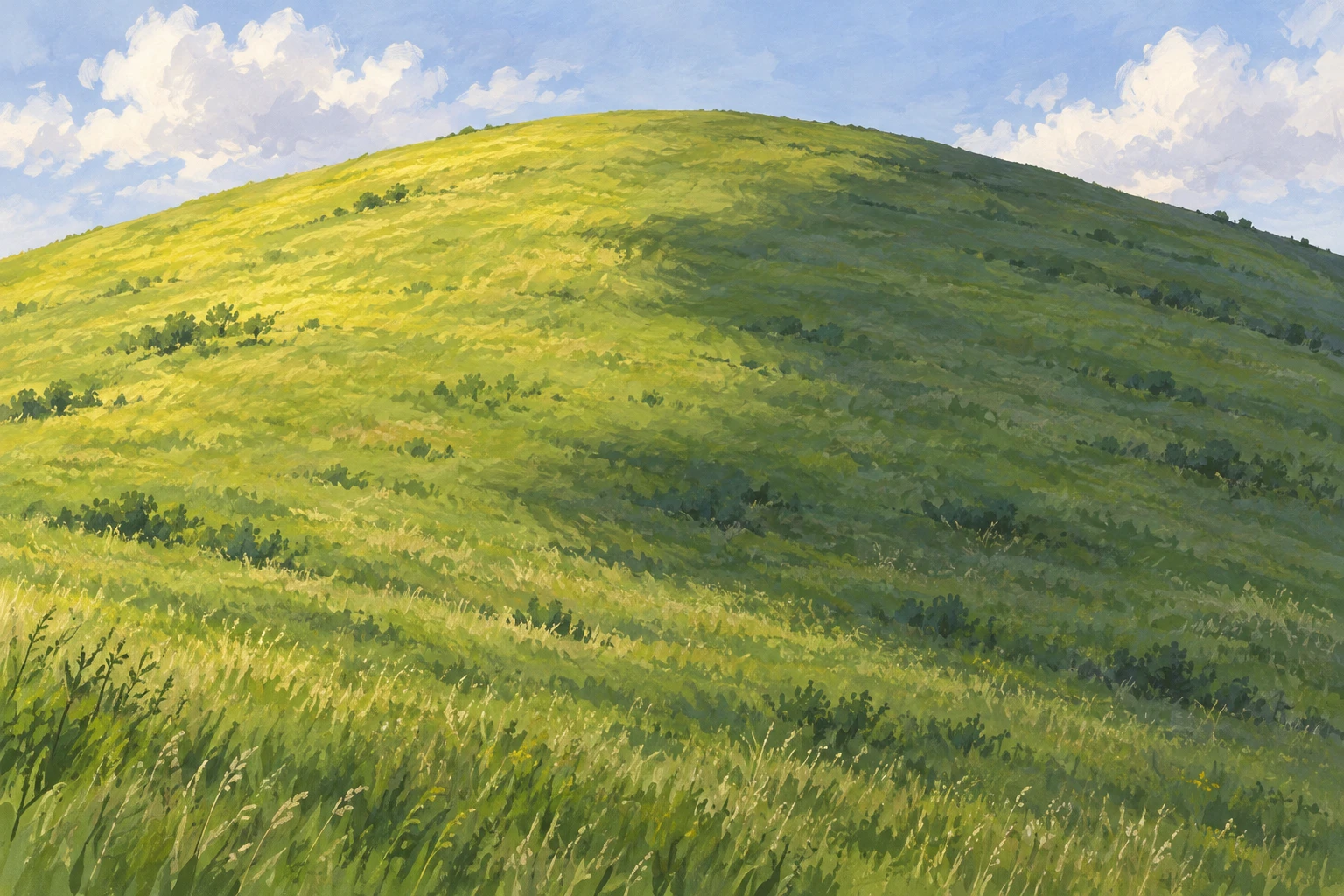
A landscape reference using a broad, soft cloud shadow across one grassy hill to distinguish terrain shape from a passing boundary of light.
Small Grassy Hill · Cloud Shadow
- Shape & line
- Build the hill with one gently convex crest and broad, continuous slope planes. Keep the crest contour clear, but soften the cloud-shadow boundary so it reads as illumination crossing the grass rather than a cut, ridge, or separate object.
- Color & light
- Let sunlight arrive from the upper image-left, making the exposed grass warm yellow-green. Place a broad, irregular, cooler muted-green shadow patch across the image-right slope and into the lower center; retain gentle terrain shading inside both regions so the hill's volume survives the passing shadow.
- Texture & material
- Use matte, opaque gouache masses with sparse short grass strokes following the slope. Continue the same grass texture across the shadow boundary, changing its brightness rather than its material; make the transition with overlapping soft-edged paint patches.
- Composition
- Keep the sunlit area on image-left and the cloud-shadow patch chiefly on image-right, with its curved boundary running diagonally toward the lower center. Let the patch continue beyond the right frame edge, and reserve the strongest light-dark contrast for the middle slope where its softness is easiest to see.
Priority
Prioritize a soft illumination boundary crossing one continuous grassy surface.
What to avoid & what to check
Avoid turning the cloud shadow into a hard-edged terrain division or a uniformly dark hole.
Check that the slope and grass continue visibly through the shadow while the hill retains its rounded volume.
Exact prompt for this example
SUBJECT
One low, rounded grassy hill beneath a pale sky, with one broad cloud-shadow patch crossing its continuous slope. The hill remains a single landform across both the sunlit and shaded areas.

COMPOSITION
Use a wide landscape view from slightly below the hillcrest. Place the crest above center, leave a narrow strip of sky, and show enough foreground slope to make the cloud shadow readable.

STYLE GUIDE
1. Shape & line
Build the hill with one gently convex crest and broad, continuous slope planes. Keep the crest contour clear, but soften the cloud-shadow boundary so it reads as illumination crossing the grass rather than a cut, ridge, or separate object.

2. Color & light
Let sunlight arrive from the upper image-left, making the exposed grass warm yellow-green. Place a broad, irregular, cooler muted-green shadow patch across the image-right slope and into the lower center; retain gentle terrain shading inside both regions so the hill's volume survives the passing shadow.

3. Texture & material
Use matte, opaque gouache masses with sparse short grass strokes following the slope. Continue the same grass texture across the shadow boundary, changing its brightness rather than its material; make the transition with overlapping soft-edged paint patches.

4. Composition
Keep the sunlit area on image-left and the cloud-shadow patch chiefly on image-right, with its curved boundary running diagonally toward the lower center. Let the patch continue beyond the right frame edge, and reserve the strongest light-dark contrast for the middle slope where its softness is easiest to see.

PRIORITY
Preserve the requested identity, count, action, composition and output settings. Apply the style rules within those constraints; a style reference must not replace the subject or layout. Within the style: Prioritize a soft illumination boundary crossing one continuous grassy surface.

AVOID
Avoid turning the cloud shadow into a hard-edged terrain division or a uniformly dark hole.

OUTPUT
Create one landscape reference image in a 3:2 aspect ratio, rendered as an opaque gouache painting, without text, labels, borders, or watermarks.

SELF-CHECK
Check that the slope and grass continue visibly through the shadow while the hill retains its rounded volume.
Model information comes from image provenance. The same prompt may produce a different result.