Text to imageCharacterStyle guide
Apricot Hopper · Landing Squash
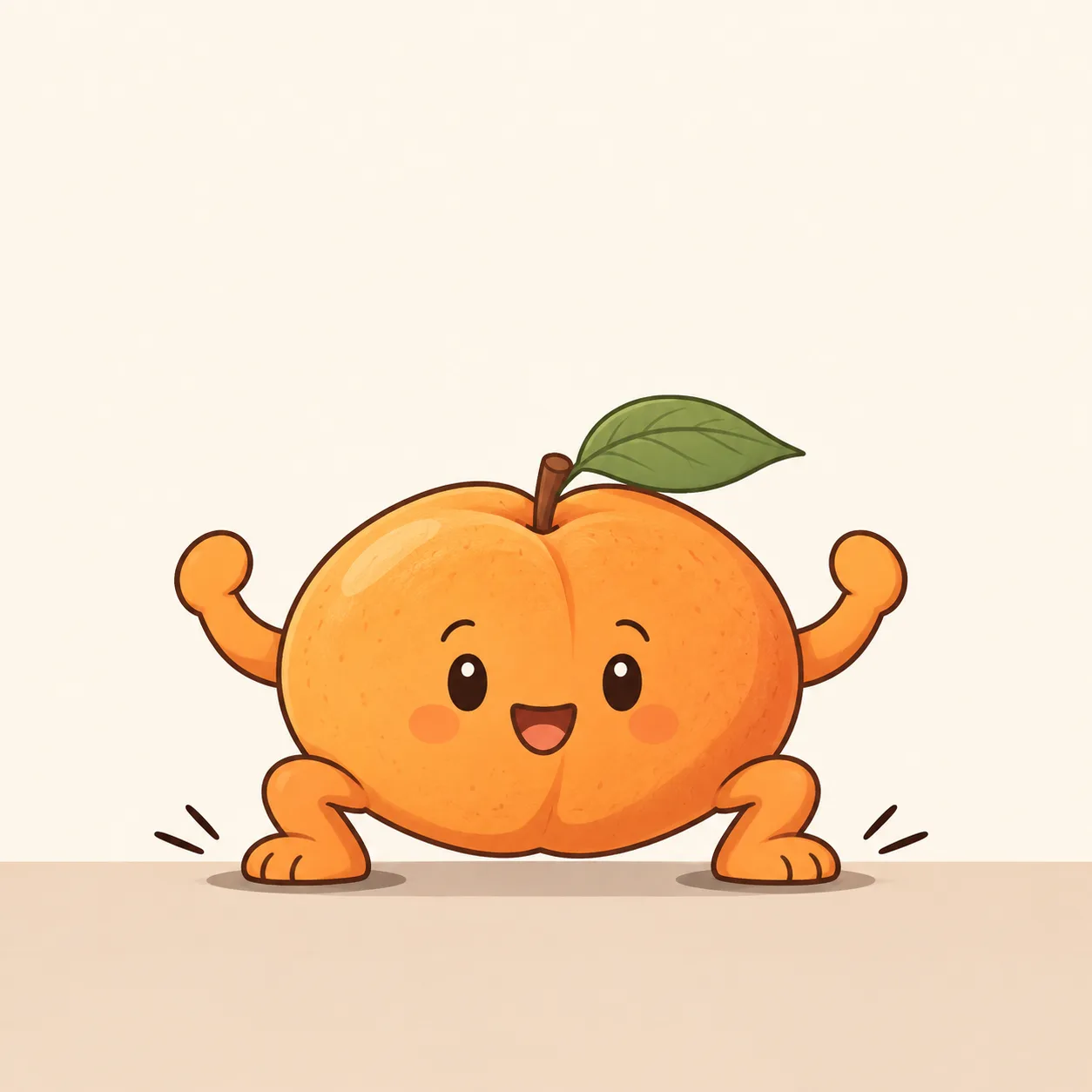
A character brief using a broad, compressed apricot body and folded legs to show the impact of landing.
Apricot Hopper · Landing Squash
- Shape & line
- Squash the apricot body into a wide, low oval with bulging sides and a flattened underside; retain its central fruit crease and attached leaf so it still reads as an apricot. Draw short folded legs and raised arms with rounded, consistent outlines, and compress the face vertically with the body.
- Color & light
- Fill the body with warm apricot orange and the leaf with muted green. Use one broad pale highlight on the image-left upper surface and a simple darker orange shadow on the image-right underside; make two compact dark contact shadows directly beneath the planted soles.
- Texture & material
- Render the fruit as soft matte skin using smooth opaque color fields and a faint, sparse grain inside the body. Keep the contour crisp and the limbs similarly matte, allowing the compressed silhouette rather than glossy reflections to describe softness.
- Composition
- Stage the impact along the lower horizontal floor line: both feet stay planted, the body sits low between the outward-bent knees, and the lifted arms leave clear gaps beside the torso. Add one short outward impact stroke beyond each foot, keeping the background pale and empty.
Priority
Make the compressed body and planted feet communicate landing impact immediately.
What to avoid & what to check
Avoid an airborne pose, a rigid round body, or motion effects that obscure the feet.
Confirm that both soles touch the floor and the apricot remains recognizable despite its squash.
Exact prompt for this example
SUBJECT
One original anthropomorphic apricot character at the instant of landing on a flat floor. Its fruit body carries a small face, two short arms, two short legs, and one leaf attached at the top. Both feet press against the floor while the knees fold outward and the arms lift beside the body.

COMPOSITION
Show the complete character in a nearly frontal view, centered in a square frame with generous empty space above. Place both soles on the same visible horizontal floor line in the lower third; keep the arms and bent knees clearly readable on either side.

STYLE GUIDE
1. Shape & line
Squash the apricot body into a wide, low oval with bulging sides and a flattened underside; retain its central fruit crease and attached leaf so it still reads as an apricot. Draw short folded legs and raised arms with rounded, consistent outlines, and compress the face vertically with the body.

2. Color & light
Fill the body with warm apricot orange and the leaf with muted green. Use one broad pale highlight on the image-left upper surface and a simple darker orange shadow on the image-right underside; make two compact dark contact shadows directly beneath the planted soles.

3. Texture & material
Render the fruit as soft matte skin using smooth opaque color fields and a faint, sparse grain inside the body. Keep the contour crisp and the limbs similarly matte, allowing the compressed silhouette rather than glossy reflections to describe softness.

4. Composition
Stage the impact along the lower horizontal floor line: both feet stay planted, the body sits low between the outward-bent knees, and the lifted arms leave clear gaps beside the torso. Add one short outward impact stroke beyond each foot, keeping the background pale and empty.

PRIORITY
Preserve the requested identity, count, action, composition and output settings. Apply the style rules within those constraints; a style reference must not replace the subject or layout. Within the style: Make the compressed body and planted feet communicate landing impact immediately.

AVOID
Avoid an airborne pose, a rigid round body, or motion effects that obscure the feet.

OUTPUT
One square image in clean cel-style digital illustration, with no lettering, captions, logos, or watermark.

SELF-CHECK
Confirm that both soles touch the floor and the apricot remains recognizable despite its squash.
Model information comes from image provenance. The same prompt may produce a different result.