Text to imageCharacterStyle guide
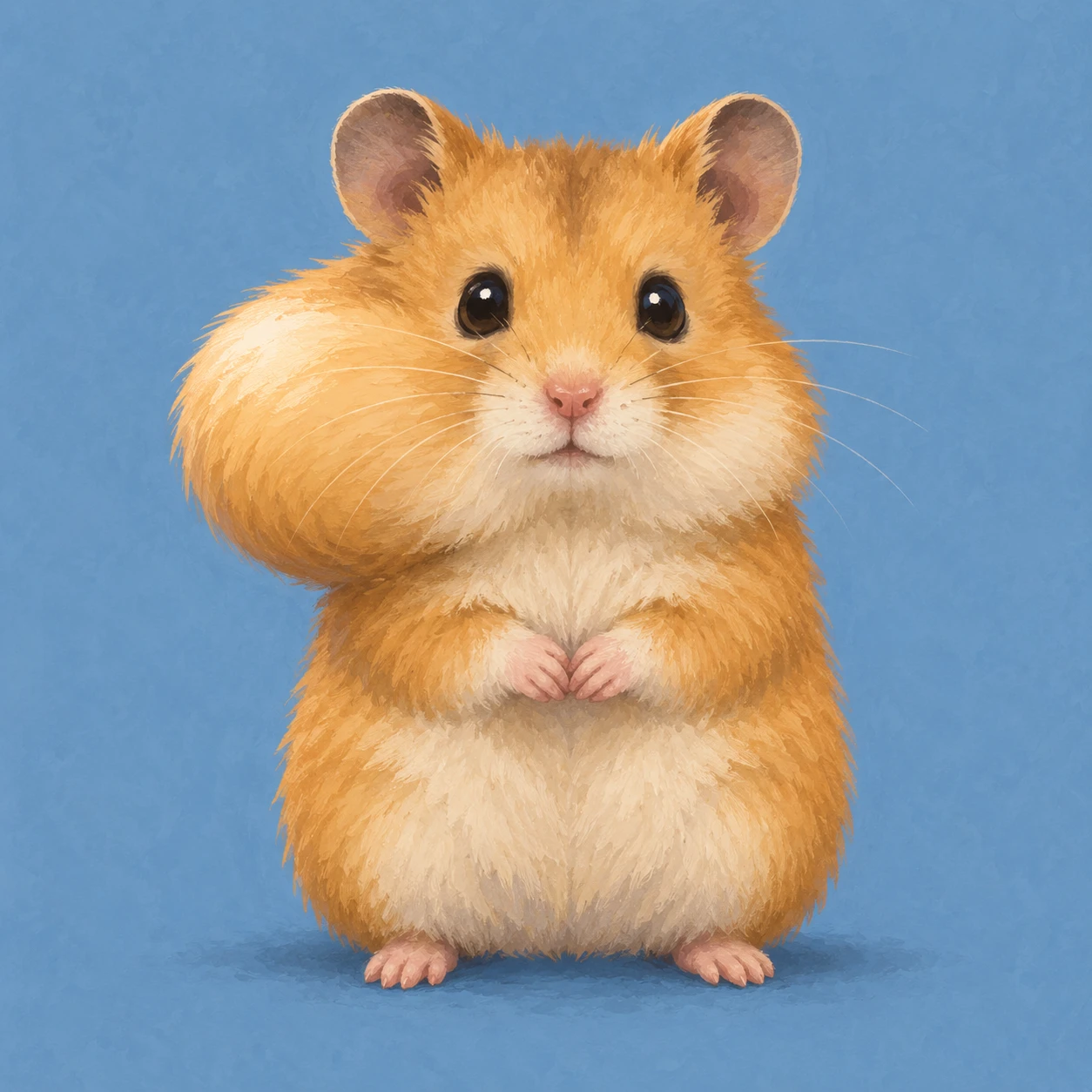
Hamster with One Full Cheek · Asymmetric Cheek Silhouette
A hamster with only its image-left cheek filled demonstrates cheek-pouch volume through an asymmetric silhouette and localized shading.
Hamster with One Full Cheek · Asymmetric Cheek Silhouette
- Shape & line
- Draw the image-left cheek as a broad outward bulge that extends beyond the temple and rounds back into the neck below the mouth; keep the image-right cheek compact. Place the eyes on a shared level and retain a small centered nose and closed mouth so the fullness reads as a local cheek pouch.
- Color & light
- Use warm ochre fur with a cream muzzle and belly. Light from the upper image-left, placing a broad pale highlight on the swollen cheek's upper outward surface and a soft amber shadow beneath its lower curve; keep this shadow distinct from the small shadow under the chin.
- Texture & material
- Render the character as a soft gouache illustration with mostly opaque color masses. Add sparse short fur strokes that fan outward across the filled cheek and turn downward near its lower edge, preserving a smooth, clearly readable outer bulge.
- Composition
- Set the hamster against a plain muted blue background with a small soft grounding shadow beneath its feet. Keep the forepaws below the cheek bulges and leave open background beside each cheek, allowing the unequal widths to read immediately at thumbnail size.
Priority
Make the filled image-left cheek unmistakable through its silhouette before adding fur detail.
What to avoid & what to check
Avoid swelling both cheeks equally or stretching the entire face sideways.
At thumbnail size, confirm that the image-left cheek is fuller while the eyes and centered muzzle remain coherent.
Exact prompt for this example
SUBJECT
One original golden hamster character sits upright facing the viewer, with a filled cheek pouch on image-left and a relaxed cheek on image-right. Its small forepaws rest together below its mouth, leaving both cheek outlines visible.

COMPOSITION
Use a frontal, eye-level full-body view in a square frame. Center the torso with generous background space around the wider image-left cheek; keep the ears, paws and feet fully visible.

STYLE GUIDE
1. Shape & line
Draw the image-left cheek as a broad outward bulge that extends beyond the temple and rounds back into the neck below the mouth; keep the image-right cheek compact. Place the eyes on a shared level and retain a small centered nose and closed mouth so the fullness reads as a local cheek pouch.

2. Color & light
Use warm ochre fur with a cream muzzle and belly. Light from the upper image-left, placing a broad pale highlight on the swollen cheek's upper outward surface and a soft amber shadow beneath its lower curve; keep this shadow distinct from the small shadow under the chin.

3. Texture & material
Render the character as a soft gouache illustration with mostly opaque color masses. Add sparse short fur strokes that fan outward across the filled cheek and turn downward near its lower edge, preserving a smooth, clearly readable outer bulge.

4. Composition
Set the hamster against a plain muted blue background with a small soft grounding shadow beneath its feet. Keep the forepaws below the cheek bulges and leave open background beside each cheek, allowing the unequal widths to read immediately at thumbnail size.

PRIORITY
Preserve the requested identity, count, action, composition and output settings. Apply the style rules within those constraints; a style reference must not replace the subject or layout. Within the style: Make the filled image-left cheek unmistakable through its silhouette before adding fur detail.

AVOID
Avoid swelling both cheeks equally or stretching the entire face sideways.

OUTPUT
Create one square character illustration with no lettering, labels, watermark or decorative border.

SELF-CHECK
At thumbnail size, confirm that the image-left cheek is fuller while the eyes and centered muzzle remain coherent.
Model information comes from image provenance. The same prompt may produce a different result.