Text to imageArt stylesStyle guide
One Acorn · Cardboard Collagraph
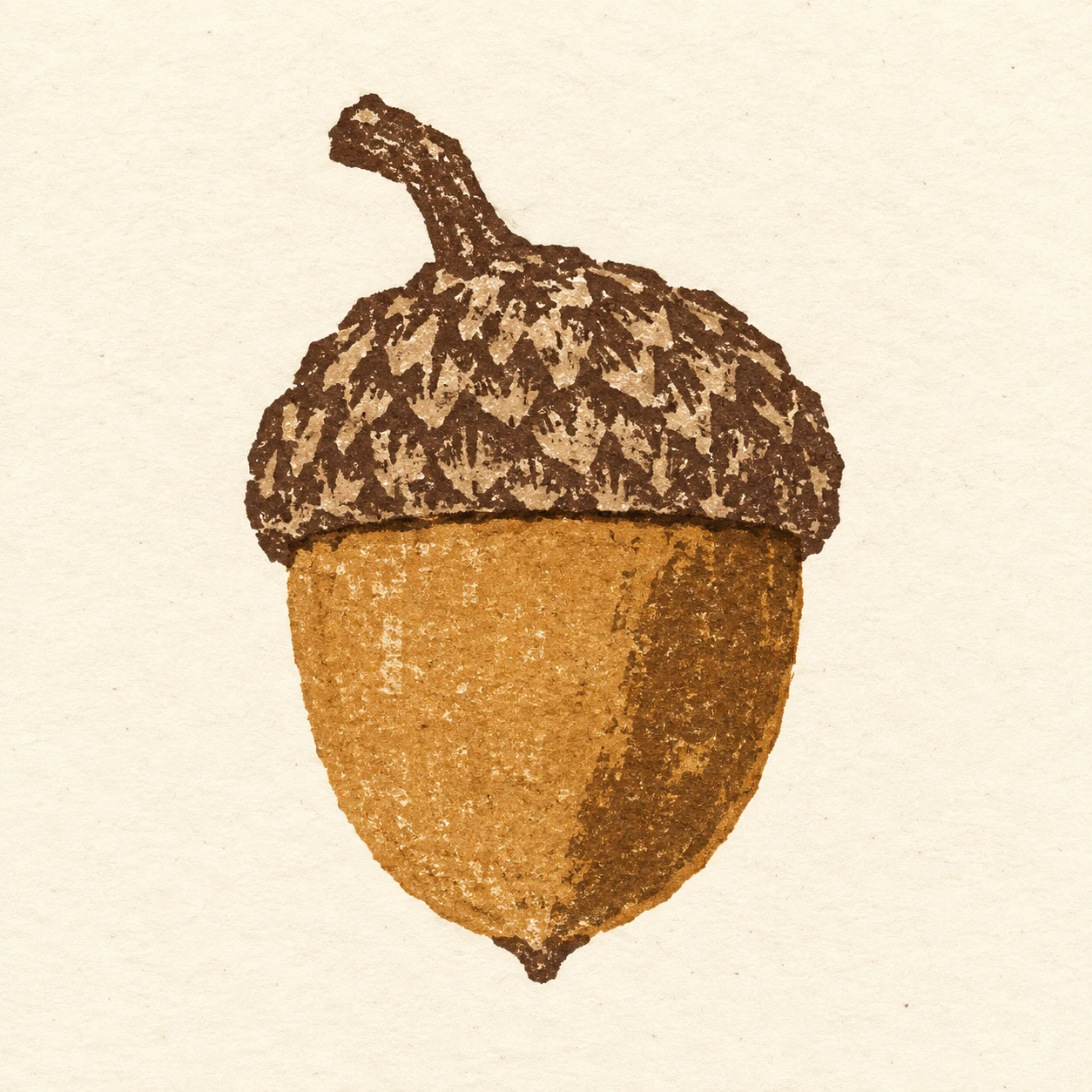
A print style that distinguishes an acorn’s smooth nut from its rough cup through cut-cardboard contours and uneven ink transfer.
One Acorn · Cardboard Collagraph
- Shape & line
- Build the nut, cup, and stem from a few broad shapes with slightly angular cut-cardboard edges. Let the cup’s lower edge visibly overlap the upper nut, and print a narrow dark seam there; keep the nut’s pointed bottom and the short stem clearly readable.
- Color & light
- Use warm ochre ink for the nut and deep umber for the cup and stem against unprinted ivory paper. Suggest volume with one broad, darker ochre patch on the image-right side of the nut, allowing its irregular printed boundary to remain visible instead of blending it into a smooth gradient.
- Texture & material
- Make the cardboard collagraph process visible through broken ink coverage, faint board fibers, and occasional darker ink catches along cut edges. Give the cup a coarse pattern of short, overlapping printed patches while keeping the nut’s ink field comparatively continuous; all texture must read as ink transferred onto flat paper.
- Composition
- Keep the acorn large enough for the cup texture and overlap seam to be legible, occupying roughly the middle half of the square. Surround its entire silhouette with clear ivory space, and leave the background unprinted so the contrast between the two ink surfaces carries the composition.
Priority
Prioritize recognizable acorn shapes and the contrast between coarse cup impressions and the smoother printed nut.
What to avoid & what to check
Avoid a raised cardboard collage appearance, glossy rendering, and uniform digital distress.
Check that the cup overlaps the nut clearly and that every rough mark reads as a printed impression on paper.
Exact prompt for this example
SUBJECT
One acorn with a rounded, tapering nut seated inside a shallow textured cup; one short stem extends from the cup.

COMPOSITION
Show the entire acorn upright in a simple frontal view, with the cup above the exposed nut and the stem leaning toward image-left. Center it with generous paper margins.

STYLE GUIDE
1. Shape & line
Build the nut, cup, and stem from a few broad shapes with slightly angular cut-cardboard edges. Let the cup’s lower edge visibly overlap the upper nut, and print a narrow dark seam there; keep the nut’s pointed bottom and the short stem clearly readable.

2. Color & light
Use warm ochre ink for the nut and deep umber for the cup and stem against unprinted ivory paper. Suggest volume with one broad, darker ochre patch on the image-right side of the nut, allowing its irregular printed boundary to remain visible instead of blending it into a smooth gradient.

3. Texture & material
Make the cardboard collagraph process visible through broken ink coverage, faint board fibers, and occasional darker ink catches along cut edges. Give the cup a coarse pattern of short, overlapping printed patches while keeping the nut’s ink field comparatively continuous; all texture must read as ink transferred onto flat paper.

4. Composition
Keep the acorn large enough for the cup texture and overlap seam to be legible, occupying roughly the middle half of the square. Surround its entire silhouette with clear ivory space, and leave the background unprinted so the contrast between the two ink surfaces carries the composition.

PRIORITY
Preserve the requested identity, count, action, composition and output settings. Apply the style rules within those constraints; a style reference must not replace the subject or layout. Within the style: Prioritize recognizable acorn shapes and the contrast between coarse cup impressions and the smoother printed nut.

AVOID
Avoid a raised cardboard collage appearance, glossy rendering, and uniform digital distress.

OUTPUT
Create one square image of a finished cardboard collagraph print on warm ivory paper, with no lettering, captions, borders, or watermark.

SELF-CHECK
Check that the cup overlaps the nut clearly and that every rough mark reads as a printed impression on paper.
Model information comes from image provenance. The same prompt may produce a different result.