Text to imageCharacterStyle guide
Dancing Turtle Friend · Limb Silhouette Gaps
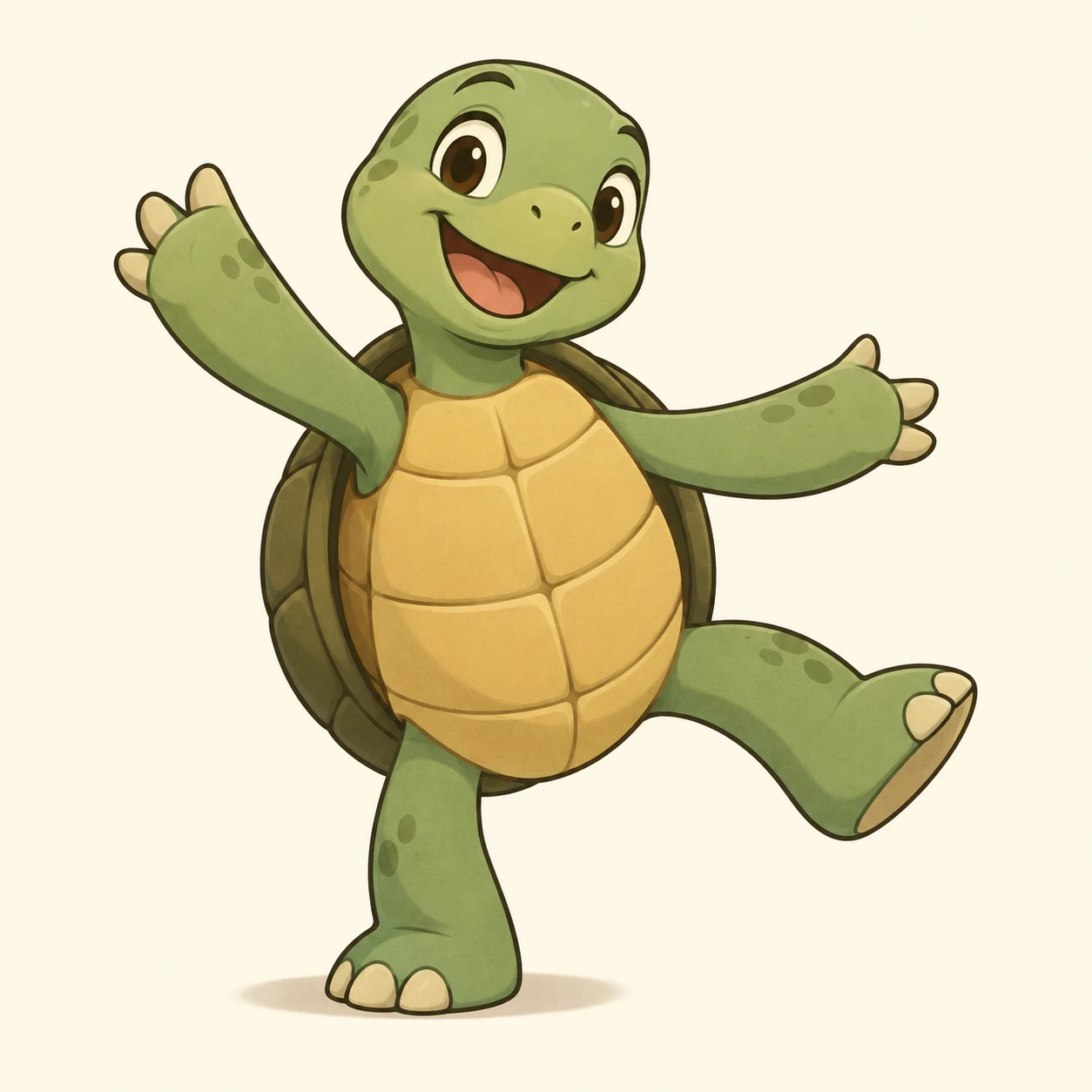
A turtle character whose dancing pose stays readable at small sizes through clear background gaps between its limbs.
Dancing Turtle Friend · Limb Silhouette Gaps
- Shape & line
- Build the turtle from rounded, simplified shapes with a clean dark outline. Lift the image-left arm diagonally upward and extend the image-right arm outward; leave open background wedges between both arms and the torso, and a clear gap between the planted image-left leg and raised image-right leg.
- Color & light
- Use muted green for the head and limbs, warm ochre for the belly, and deeper olive for the shell against a pale cream background. Add broad, restrained cel shadows beneath the chin and along the shell's lower edge while keeping every limb distinct from the background.
- Texture & material
- Give the skin a smooth matte finish and describe the shell with a few large curved plate divisions that follow its rounded surface. Keep surface marks sparse and inside the forms so texture never bridges the silhouette gaps.
- Composition
- Keep the head, hands, and feet fully inside the frame and preserve visible cream background through all three limb gaps. Place a small soft ground shadow directly beneath the planted image-left foot, leaving the space below the raised image-right foot open to make the lifted pose obvious.
Priority
Prioritize a dancing pose that reads immediately from the outer silhouette and open limb gaps.
What to avoid & what to check
Avoid limbs merging with the torso or shell, and avoid decorative marks filling the gaps.
At thumbnail size, confirm that both arm gaps, the leg gap, and the lifted foot remain clearly visible.
Exact prompt for this example
SUBJECT
One original cheerful turtle character dancing upright, with a rounded shell, two arms, and two legs. Both arms extend away from the torso; one foot rests on the ground while the other lifts sideways.

COMPOSITION
Show the entire character in a nearly frontal three-quarter view, centered with generous surrounding space. The planted foot is on image-left; the lifted leg reaches toward image-right. Keep the shell visible beside the torso without filling the gaps beneath the arms.

STYLE GUIDE
1. Shape & line
Build the turtle from rounded, simplified shapes with a clean dark outline. Lift the image-left arm diagonally upward and extend the image-right arm outward; leave open background wedges between both arms and the torso, and a clear gap between the planted image-left leg and raised image-right leg.

2. Color & light
Use muted green for the head and limbs, warm ochre for the belly, and deeper olive for the shell against a pale cream background. Add broad, restrained cel shadows beneath the chin and along the shell's lower edge while keeping every limb distinct from the background.

3. Texture & material
Give the skin a smooth matte finish and describe the shell with a few large curved plate divisions that follow its rounded surface. Keep surface marks sparse and inside the forms so texture never bridges the silhouette gaps.

4. Composition
Keep the head, hands, and feet fully inside the frame and preserve visible cream background through all three limb gaps. Place a small soft ground shadow directly beneath the planted image-left foot, leaving the space below the raised image-right foot open to make the lifted pose obvious.

PRIORITY
Preserve the requested identity, count, action, composition and output settings. Apply the style rules within those constraints; a style reference must not replace the subject or layout. Within the style: Prioritize a dancing pose that reads immediately from the outer silhouette and open limb gaps.

AVOID
Avoid limbs merging with the torso or shell, and avoid decorative marks filling the gaps.

OUTPUT
Create one square character illustration with no text, lettering, labels, or watermark.

SELF-CHECK
At thumbnail size, confirm that both arm gaps, the leg gap, and the lifted foot remain clearly visible.
Model information comes from image provenance. The same prompt may produce a different result.