Text to imageArt stylesStyle guide
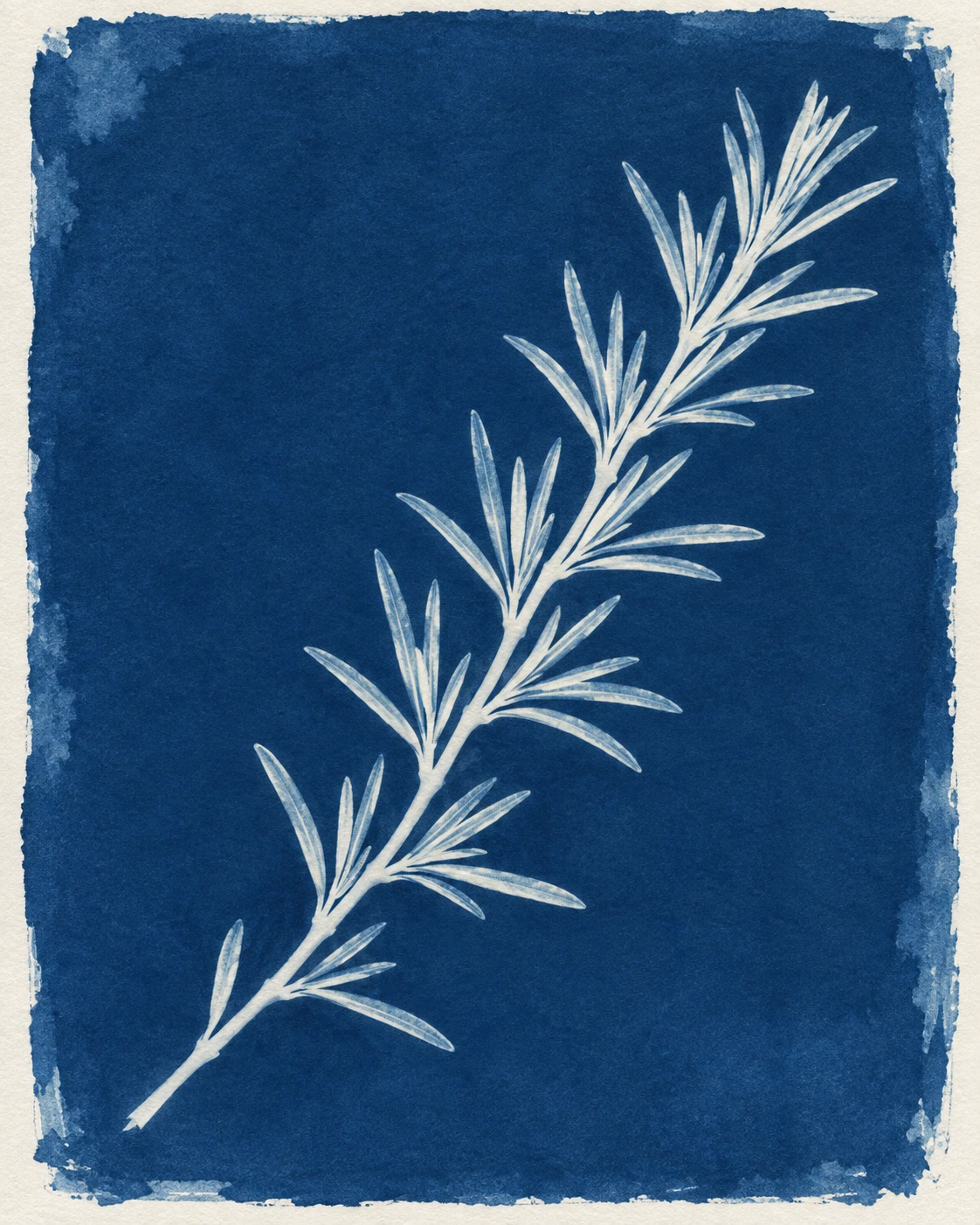
One Rosemary Sprig · Cyanotype Photogram
A pale rosemary silhouette against deep blue demonstrates crisp contact-print edges and the uneven coating of sensitized paper.
One Rosemary Sprig · Cyanotype Photogram
- Shape & line
- Build the sprig from a thin continuous stem and tapered, needlelike leaf silhouettes, retaining small blue gaps between neighboring leaves. Give the stem and most leaf edges crisp contact-print boundaries so the result reads as an exposure impression.
- Color & light
- Use deep Prussian blue across the exposed field and warm paper-white for the opaque stem and thicker leaf centers. Allow restrained pale cyan within a few thinner leaf areas, preserving a strong light-silhouette-on-blue relationship throughout.
- Texture & material
- Let fine matte paper grain remain visible through the blue, with gentle coating variations and a few watery patches near the field's perimeter. Finish the coated boundary with broad, uneven brush ends while keeping the botanical impression clean and legible.
- Composition
- Keep the lower-left stem base and upper-right leafy tip comfortably inside the coated field. Spread the leaves into a readable branching rhythm, leaving broad blue breathing room on both image sides and a slim paper-white margin around the entire field.
Priority
Prioritize a recognizable rosemary silhouette and the blue-and-paper-white logic of a cyanotype contact print.
What to avoid & what to check
Avoid green foliage, drawn outline strokes, and dimensional shadows that turn the impression into a photographed plant.
Check that one complete sprig remains readable, blue gaps separate the leaves, and the coated paper boundary is visible.
Exact prompt for this example
SUBJECT
One rosemary sprig reproduced as a cyanotype contact photogram, with a single slender stem and narrow needlelike leaves attached in paired clusters. The sprig reads as a pale botanical impression within blue sensitized paper.

COMPOSITION
Show the paper straight on in a vertical frame. Place the sprig diagonally from the lower-left toward the upper-right, fully visible and surrounded by generous blue space. Keep the coated field's irregular boundary visible inside a narrow uncoated paper margin.

STYLE GUIDE
1. Shape & line
Build the sprig from a thin continuous stem and tapered, needlelike leaf silhouettes, retaining small blue gaps between neighboring leaves. Give the stem and most leaf edges crisp contact-print boundaries so the result reads as an exposure impression.

2. Color & light
Use deep Prussian blue across the exposed field and warm paper-white for the opaque stem and thicker leaf centers. Allow restrained pale cyan within a few thinner leaf areas, preserving a strong light-silhouette-on-blue relationship throughout.

3. Texture & material
Let fine matte paper grain remain visible through the blue, with gentle coating variations and a few watery patches near the field's perimeter. Finish the coated boundary with broad, uneven brush ends while keeping the botanical impression clean and legible.

4. Composition
Keep the lower-left stem base and upper-right leafy tip comfortably inside the coated field. Spread the leaves into a readable branching rhythm, leaving broad blue breathing room on both image sides and a slim paper-white margin around the entire field.

PRIORITY
Preserve the requested identity, count, action, composition and output settings. Apply the style rules within those constraints; a style reference must not replace the subject or layout. Within the style: Prioritize a recognizable rosemary silhouette and the blue-and-paper-white logic of a cyanotype contact print.

AVOID
Avoid green foliage, drawn outline strokes, and dimensional shadows that turn the impression into a photographed plant.

OUTPUT
Create one image in a 4:5 portrait aspect ratio, with no lettering, captions, signatures, or watermark.

SELF-CHECK
Check that one complete sprig remains readable, blue gaps separate the leaves, and the coated paper boundary is visible.
Model information comes from image provenance. The same prompt may produce a different result.