Text to imageCharacterStyle guide
Turning Caterpillar · Curvature Through Segment Overlap
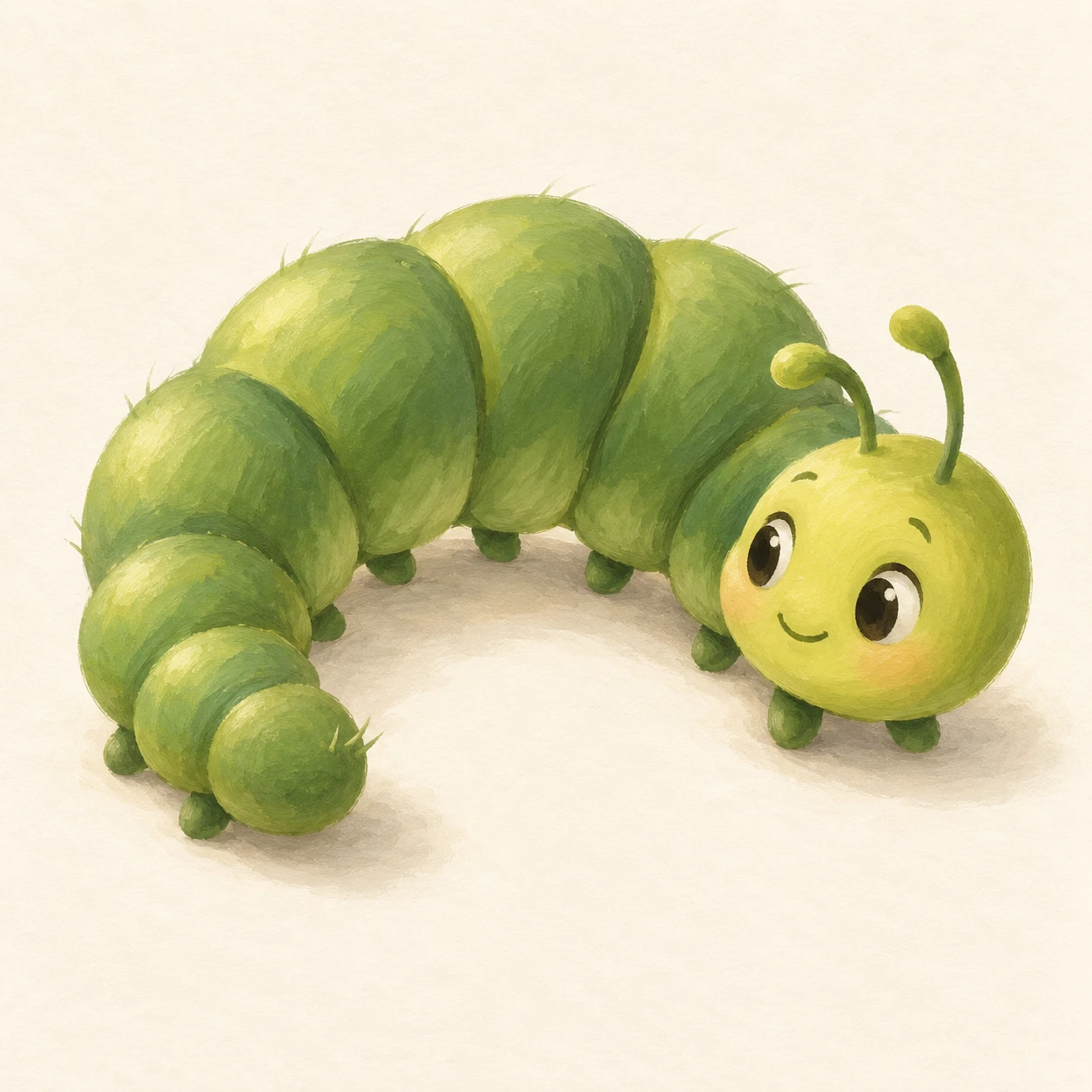
A character reference showing how tightly overlapping inner segments and spreading outer segments describe the curve and volume of a caterpillar turning back.
Turning Caterpillar · Curvature Through Segment Overlap
- Shape & line
- Build the body from rounded, overlapping segments that follow one continuous C-shaped axis. Along the inner curve facing image-bottom, crowd the segment boundaries and let each foreground rim interrupt the contour behind it; along the outer curve facing image-top, spread the rounded lobes so the bend reads through their changing spacing.
- Color & light
- Use muted leaf green for the body and warm yellow-green for the face. Light from image-upper-left, placing broad pale highlights on the upper-left surfaces of the segments and narrow darker green shadows beneath overlapping rims; keep the eyes dark and the face bright enough to remain the focal point.
- Texture & material
- Render the character in opaque gouache with softly brushed matte surfaces. Add a few short, fine hairs at the outer silhouette, while keeping the segment junctions smooth and clearly visible; use restrained brush grain across the broad body surfaces so texture supports the rounded forms.
- Composition
- Place the head in the right third and the smaller tail in the left third, leaving the lower-facing opening unobstructed. Keep the face separate from the nearest body lobe, show several feet touching the ground beneath the curve, and add a soft contact shadow directly below them against a warm off-white background.
Priority
Make the changing segment overlap explain the body bend before adding surface detail.
What to avoid & what to check
Avoid equally spaced bead-like segments and dark outlines that flatten every junction.
Check that the inner curve looks compressed, the outer curve looks expanded, and the head reads clearly at thumbnail size.
Exact prompt for this example
SUBJECT
One original caterpillar character with a rounded head, two short antennae, a segmented body and small feet. Its body bends into a shallow C, with its head at image-right turning toward its tail at image-left; the opening of the C faces the lower edge of the image.

COMPOSITION
Show the entire character from a slightly elevated three-quarter view on a plain ground, with clear space inside the body curve and generous margins around the antennae and feet.

STYLE GUIDE
1. Shape & line
Build the body from rounded, overlapping segments that follow one continuous C-shaped axis. Along the inner curve facing image-bottom, crowd the segment boundaries and let each foreground rim interrupt the contour behind it; along the outer curve facing image-top, spread the rounded lobes so the bend reads through their changing spacing.

2. Color & light
Use muted leaf green for the body and warm yellow-green for the face. Light from image-upper-left, placing broad pale highlights on the upper-left surfaces of the segments and narrow darker green shadows beneath overlapping rims; keep the eyes dark and the face bright enough to remain the focal point.

3. Texture & material
Render the character in opaque gouache with softly brushed matte surfaces. Add a few short, fine hairs at the outer silhouette, while keeping the segment junctions smooth and clearly visible; use restrained brush grain across the broad body surfaces so texture supports the rounded forms.

4. Composition
Place the head in the right third and the smaller tail in the left third, leaving the lower-facing opening unobstructed. Keep the face separate from the nearest body lobe, show several feet touching the ground beneath the curve, and add a soft contact shadow directly below them against a warm off-white background.

PRIORITY
Preserve the requested identity, count, action, composition and output settings. Apply the style rules within those constraints; a style reference must not replace the subject or layout. Within the style: Make the changing segment overlap explain the body bend before adding surface detail.

AVOID
Avoid equally spaced bead-like segments and dark outlines that flatten every junction.

OUTPUT
Create one square character illustration with no text, labels, border or watermark.

SELF-CHECK
Check that the inner curve looks compressed, the outer curve looks expanded, and the head reads clearly at thumbnail size.
Model information comes from image provenance. The same prompt may produce a different result.