Text to imageArt stylesStyle guide
One Apple · White-Line Woodcut
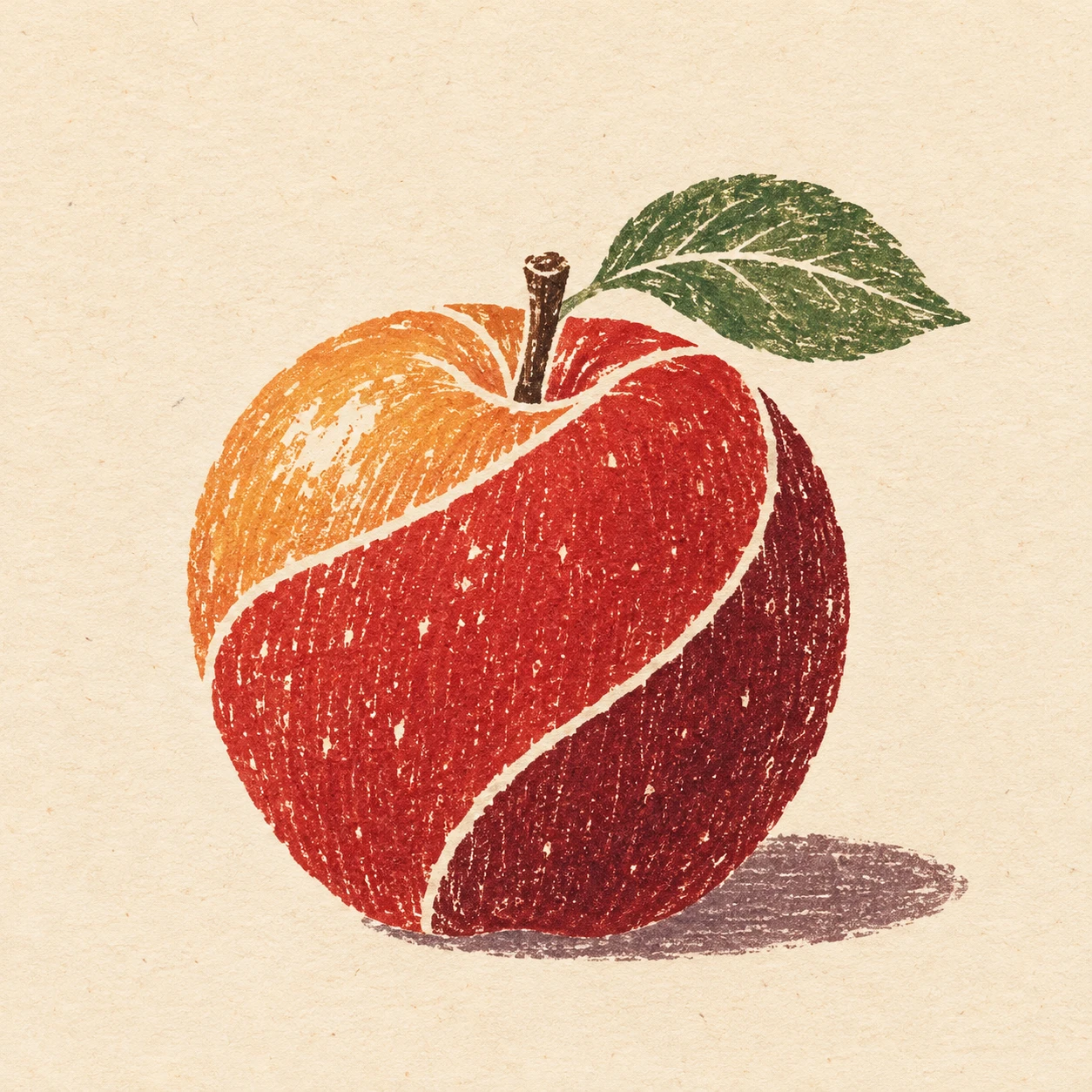
A woodcut style that builds an apple’s rounded volume with paper-white channels between color fields and uneven ink transfer.
One Apple · White-Line Woodcut
- Shape & line
- Build the apple from a few broad, curved color compartments that follow its rounded body. Separate adjacent compartments with narrow paper-white channels, and let these channels taper or meet naturally near the stem hollow; keep the outer silhouette defined by the colored print edge.
- Color & light
- Place a warm pale-orange compartment on the apple’s upper image-left side, red across its middle, and deep burgundy along its lower image-right side. Use these distinct ink fields to suggest light from upper image-left, and print the small image-right grounding shadow in muted plum rather than a smooth gradient.
- Texture & material
- Give each colored compartment slightly uneven ink coverage, with sparse paper flecks and faint directional wood grain visible inside it. Keep the separating white channels clean enough to read as reserved paper, while allowing occasional softly ragged print edges to convey hand printing.
- Composition
- Keep the apple large enough for the white channels to remain clearly visible within the square frame. Leave open paper around the stem and image-right leaf, and keep the shadow close to the apple’s base so the simple fruit silhouette remains the composition’s focus.
Priority
Prioritize readable paper-white channels between curved, separately printed color fields.
What to avoid & what to check
Avoid black outlines, glossy photographic shading, and white lines floating over continuous color.
Check that the white channels separate color compartments and that uneven ink transfer remains visible.
Exact prompt for this example
SUBJECT
One round red apple with a short brown stem and one attached green leaf; the leaf extends toward image-right from the stem.

COMPOSITION
Show the whole apple in a slightly elevated three-quarter view, centered below the image midpoint, with generous warm paper margins and a small grounding shadow extending toward image-right.

STYLE GUIDE
1. Shape & line
Build the apple from a few broad, curved color compartments that follow its rounded body. Separate adjacent compartments with narrow paper-white channels, and let these channels taper or meet naturally near the stem hollow; keep the outer silhouette defined by the colored print edge.

2. Color & light
Place a warm pale-orange compartment on the apple’s upper image-left side, red across its middle, and deep burgundy along its lower image-right side. Use these distinct ink fields to suggest light from upper image-left, and print the small image-right grounding shadow in muted plum rather than a smooth gradient.

3. Texture & material
Give each colored compartment slightly uneven ink coverage, with sparse paper flecks and faint directional wood grain visible inside it. Keep the separating white channels clean enough to read as reserved paper, while allowing occasional softly ragged print edges to convey hand printing.

4. Composition
Keep the apple large enough for the white channels to remain clearly visible within the square frame. Leave open paper around the stem and image-right leaf, and keep the shadow close to the apple’s base so the simple fruit silhouette remains the composition’s focus.

PRIORITY
Preserve the requested identity, count, action, composition and output settings. Apply the style rules within those constraints; a style reference must not replace the subject or layout. Within the style: Prioritize readable paper-white channels between curved, separately printed color fields.

AVOID
Avoid black outlines, glossy photographic shading, and white lines floating over continuous color.

OUTPUT
One square image, with no lettering, labels, signature, or watermark.

SELF-CHECK
Check that the white channels separate color compartments and that uneven ink transfer remains visible.
Model information comes from image provenance. The same prompt may produce a different result.