Text to imageArt stylesStyle guide
One Orange · Cut-Paper Mosaic
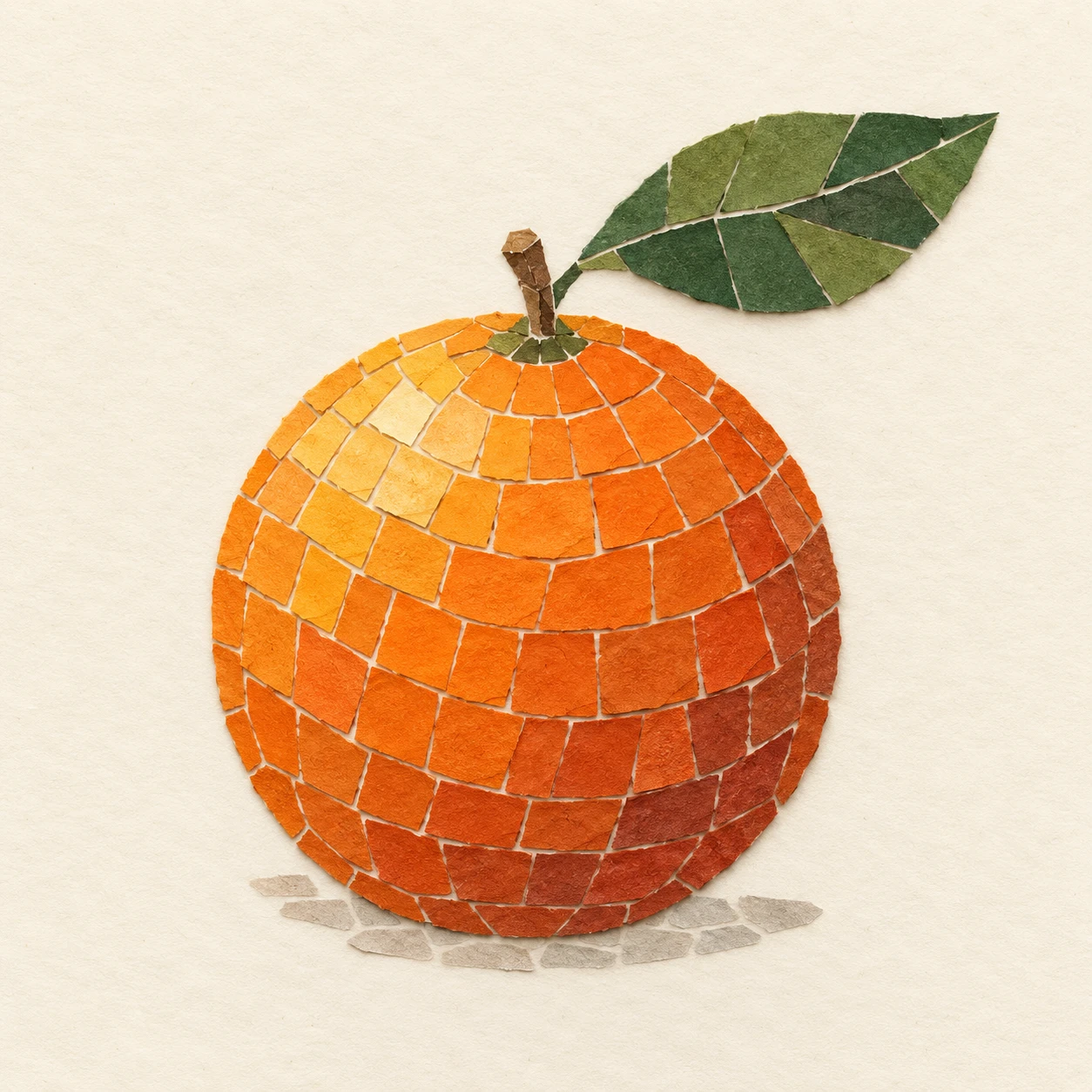
A mosaic study that builds an orange’s rounded volume through the direction and color of opaque paper pieces.
One Orange · Cut-Paper Mosaic
- Shape & line
- Build the orange from small irregular quadrilateral paper pieces arranged in gently curving rows that wrap around its round silhouette. Use narrower pieces along the perimeter and elongated pieces along the leaf’s centerline, leaving thin cream seams between neighboring pieces.
- Color & light
- Suggest illumination from the image’s upper-left by placing pale yellow-orange pieces on the fruit’s upper-left area, saturated orange pieces across its middle, and muted rust pieces on its lower-right. Make these discrete color steps establish volume; use olive and deep green pieces for the leaf.
- Texture & material
- Give every piece a matte, opaque paper surface with subtle fiber grain and visibly hand-cut edges. Let occasional slightly lifted corners cast short shadows onto the cream ground immediately beside them, while keeping the overall mosaic flat and the paper colors unblended.
- Composition
- Keep the cream background as one uninterrupted sheet so the orange’s tile pattern remains the focal point. Preserve a clear gap between the leaf tip and the upper-right frame edge, and use a sparse arc of muted gray-beige paper pieces directly beneath the fruit to suggest a resting shadow.
Priority
Prioritize recognizable round volume built from distinct paper pieces and visible seams.
What to avoid & what to check
Avoid painted gradients, translucent overlaps, and glossy ceramic tile surfaces.
Check that one orange reads clearly and that the curving rows, stepped colors, and paper edges remain visible.
Exact prompt for this example
SUBJECT
Show exactly one whole orange with one short stem and one green leaf attached to it. The leaf extends toward the upper-right of the image. Construct the fruit, stem, and leaf from opaque cut-paper pieces mounted on a single cream paper ground.

COMPOSITION
Use a straight-on view with the entire orange and attached leaf visible. Place the fruit slightly below center, occupying roughly half the image width, with generous cream margins. Keep the silhouette simple and immediately recognizable.

STYLE GUIDE
1. Shape & line
Build the orange from small irregular quadrilateral paper pieces arranged in gently curving rows that wrap around its round silhouette. Use narrower pieces along the perimeter and elongated pieces along the leaf’s centerline, leaving thin cream seams between neighboring pieces.

2. Color & light
Suggest illumination from the image’s upper-left by placing pale yellow-orange pieces on the fruit’s upper-left area, saturated orange pieces across its middle, and muted rust pieces on its lower-right. Make these discrete color steps establish volume; use olive and deep green pieces for the leaf.

3. Texture & material
Give every piece a matte, opaque paper surface with subtle fiber grain and visibly hand-cut edges. Let occasional slightly lifted corners cast short shadows onto the cream ground immediately beside them, while keeping the overall mosaic flat and the paper colors unblended.

4. Composition
Keep the cream background as one uninterrupted sheet so the orange’s tile pattern remains the focal point. Preserve a clear gap between the leaf tip and the upper-right frame edge, and use a sparse arc of muted gray-beige paper pieces directly beneath the fruit to suggest a resting shadow.

PRIORITY
Preserve the requested identity, count, action, composition and output settings. Apply the style rules within those constraints; a style reference must not replace the subject or layout. Within the style: Prioritize recognizable round volume built from distinct paper pieces and visible seams.

AVOID
Avoid painted gradients, translucent overlaps, and glossy ceramic tile surfaces.

OUTPUT
Create one square image showing a finished handmade paper mosaic, with no text, lettering, border, or watermark.

SELF-CHECK
Check that one orange reads clearly and that the curving rows, stepped colors, and paper edges remain visible.
Model information comes from image provenance. The same prompt may produce a different result.