Text to imagePortraitStyle guide
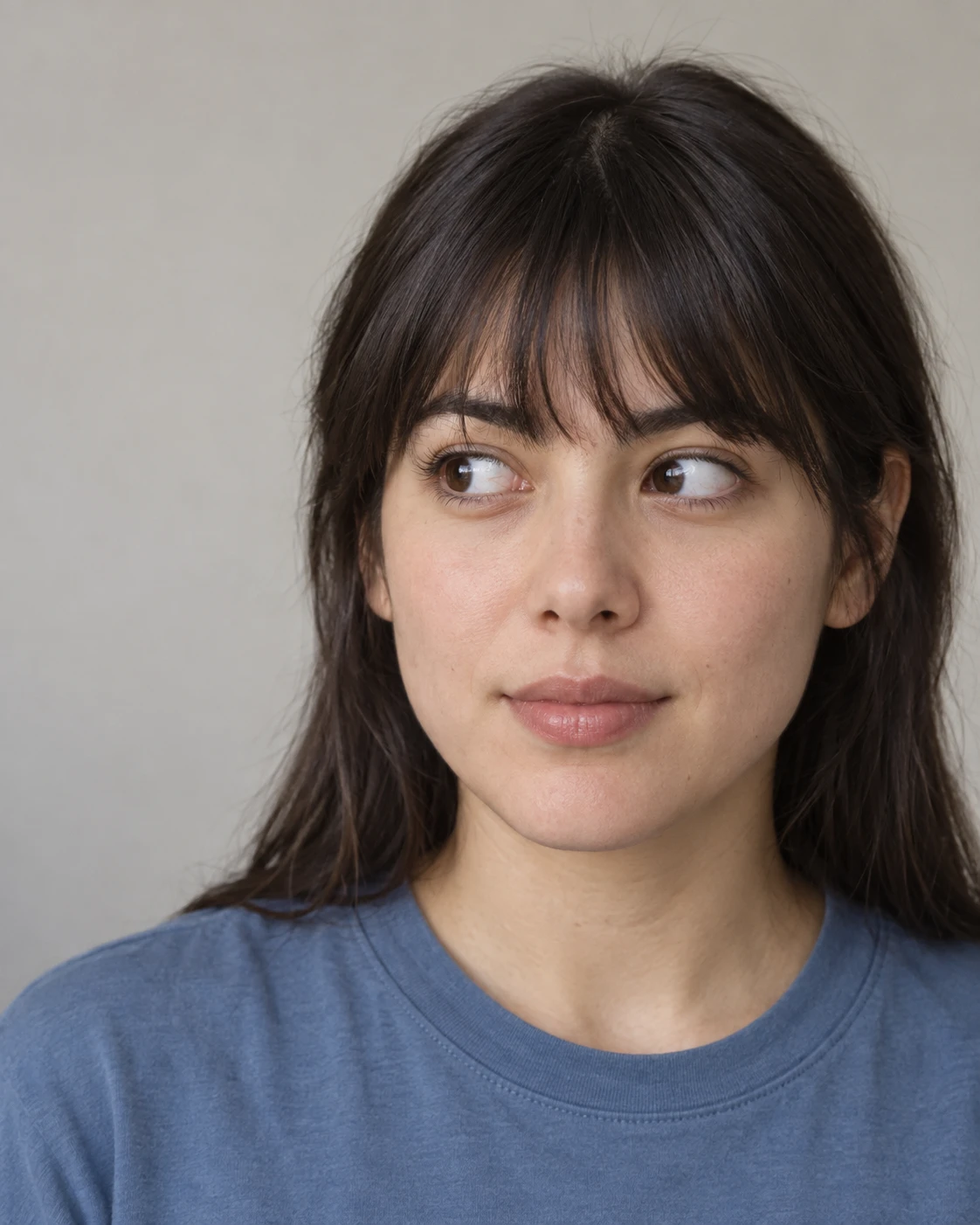
Straight-Banged Adult · Coordinated Sideward Gaze
A frontal portrait that shifts both irises toward image-left to establish a clear sideward gaze without turning the head.
Straight-Banged Adult · Coordinated Sideward Gaze
- Shape & line
- Keep the nose, chin, and facial centerline facing forward. Move both irises toward the image-left ends of their eye openings, leaving wider visible sclera on image-right in each eye. Let the image-left eyelid edges slightly overlap the irises while preserving distinct pupils and a coordinated gaze.
- Color & light
- Use a broad soft light from above the camera to illuminate both eyes clearly and create gentle shadows beneath the bangs and chin. Pair warm natural skin tones with a muted blue shirt and a pale warm-gray background; keep sclera softly off-white rather than bright white.
- Texture & material
- Render this as a natural photographic portrait: retain subtle skin texture, separate the bangs into small visible locks, and give the shirt a matte cotton surface. Keep moist highlights confined to the eyes and lips so that the eye direction remains easy to read.
- Composition
- Crop below the shoulders with modest space above the hair, and keep the eye line approximately in the upper third. Make both eyes equally sharp, soften the plain background, and leave the image-left gaze space clear so the displaced irises provide the portrait's main directional cue.
Priority
Prioritize a frontal head with both eyes unmistakably looking toward image-left.
What to avoid & what to check
Avoid opposing pupil directions, a turned head, or bangs that hide either eye.
Confirm that both eyes show more sclera on image-right while the facial centerline remains frontal.
Exact prompt for this example
SUBJECT
One adult with straight dark bangs, wearing a plain muted-blue crewneck shirt. Their head faces the viewer while both eyes look toward the same unseen point beyond the image-left edge; their mouth rests in a relaxed, closed expression.

COMPOSITION
An eye-level, head-and-shoulders portrait in a vertical frame. Place the face slightly right of center, leave more open background on image-left in the gaze direction, and keep both eyes fully visible.

STYLE GUIDE
1. Shape & line
Keep the nose, chin, and facial centerline facing forward. Move both irises toward the image-left ends of their eye openings, leaving wider visible sclera on image-right in each eye. Let the image-left eyelid edges slightly overlap the irises while preserving distinct pupils and a coordinated gaze.

2. Color & light
Use a broad soft light from above the camera to illuminate both eyes clearly and create gentle shadows beneath the bangs and chin. Pair warm natural skin tones with a muted blue shirt and a pale warm-gray background; keep sclera softly off-white rather than bright white.

3. Texture & material
Render this as a natural photographic portrait: retain subtle skin texture, separate the bangs into small visible locks, and give the shirt a matte cotton surface. Keep moist highlights confined to the eyes and lips so that the eye direction remains easy to read.

4. Composition
Crop below the shoulders with modest space above the hair, and keep the eye line approximately in the upper third. Make both eyes equally sharp, soften the plain background, and leave the image-left gaze space clear so the displaced irises provide the portrait's main directional cue.

PRIORITY
Preserve the requested identity, count, action, composition and output settings. Apply the style rules within those constraints; a style reference must not replace the subject or layout. Within the style: Prioritize a frontal head with both eyes unmistakably looking toward image-left.

AVOID
Avoid opposing pupil directions, a turned head, or bangs that hide either eye.

OUTPUT
One finished portrait image, vertical 4:5 aspect ratio, with no text, captions, logos, or watermarks.

SELF-CHECK
Confirm that both eyes show more sclera on image-right while the facial centerline remains frontal.
Model information comes from image provenance. The same prompt may produce a different result.