Text to imageSpace & architectureStyle guide
Small Alcove · Floor-Bounced Color
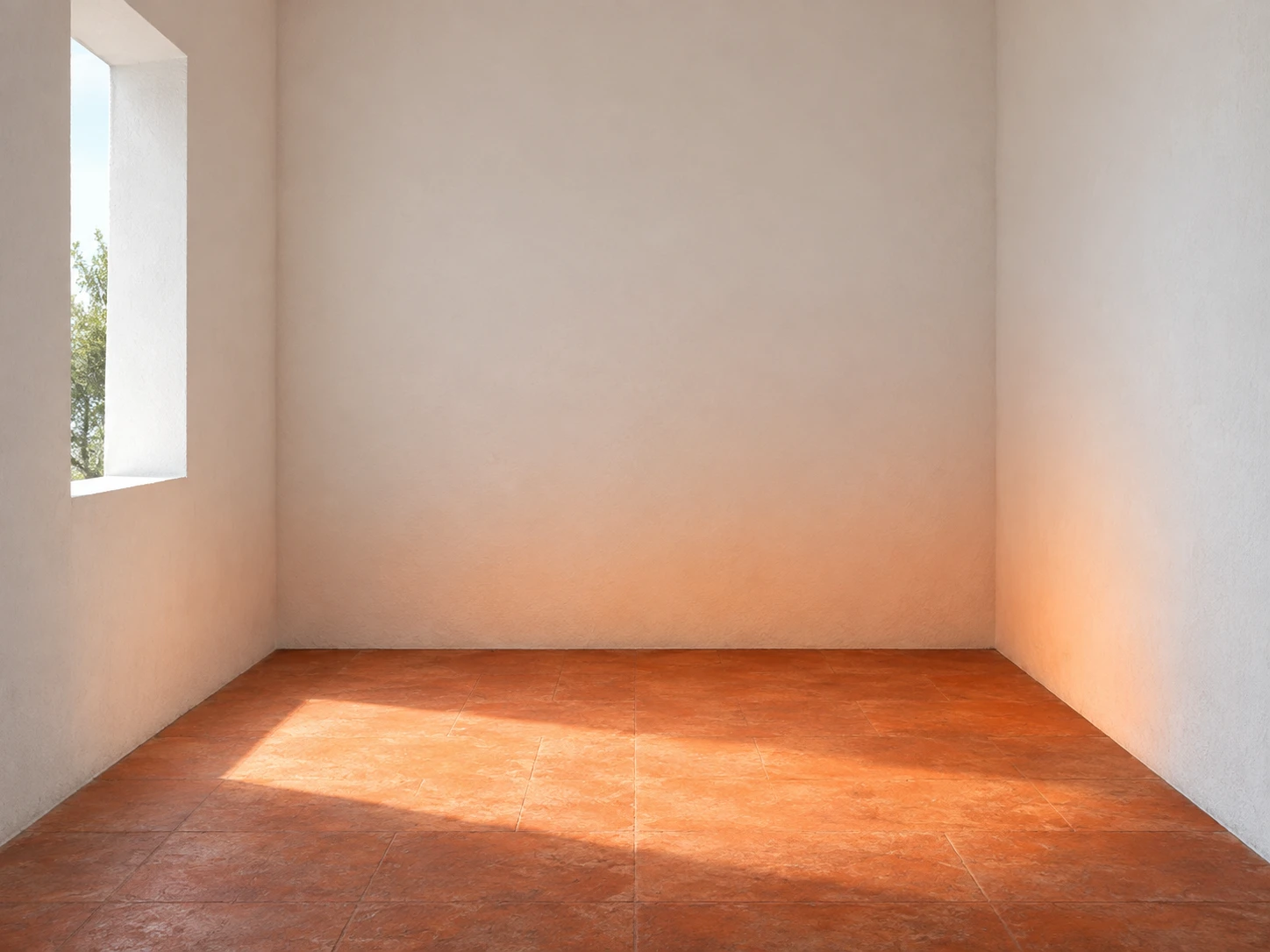
Show how a terracotta floor connects to white walls through warm reflected color along their lower surfaces.
Small Alcove · Floor-Bounced Color
- Shape & line
- Build the alcove from simple rectangular planes with straight vertical edges and gently converging floor edges; keep the floor-to-wall junctions clearly readable so the reflected color belongs to continuous architectural surfaces.
- Color & light
- Send neutral daylight through the image-left opening to form a broad bright patch across the terracotta floor toward image-right; tint the lower back wall and lower image-right wall nearest this patch with soft orange reflected light, fading upward into neutral white while the directly lit wall areas remain neutral.
- Texture & material
- Render the white walls as fine matte plaster and the floor as muted, lightly mottled terracotta; use diffuse shading and soft color transitions without glossy reflections, allowing the orange tint to read as reflected illumination rather than painted wall decoration.
- Composition
- Keep the alcove empty and frame the lit floor patch together with the warmed lower walls in one uninterrupted view; leave a generous neutral-white area above the orange tint so its upward fade is easy to compare.
Priority
Make the connection between the illuminated terracotta floor and the warm lower walls immediately visible.
What to avoid & what to check
Avoid orange light sources or uniformly orange walls that obscure the floor-bounced color.
Check that the orange tint is strongest near the lit floor and fades into neutral white higher on the walls.
Exact prompt for this example
SUBJECT
One small empty architectural alcove with two matte white side walls, a matte white back wall, and a terracotta-colored floor. A single opening in the image-left wall admits neutral daylight onto the floor; the illuminated floor reflects a restrained orange warmth onto the adjacent lower white walls.

COMPOSITION
View the alcove from its open front at standing eye level, with the back wall centered and both floor-to-wall junctions visible. Include the image-left opening and enough foreground floor to trace the relationship between incoming daylight, the lit terracotta surface, and the warm tint above it.

STYLE GUIDE
1. Shape & line
Build the alcove from simple rectangular planes with straight vertical edges and gently converging floor edges; keep the floor-to-wall junctions clearly readable so the reflected color belongs to continuous architectural surfaces.

2. Color & light
Send neutral daylight through the image-left opening to form a broad bright patch across the terracotta floor toward image-right; tint the lower back wall and lower image-right wall nearest this patch with soft orange reflected light, fading upward into neutral white while the directly lit wall areas remain neutral.

3. Texture & material
Render the white walls as fine matte plaster and the floor as muted, lightly mottled terracotta; use diffuse shading and soft color transitions without glossy reflections, allowing the orange tint to read as reflected illumination rather than painted wall decoration.

4. Composition
Keep the alcove empty and frame the lit floor patch together with the warmed lower walls in one uninterrupted view; leave a generous neutral-white area above the orange tint so its upward fade is easy to compare.

PRIORITY
Preserve the requested identity, count, action, composition and output settings. Apply the style rules within those constraints; a style reference must not replace the subject or layout. Within the style: Make the connection between the illuminated terracotta floor and the warm lower walls immediately visible.

AVOID
Avoid orange light sources or uniformly orange walls that obscure the floor-bounced color.

OUTPUT
One architectural reference image in a 4:3 landscape aspect ratio, with no text, labels, logos, or watermark.

SELF-CHECK
Check that the orange tint is strongest near the lit floor and fades into neutral white higher on the walls.
Model information comes from image provenance. The same prompt may produce a different result.