Text to imageProductStyle guide
Coral Zip Pouch · Interlocking Zipper Teeth
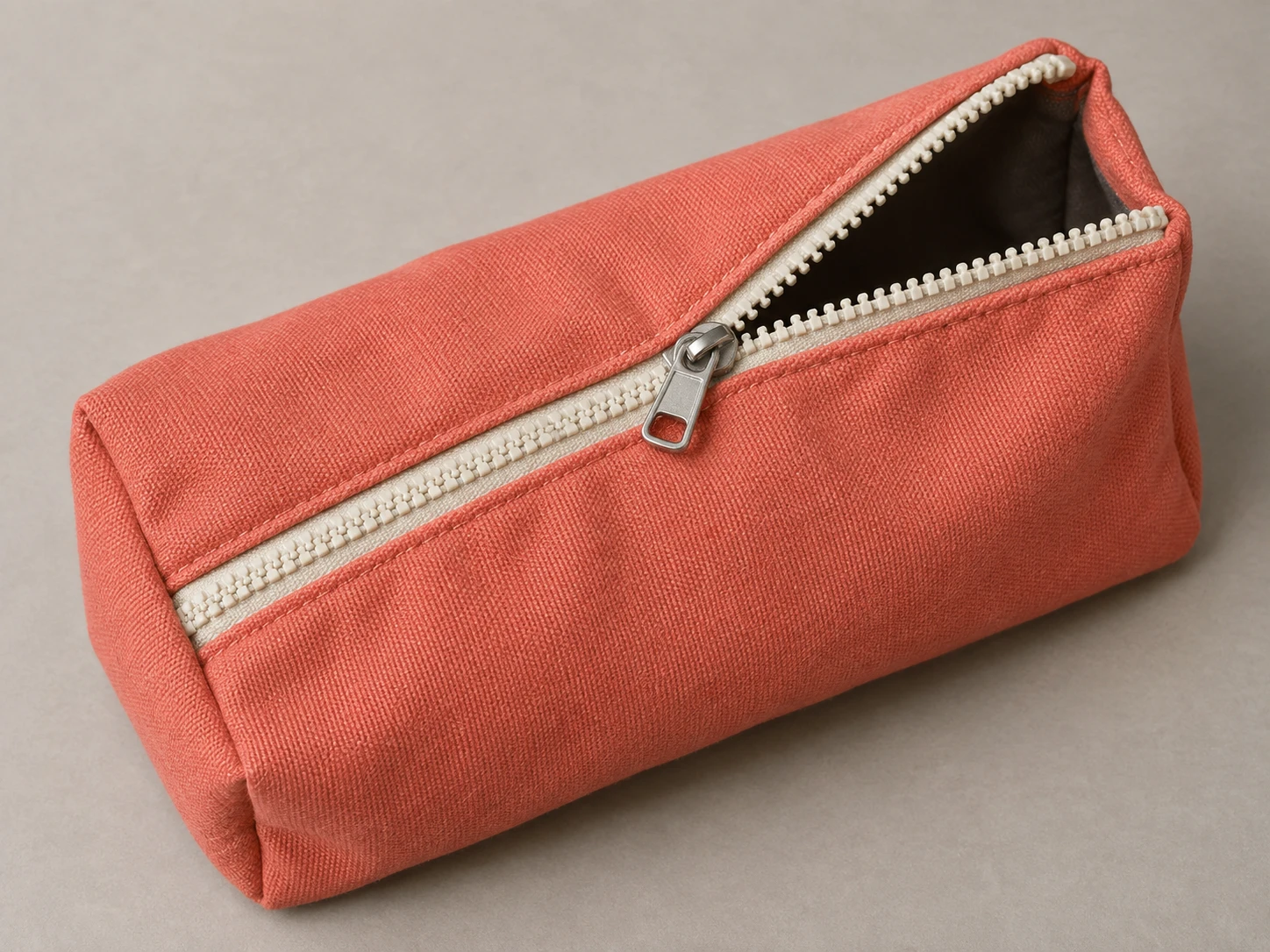
A product study showing how zipper teeth separate and interlock on opposite sides of the slider on a partially open pouch.
Coral Zip Pouch · Interlocking Zipper Teeth
- Shape & line
- Build the pouch from softly rounded fabric planes and draw the zipper teeth as short, evenly repeated blocks. Toward image lower left, alternate teeth from the two sides into one joined chain; toward upper right, separate them into two rows that converge at the slider.
- Color & light
- Keep the fabric coral, the zipper tape and teeth cream, and the slider neutral silver. Light from image upper left so the teeth have pale upper-left faces and small lower-right shadows; let a restrained highlight describe the slider without hiding its outline.
- Texture & material
- Render the fabric with a fine matte weave that bends with the pouch folds, while keeping the molded teeth smooth and the slider reflective. Add gentle puckering along the sewn zipper tape and a dark interior visible through the opening to establish flexible fabric around rigid hardware.
- Composition
- Make the zipper diagonal the main visual path, with the open mouth widening toward image upper right. Keep the slider and nearby teeth sharply readable, soften only the far fabric corners slightly, and leave clear tabletop around the pouch so the joining transition is easy to follow.
Priority
Prioritize the visible transition from two separated tooth rows to one interlocked chain at the slider.
What to avoid & what to check
Avoid floating teeth, a sealed opening, or a slider disconnected from either zipper row.
Check that the lower-left section is joined and both upper-right rows connect visibly to the same slider.
Exact prompt for this example
SUBJECT
Show one coral fabric zip pouch with one partially closed cream zipper and one metal slider. The zipper runs diagonally from image lower left to upper right; the closed section lies toward lower left, while two separated tooth rows extend from the slider toward upper right around the open mouth.

COMPOSITION
Use an elevated three-quarter close view on a plain warm-gray tabletop. Place the slider near image center and turn the pouch so both the joined zipper section and the separated rows remain clearly visible. Include the entire pouch with a modest margin.

STYLE GUIDE
1. Shape & line
Build the pouch from softly rounded fabric planes and draw the zipper teeth as short, evenly repeated blocks. Toward image lower left, alternate teeth from the two sides into one joined chain; toward upper right, separate them into two rows that converge at the slider.

2. Color & light
Keep the fabric coral, the zipper tape and teeth cream, and the slider neutral silver. Light from image upper left so the teeth have pale upper-left faces and small lower-right shadows; let a restrained highlight describe the slider without hiding its outline.

3. Texture & material
Render the fabric with a fine matte weave that bends with the pouch folds, while keeping the molded teeth smooth and the slider reflective. Add gentle puckering along the sewn zipper tape and a dark interior visible through the opening to establish flexible fabric around rigid hardware.

4. Composition
Make the zipper diagonal the main visual path, with the open mouth widening toward image upper right. Keep the slider and nearby teeth sharply readable, soften only the far fabric corners slightly, and leave clear tabletop around the pouch so the joining transition is easy to follow.

PRIORITY
Preserve the requested identity, count, action, composition and output settings. Apply the style rules within those constraints; a style reference must not replace the subject or layout. Within the style: Prioritize the visible transition from two separated tooth rows to one interlocked chain at the slider.

AVOID
Avoid floating teeth, a sealed opening, or a slider disconnected from either zipper row.

OUTPUT
Create one realistic product-reference image in a 4:3 landscape aspect ratio, with no text, logos, labels, or watermark.

SELF-CHECK
Check that the lower-left section is joined and both upper-right rows connect visibly to the same slider.
Model information comes from image provenance. The same prompt may produce a different result.