Text to imageLandscapeStyle guide
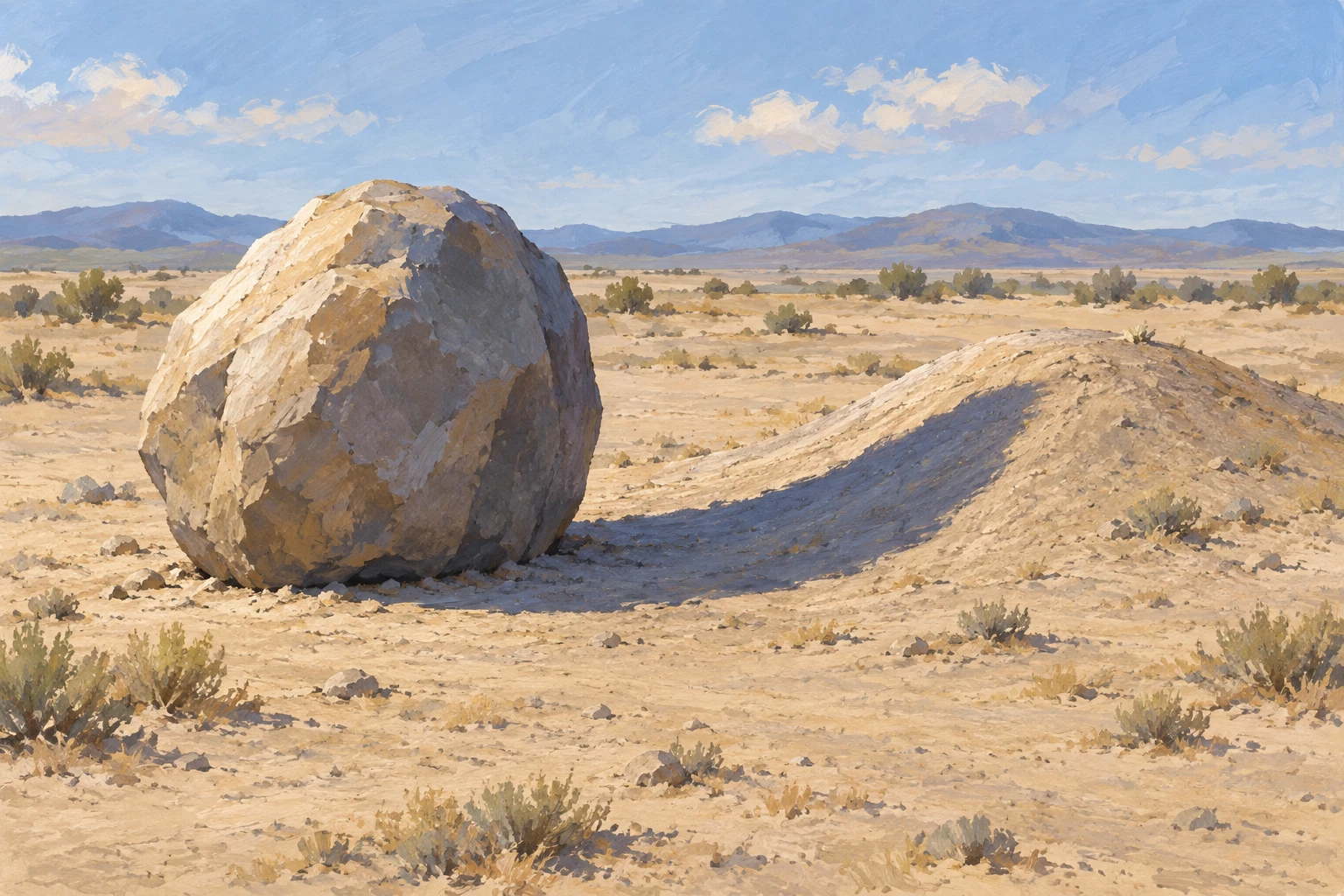
Boulder and Low Mound · Terrain-Following Shadow
Reveal ground relief through one boulder's cast shadow as it changes shape across a flat plain and a low mound.
Boulder and Low Mound · Terrain-Following Shadow
- Shape & line
- Build the boulder from a rounded silhouette and a few broad facets; describe the mound with a shallow crest and gently sloping sides. Make the cast-shadow boundary change direction where the flat ground meets the mound, so its contour visibly responds to the receiving surface.
- Color & light
- Light the scene from the upper image-left, giving the boulder's upper-left faces warm pale highlights and its right faces cooler shade. Carry one muted blue-violet cast shadow from the boulder's ground contact toward image-right and up the mound's left-facing slope; keep sunlit sand visibly lighter.
- Texture & material
- Use matte gouache with broad, opaque paint shapes. Add sparse broken brush marks to the rock and fine dry-brush flecks to the sand, letting those flecks remain faintly visible inside the shadow so the dark area reads as shaded ground.
- Composition
- Leave a visible strip of flat ground between the boulder and mound, crossed continuously by the same shadow. Keep the shadow's climb onto the mound unobstructed and place its endpoint below the crest, using open foreground space to make this transition easy to inspect.
Priority
Prioritize a continuous cast shadow that reveals the change from flat ground to sloping terrain.
What to avoid & what to check
Avoid a detached shadow or a straight shadow contour that ignores the mound.
Check that the shadow touches the boulder's base and visibly changes contour as it climbs the mound.
Exact prompt for this example
SUBJECT
One rounded boulder on a dry sandy plain, with one low, smooth mound immediately to its image-right. The boulder's cast shadow starts at its base and extends rightward onto the mound.

COMPOSITION
Use a slightly elevated oblique view in a wide landscape frame. Place the boulder left of center and the mound right of center, keeping the complete shadow visible. Set a low horizon beneath a quiet sky.

STYLE GUIDE
1. Shape & line
Build the boulder from a rounded silhouette and a few broad facets; describe the mound with a shallow crest and gently sloping sides. Make the cast-shadow boundary change direction where the flat ground meets the mound, so its contour visibly responds to the receiving surface.

2. Color & light
Light the scene from the upper image-left, giving the boulder's upper-left faces warm pale highlights and its right faces cooler shade. Carry one muted blue-violet cast shadow from the boulder's ground contact toward image-right and up the mound's left-facing slope; keep sunlit sand visibly lighter.

3. Texture & material
Use matte gouache with broad, opaque paint shapes. Add sparse broken brush marks to the rock and fine dry-brush flecks to the sand, letting those flecks remain faintly visible inside the shadow so the dark area reads as shaded ground.

4. Composition
Leave a visible strip of flat ground between the boulder and mound, crossed continuously by the same shadow. Keep the shadow's climb onto the mound unobstructed and place its endpoint below the crest, using open foreground space to make this transition easy to inspect.

PRIORITY
Preserve the requested identity, count, action, composition and output settings. Apply the style rules within those constraints; a style reference must not replace the subject or layout. Within the style: Prioritize a continuous cast shadow that reveals the change from flat ground to sloping terrain.

AVOID
Avoid a detached shadow or a straight shadow contour that ignores the mound.

OUTPUT
Create one landscape image in a 3:2 aspect ratio, rendered as a naturalistic opaque-gouache study, with no lettering, labels, border, or watermark.

SELF-CHECK
Check that the shadow touches the boulder's base and visibly changes contour as it climbs the mound.
Model information comes from image provenance. The same prompt may produce a different result.