Text to imageArt stylesStyle guide
One Maple Leaf · Drypoint Burr Lines
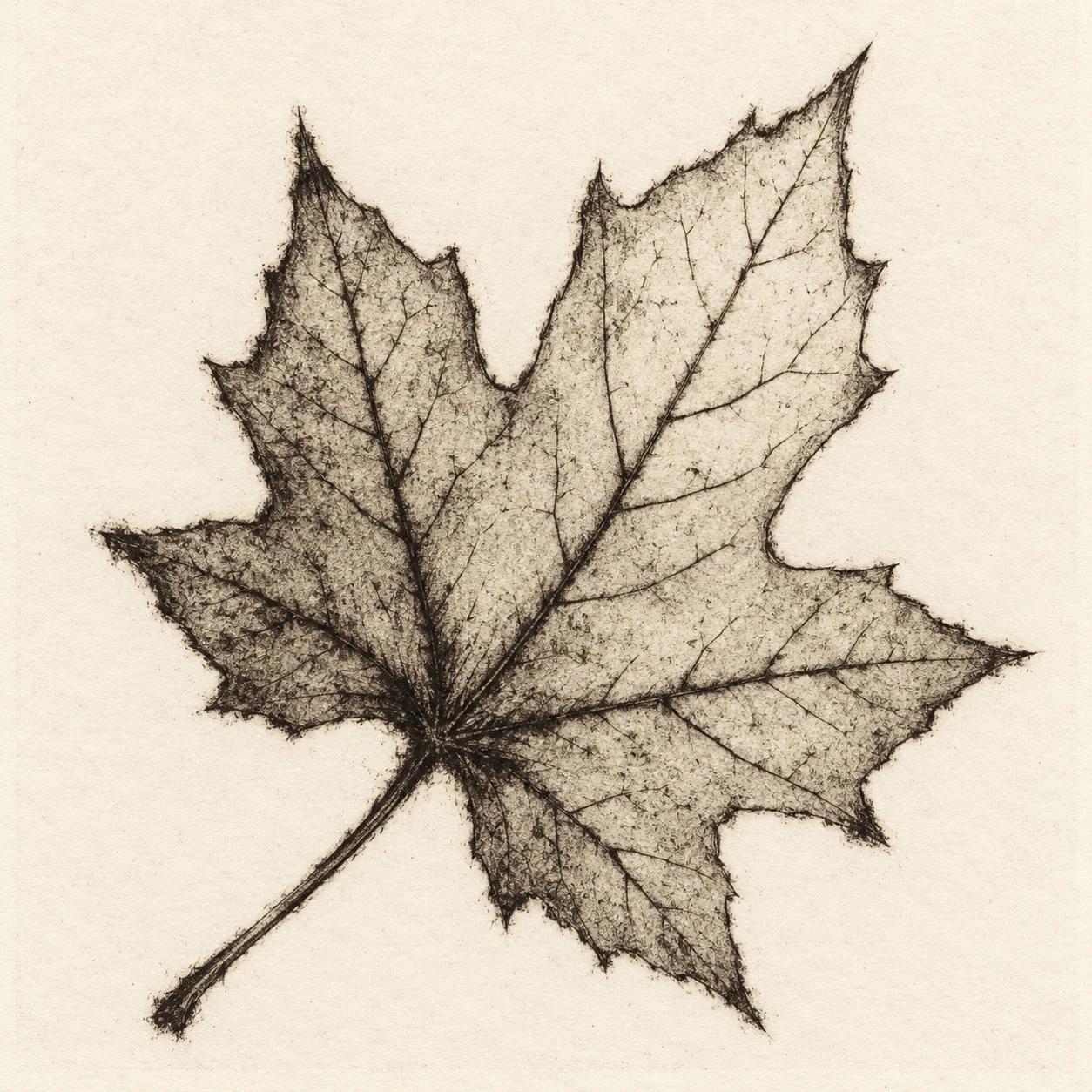
Soft, ink-rich fringes along a maple leaf’s veins and edges demonstrate the distinctive printed texture of drypoint.
One Maple Leaf · Drypoint Burr Lines
- Shape & line
- Draw the five lobes with angular tips and gently indented edges, then trace branching veins with irregular dark strokes. Give selected contour and main-vein strokes a soft ink fringe while keeping their central paths readable; let secondary veins remain finer and lighter.
- Color & light
- Use warm black ink on ivory paper, building the deepest tones around the stem junction and main veins. Leave broad paper-colored openings between vein clusters, and carry a faint uneven gray plate tone across the leaf without adding directional lighting or a cast shadow.
- Texture & material
- Make the drypoint burr visible as short, fuzzy ink extensions beside selected incised lines, strongest near the stem junction and intermittent along the outer edge. Preserve subtle paper grain in pale areas and small variations in ink coverage rather than spreading uniform fuzz over the whole image.
- Composition
- Let the leaf occupy roughly two-thirds of the frame, with its diagonal stem-to-tip axis balancing the open paper around it. Concentrate the densest marks in the lower-left half of the leaf and leave the upper-right lobe more open so the veins, pointed silhouette, and fuzzy line edges remain easy to compare.
Priority
Prioritize readable vein structure and selective, ink-rich burr edges.
What to avoid & what to check
Avoid white scratched lines on a black ground, smooth vector contours, and photographic leaf shading.
Check that the single leaf stays recognizable and that soft ink fringes sit beside clear dark lines.
Exact prompt for this example
SUBJECT
Show exactly one detached maple leaf with five pointed lobes and one attached stem. Its main veins branch from the stem junction toward the lobe tips; smaller veins connect within each lobe.

COMPOSITION
Present the entire leaf face-on against an empty ivory paper field. Place the stem toward the lower-left image corner and the longest lobe toward the upper-right, keeping every tip inside the frame with generous margins.

STYLE GUIDE
1. Shape & line
Draw the five lobes with angular tips and gently indented edges, then trace branching veins with irregular dark strokes. Give selected contour and main-vein strokes a soft ink fringe while keeping their central paths readable; let secondary veins remain finer and lighter.

2. Color & light
Use warm black ink on ivory paper, building the deepest tones around the stem junction and main veins. Leave broad paper-colored openings between vein clusters, and carry a faint uneven gray plate tone across the leaf without adding directional lighting or a cast shadow.

3. Texture & material
Make the drypoint burr visible as short, fuzzy ink extensions beside selected incised lines, strongest near the stem junction and intermittent along the outer edge. Preserve subtle paper grain in pale areas and small variations in ink coverage rather than spreading uniform fuzz over the whole image.

4. Composition
Let the leaf occupy roughly two-thirds of the frame, with its diagonal stem-to-tip axis balancing the open paper around it. Concentrate the densest marks in the lower-left half of the leaf and leave the upper-right lobe more open so the veins, pointed silhouette, and fuzzy line edges remain easy to compare.

PRIORITY
Preserve the requested identity, count, action, composition and output settings. Apply the style rules within those constraints; a style reference must not replace the subject or layout. Within the style: Prioritize readable vein structure and selective, ink-rich burr edges.

AVOID
Avoid white scratched lines on a black ground, smooth vector contours, and photographic leaf shading.

OUTPUT
Create one square image of a drypoint intaglio print on ivory paper, without text, lettering, signatures, borders, or watermarks.

SELF-CHECK
Check that the single leaf stays recognizable and that soft ink fringes sit beside clear dark lines.
Model information comes from image provenance. The same prompt may produce a different result.