Text to imageIllustrationStyle guide
One Dented Grid Sheet · Surface Grid Deformation
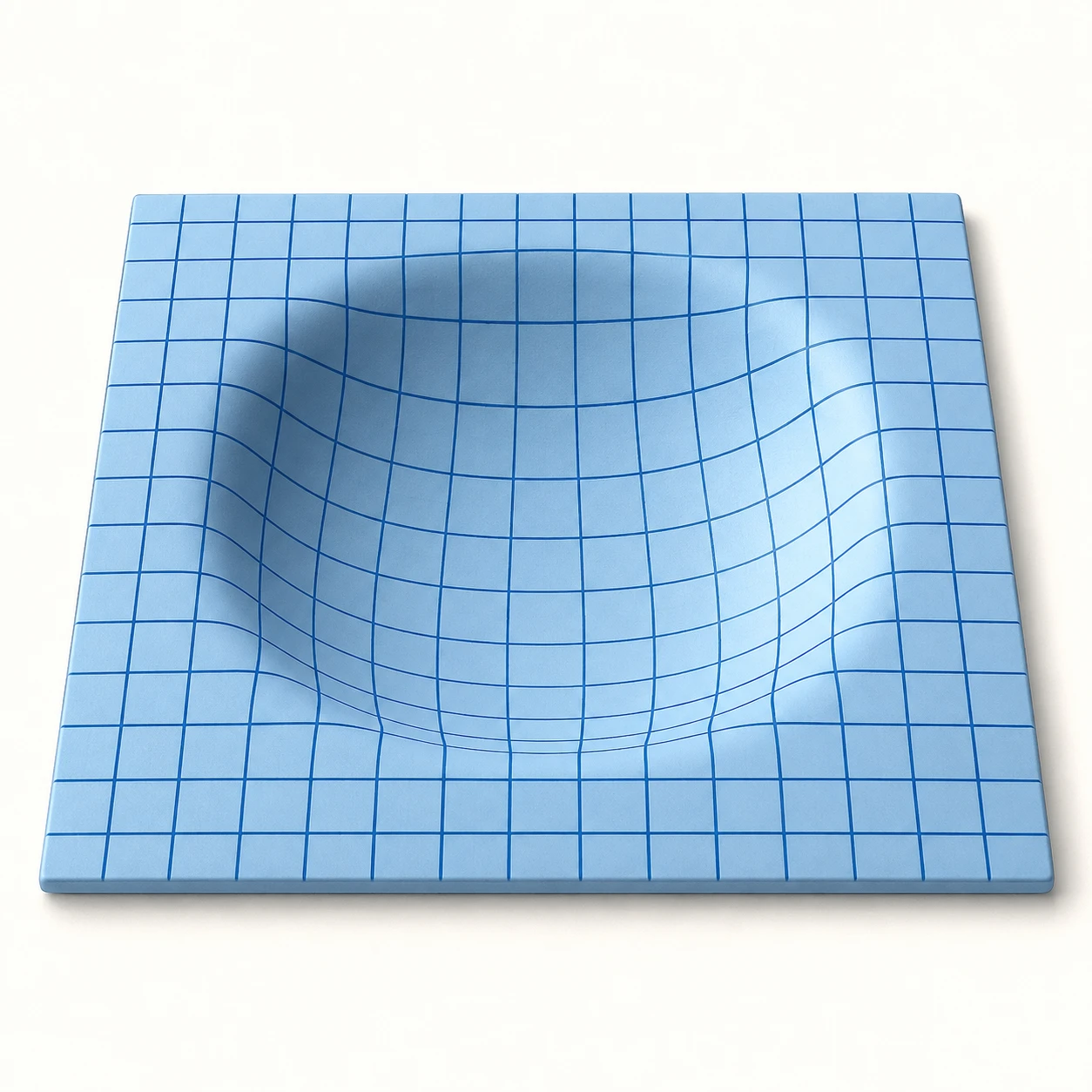
An illustration that explains surface depth through a flat grid bending into a central depression.
One Dented Grid Sheet · Surface Grid Deformation
- Shape & line
- Draw a simple square perimeter in perspective and turn the printed grid into continuous curves inside the depression. Let each line ease downward through the rounded shoulder and return smoothly to the flat border, without breaks or abrupt angular bends.
- Color & light
- Use pale blue for the sheet and darker blue for the grid. Place the light at the image upper left, brighten the depression's inner slope on the image lower right, and shade its inner slope on the image upper left; keep these transitions broad and soft so the center reads as a hollow.
- Texture & material
- Render the rubber as a smooth matte surface with restrained painted grain. Make the grid look embedded in that surface: its cells narrow on slopes turning away from the viewer and open out across the flatter bottom, while line thickness remains visually consistent.
- Composition
- Keep several readable rows of straight grid cells around all four sides of the depression, establishing a flat reference before the curved center. Separate the near edge from the background with a narrow soft shadow, and keep the full perimeter visible so the deformation can be understood in one view.
Priority
Prioritize a continuous grid that visibly follows a concave surface.
What to avoid & what to check
Avoid a raised central mound, floating grid lines, or uniformly straight cells across the hollow.
Check that the curved grid and inner-slope lighting describe the same depression.
Exact prompt for this example
SUBJECT
One square pale-blue rubber sheet with a broad, rounded depression at its center and a dark-blue square grid printed continuously across its surface. The outer border remains flat, and the grid follows the depressed surface.

COMPOSITION
Show the entire sheet from an elevated three-quarter view, with its nearest edge toward the image bottom and its farthest edge toward the image top. Center it on a plain warm-white background with generous margins; make the central depression large enough to read clearly.

STYLE GUIDE
1. Shape & line
Draw a simple square perimeter in perspective and turn the printed grid into continuous curves inside the depression. Let each line ease downward through the rounded shoulder and return smoothly to the flat border, without breaks or abrupt angular bends.

2. Color & light
Use pale blue for the sheet and darker blue for the grid. Place the light at the image upper left, brighten the depression's inner slope on the image lower right, and shade its inner slope on the image upper left; keep these transitions broad and soft so the center reads as a hollow.

3. Texture & material
Render the rubber as a smooth matte surface with restrained painted grain. Make the grid look embedded in that surface: its cells narrow on slopes turning away from the viewer and open out across the flatter bottom, while line thickness remains visually consistent.

4. Composition
Keep several readable rows of straight grid cells around all four sides of the depression, establishing a flat reference before the curved center. Separate the near edge from the background with a narrow soft shadow, and keep the full perimeter visible so the deformation can be understood in one view.

PRIORITY
Preserve the requested identity, count, action, composition and output settings. Apply the style rules within those constraints; a style reference must not replace the subject or layout. Within the style: Prioritize a continuous grid that visibly follows a concave surface.

AVOID
Avoid a raised central mound, floating grid lines, or uniformly straight cells across the hollow.

OUTPUT
One square-format explanatory illustration in clean opaque digital paint, with no text, labels, arrows, numbers, or watermark.

SELF-CHECK
Check that the curved grid and inner-slope lighting describe the same depression.
Model information comes from image provenance. The same prompt may produce a different result.