Text to imageSpace & architectureStyle guide
Small Stairwell · Tread–Riser Value Separation
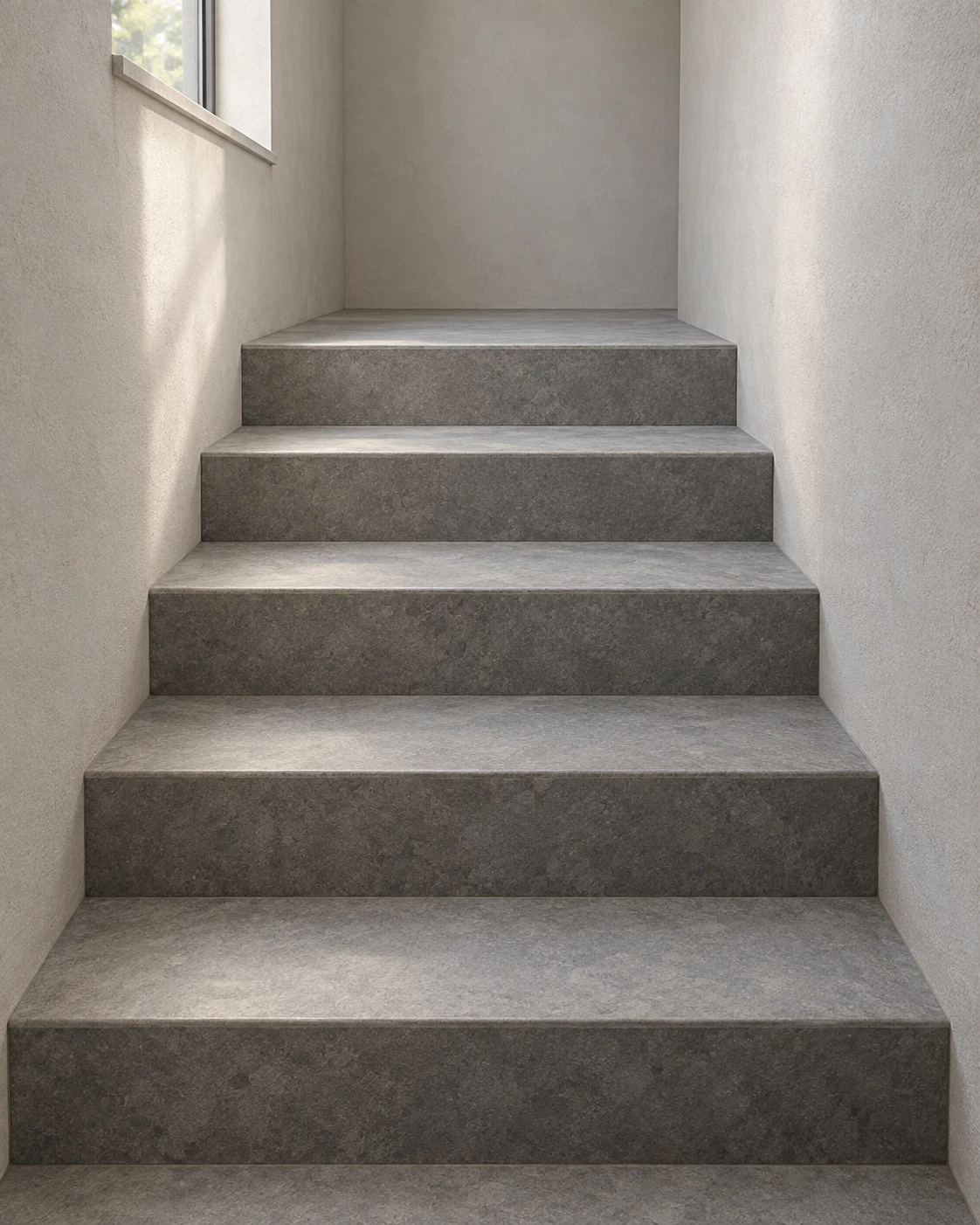
A spatial reference that makes five steps read clearly through alternating light horizontal treads and darker vertical risers.
Small Stairwell · Tread–Riser Value Separation
- Shape & line
- Build the staircase from connected rectangular planes: give every step a visible horizontal top and vertical front, keep their shared edges continuous, and let the parallel side edges converge gently toward the landing.
- Color & light
- Use soft daylight entering from the high image-left window to make the upward-facing treads pale warm gray and the viewer-facing risers a distinctly darker gray. Keep this alternating value pattern readable across all five steps, with the image-right wall receiving a subdued wash of light.
- Texture & material
- Render the steps as matte gray stone with restrained mottling and slightly softened exposed edges. Give the walls fine, low-contrast plaster grain; keep material variation quieter than the light–dark separation between adjoining stair planes.
- Composition
- Let the nearest tread span most of the lower image and make successive steps appear progressively shallower toward the upper-center landing. Preserve a visible strip of each riser, and use the plain side walls to frame the repeated bright-top, dark-front rhythm.
Priority
Prioritize clear tread–riser value separation over decorative detail.
What to avoid & what to check
Avoid merging adjacent steps into one slope or using dark outlines to replace plane shading.
Check that all five steps have a readable bright top and darker front connected at one shared edge.
Exact prompt for this example
SUBJECT
A small enclosed stairwell containing exactly five broad steps rising away from the viewer to one empty landing. Each horizontal tread meets a vertical riser; the staircase fits between two plain plaster walls. One high window in the image-left wall supplies the daylight.

COMPOSITION
View from the foot of the staircase, slightly right of its center, looking upward toward the landing. Show all five treads and risers, both enclosing walls, and the high image-left window. Keep the nearest step fully inside the frame and the landing clearly visible above the final step.

STYLE GUIDE
1. Shape & line
Build the staircase from connected rectangular planes: give every step a visible horizontal top and vertical front, keep their shared edges continuous, and let the parallel side edges converge gently toward the landing.

2. Color & light
Use soft daylight entering from the high image-left window to make the upward-facing treads pale warm gray and the viewer-facing risers a distinctly darker gray. Keep this alternating value pattern readable across all five steps, with the image-right wall receiving a subdued wash of light.

3. Texture & material
Render the steps as matte gray stone with restrained mottling and slightly softened exposed edges. Give the walls fine, low-contrast plaster grain; keep material variation quieter than the light–dark separation between adjoining stair planes.

4. Composition
Let the nearest tread span most of the lower image and make successive steps appear progressively shallower toward the upper-center landing. Preserve a visible strip of each riser, and use the plain side walls to frame the repeated bright-top, dark-front rhythm.

PRIORITY
Preserve the requested identity, count, action, composition and output settings. Apply the style rules within those constraints; a style reference must not replace the subject or layout. Within the style: Prioritize clear tread–riser value separation over decorative detail.

AVOID
Avoid merging adjacent steps into one slope or using dark outlines to replace plane shading.

OUTPUT
Create one architectural reference image in a vertical 4:5 aspect ratio, with no text, labels, logos, or watermark.

SELF-CHECK
Check that all five steps have a readable bright top and darker front connected at one shared edge.
Model information comes from image provenance. The same prompt may produce a different result.