Text to imageLandscapeStyle guide
Grassy Hill · Terrain-Wrapping Cloud Shadow
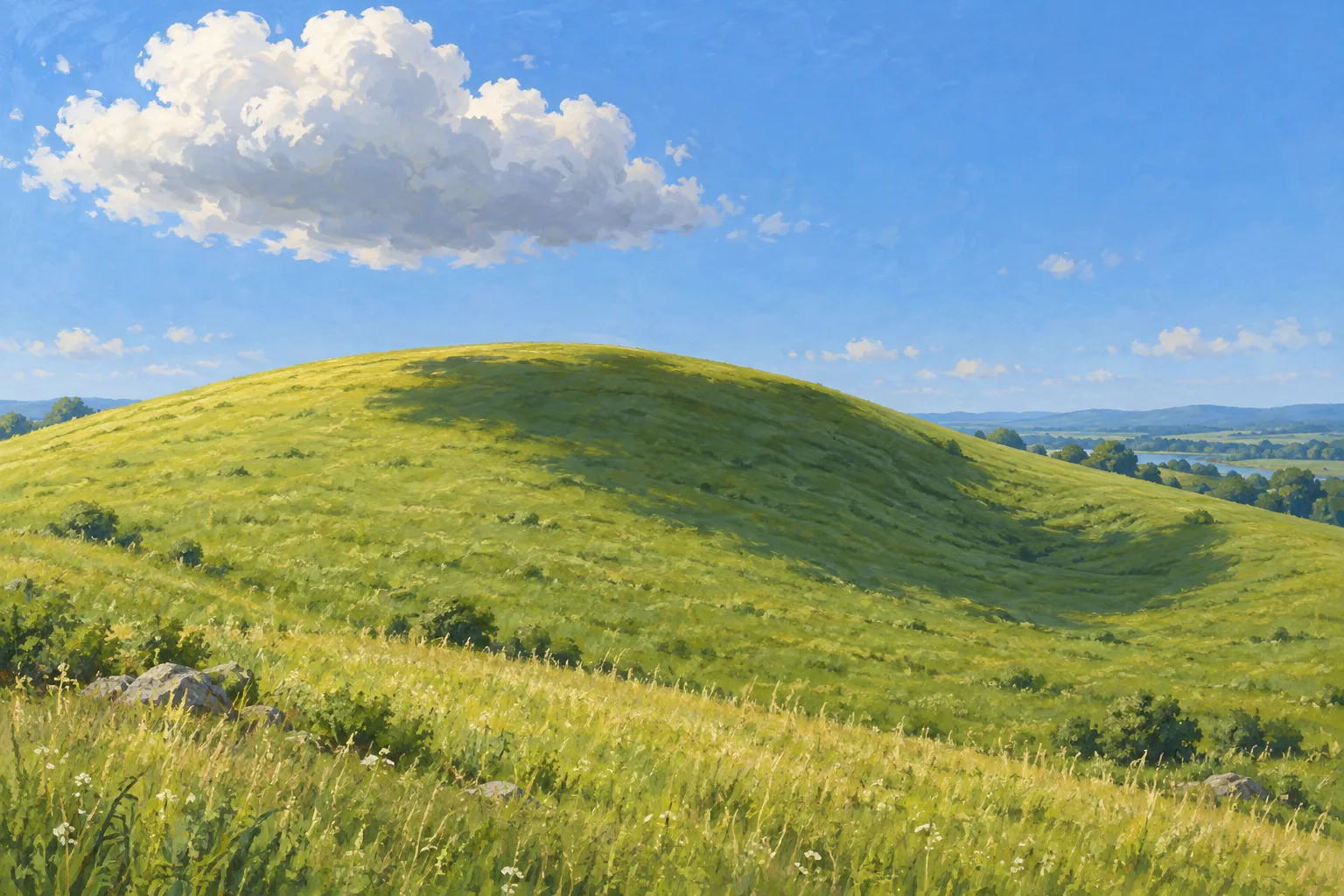
A cloud shadow crossing a rounded grassy hill reveals the terrain’s curvature and the direction of light.
Grassy Hill · Terrain-Wrapping Cloud Shadow
- Shape & line
- Build the hill from one broad convex silhouette interrupted by a shallow dip on image-right. Draw the cloud shadow as a connected irregular patch whose boundary changes direction at the crest and curves through the dip, making it follow the ground rather than read as a flat oval.
- Color & light
- Place sunlight above and beyond the image-left edge, leaving the cloud’s upper-left surface bright and its underside cool gray. Keep exposed grass warm yellow-green and the cloud-shadowed grass cooler, darker green; carry this shift continuously from the crest into the image-right dip.
- Texture & material
- Use opaque matte gouache with broad brush marks for the ground and softly blended cloud masses. Add sparse short grass strokes in the foreground and reduce their size toward the crest; let the same grass texture continue through the shadow, while softening only the shadow boundary.
- Composition
- Set the cloud in the upper-left third and its ground shadow across the center-right of the hill. Leave visible sunlit grass around the shadow, including a strip along the lower edge, and keep the crest unobstructed so viewers can compare the shadow’s shape on the rounded rise and in the dip.
Priority
Make the connected cloud shadow reveal the hill’s changing surface.
What to avoid & what to check
Avoid a hard oval shadow or a separate dark material patch.
Check that grass continues through the shadow and its boundary bends with the crest and dip.
Exact prompt for this example
SUBJECT
One rounded grassy hill with a shallow dip on its image-right slope, beneath one broad white cloud. The cloud casts one connected shadow across the hill’s crest and into the dip; the shadow is displaced toward image-right from the cloud.

COMPOSITION
Use a wide, slightly elevated view with the hill occupying the lower two-thirds and the cloud in the upper-left sky. Show the crest, right-facing slope and shallow dip together so the shadow’s passage across changing terrain is readable.

STYLE GUIDE
1. Shape & line
Build the hill from one broad convex silhouette interrupted by a shallow dip on image-right. Draw the cloud shadow as a connected irregular patch whose boundary changes direction at the crest and curves through the dip, making it follow the ground rather than read as a flat oval.

2. Color & light
Place sunlight above and beyond the image-left edge, leaving the cloud’s upper-left surface bright and its underside cool gray. Keep exposed grass warm yellow-green and the cloud-shadowed grass cooler, darker green; carry this shift continuously from the crest into the image-right dip.

3. Texture & material
Use opaque matte gouache with broad brush marks for the ground and softly blended cloud masses. Add sparse short grass strokes in the foreground and reduce their size toward the crest; let the same grass texture continue through the shadow, while softening only the shadow boundary.

4. Composition
Set the cloud in the upper-left third and its ground shadow across the center-right of the hill. Leave visible sunlit grass around the shadow, including a strip along the lower edge, and keep the crest unobstructed so viewers can compare the shadow’s shape on the rounded rise and in the dip.

PRIORITY
Preserve the requested identity, count, action, composition and output settings. Apply the style rules within those constraints; a style reference must not replace the subject or layout. Within the style: Make the connected cloud shadow reveal the hill’s changing surface.

AVOID
Avoid a hard oval shadow or a separate dark material patch.

OUTPUT
Create one landscape image in a 3:2 aspect ratio, rendered as a naturalistic opaque-gouache study, without text, labels or a border.

SELF-CHECK
Check that grass continues through the shadow and its boundary bends with the crest and dip.
Model information comes from image provenance. The same prompt may produce a different result.