Text to imageArt stylesStyle guide
One Tulip · Satin-Stitch Embroidery
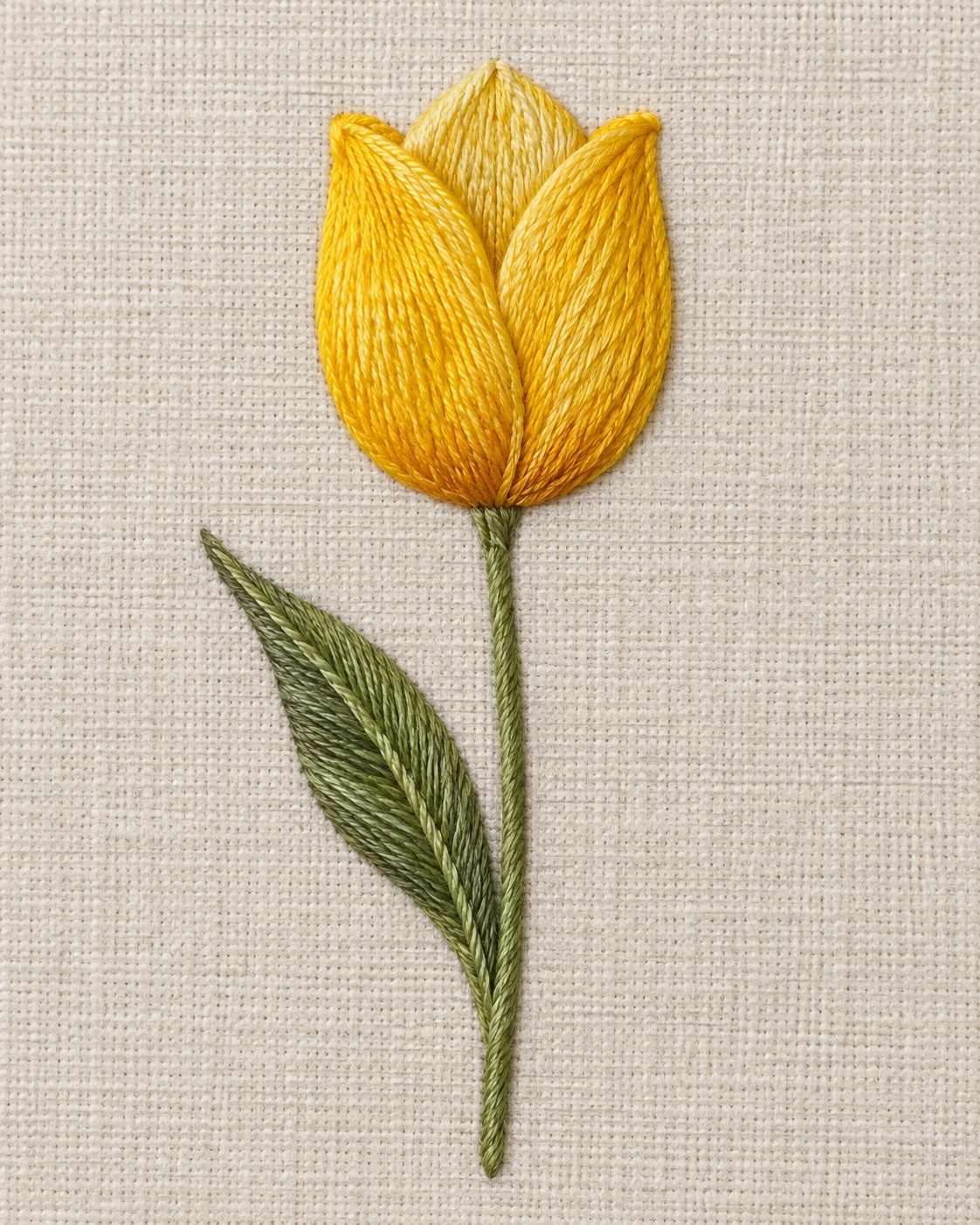
An embroidery study of one yellow tulip, using closely laid threads and subtle sheen to reveal the direction of its petals.
One Tulip · Satin-Stitch Embroidery
- Shape & line
- Build each petal from closely packed satin stitches that span its shape, turning their direction gradually with the petal's curve. Keep the two outer petal edges crisp where they overlap the central petal, and form the slender stem with a continuous narrow line of stitches.
- Color & light
- Use golden yellow for the outer petals, pale yellow for the central petal, and muted green for the stem and leaf. Let soft light from image-upper-left create a gentle sheen on raised threads and small shadows along their image-lower-right edges; use amber thread near the flower's base to deepen the cup.
- Texture & material
- Make individual embroidery strands visible as parallel ridges with occasional slight spacing changes. Fill the leaf with diagonal stitches meeting at its central vein, and retain the linen's matte woven texture between embroidered areas so glossy thread and rough cloth remain visibly distinct.
- Composition
- Keep the complete flower, stem, and leaf inside the frame, with the blossom as the largest stitched area. Balance the leaf's image-left curve with open linen on image-right, and use an even background so stitch direction and petal overlap remain easy to read.
Priority
Prioritize readable satin-stitch direction and clear petal overlap.
What to avoid & what to check
Avoid painted gradients that erase the individual threads or make the linen look glossy.
Check that one tulip is recognizable and that its curved stitched petals contrast with the matte woven background.
Exact prompt for this example
SUBJECT
Show one yellow tulip embroidered on ivory linen, with one upright stem and one green leaf attached to its lower half. Three overlapping petals form a single cup-shaped flower; the central petal sits behind the two outer petals.

COMPOSITION
Use a straight-on view of the flat linen surface in a vertical frame. Place the flower above center, extend its stem toward the lower center, and curve the attached leaf toward image-left. Leave generous exposed linen around the entire embroidered silhouette.

STYLE GUIDE
1. Shape & line
Build each petal from closely packed satin stitches that span its shape, turning their direction gradually with the petal's curve. Keep the two outer petal edges crisp where they overlap the central petal, and form the slender stem with a continuous narrow line of stitches.

2. Color & light
Use golden yellow for the outer petals, pale yellow for the central petal, and muted green for the stem and leaf. Let soft light from image-upper-left create a gentle sheen on raised threads and small shadows along their image-lower-right edges; use amber thread near the flower's base to deepen the cup.

3. Texture & material
Make individual embroidery strands visible as parallel ridges with occasional slight spacing changes. Fill the leaf with diagonal stitches meeting at its central vein, and retain the linen's matte woven texture between embroidered areas so glossy thread and rough cloth remain visibly distinct.

4. Composition
Keep the complete flower, stem, and leaf inside the frame, with the blossom as the largest stitched area. Balance the leaf's image-left curve with open linen on image-right, and use an even background so stitch direction and petal overlap remain easy to read.

PRIORITY
Preserve the requested identity, count, action, composition and output settings. Apply the style rules within those constraints; a style reference must not replace the subject or layout. Within the style: Prioritize readable satin-stitch direction and clear petal overlap.

AVOID
Avoid painted gradients that erase the individual threads or make the linen look glossy.

OUTPUT
Create one image in a 4:5 portrait aspect ratio, with no lettering, labels, signature, or watermark.

SELF-CHECK
Check that one tulip is recognizable and that its curved stitched petals contrast with the matte woven background.
Model information comes from image provenance. The same prompt may produce a different result.